
SUMO 2 Player games PC
BUQER
Download SUMO 2 Player games on PC With GameLoop Emulator
SUMO 2 Player games on PC
SUMO 2 Player games, coming from the developer BUQER, is running on Android systerm in the past.
Now, You can play SUMO 2 Player games on PC with GameLoop smoothly.
Download it in the GameLoop library or search results. No more eyeing the battery or frustrating calls at the wrong time any more.
Just enjoy SUMO 2 Player games PC on the large screen for free!
SUMO 2 Player games Introduction
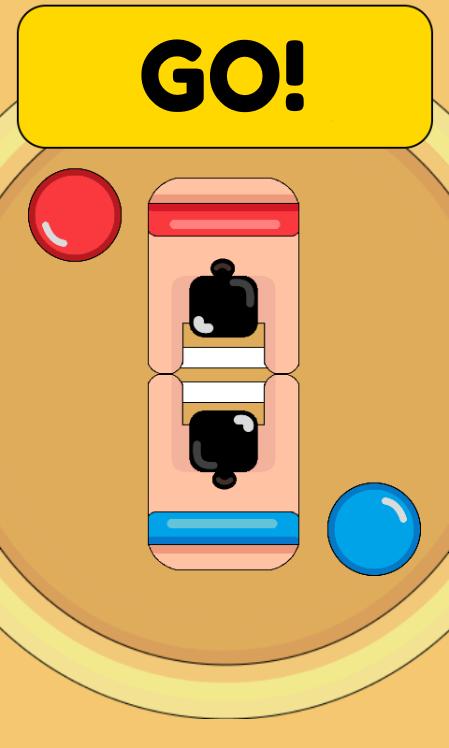
Kaori has prepared all her life for this moment. Beat your opponents and win the Sumo World Cup. You must help him with what every fighter must have. With just one button you will give all your strength and speed and he will return the glory and fun of the sport.
Control your favorite sumo wrestler with a single button and move it through the dojo arena, dragging your opponent and throwing him out into the air. But beware! when you beat him, the opponent will become stronger and more furious.
Sumo minigame features
2 Player games
Free minigame sumo game
Designed for single player
Sumo minigame is simple, fun and addictive
Compatible with people of all ages and pets
Take away the stress and relax
Many more functions
Features added soon
Defeat your friends in the leaderboards
Change the clothes and the color of the characters
New hits and defenses
Training mode
Many more functions
What are you waiting for? Download Sumo minigame and have fun with your family, friends and pets!
Preview

Tags
CasualInformation
Developer
BUQER
Latest Version
1.0.0.4
Last Updated
2020-03-07
Category
Arcade
Available on
Google Play
Show More
How to play SUMO 2 Player games with GameLoop on PC
1. Download GameLoop from the official website, then run the exe file to install GameLoop
2. Open GameLoop and search for “SUMO 2 Player games” , find SUMO 2 Player games in the search results and click “Install”
3. Enjoy playing SUMO 2 Player games on GameLoop
Minimum requirements
OS
Windows 8.1 64-bit or Windows 10 64-bit
GPU
GTX 1050
CPU
i3-8300
Memory
8GB RAM
Storage
1GB available space
Recommended requirements
OS
Windows 8.1 64-bit or Windows 10 64-bit
GPU
GTX 1050
CPU
i3-9320
Memory
16GB RAM
Storage
1GB available space