Exploration Craft: Pocket Edition PC
Exploration, Survival & Craft Games
Download Exploration Craft: Pocket Edition on PC With GameLoop Emulator
Exploration Craft: Pocket Edition on PC
Exploration Craft: Pocket Edition, coming from the developer Exploration, Survival & Craft Games, is running on Android systerm in the past.
Now, You can play Exploration Craft: Pocket Edition on PC with GameLoop smoothly.
Download it in the GameLoop library or search results. No more eyeing the battery or frustrating calls at the wrong time any more.
Just enjoy Exploration Craft: Pocket Edition PC on the large screen for free!
Exploration Craft: Pocket Edition Introduction
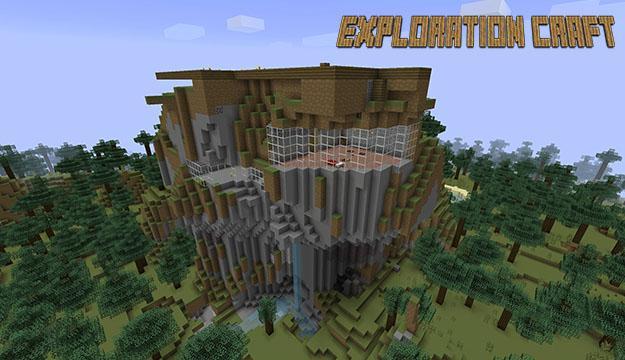
Explore the mine, collect resources, create tools and weapons, and get full protection from predators and bandits.
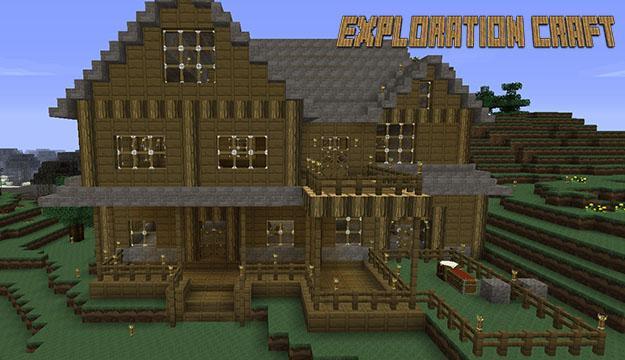
Find the abandoned houses or build your own to survive in this dangerous and adventurous cubic world. Dedicate your life for the Build Craft.
Play, explore, travel and craft, during a long time in our game to open new interesting game modes.
Simple controls, Blocks Radius select for your pleasure. Also you may use FLY mode.
Great Pixel Block 3D graphics, dynamic environment, sky, clouds etc.
Exploring Craft Games Features:
> Survival and creative in dangerous conditions.
> Many game modes: creative, classic, survival..
> Creating of different items, weapons and armor.
> 3D pixel blocks for construction.
> High FPS, without compromise
> Ingame shop and daily bonuses in the form of coins.
ENJOY EXPLORING THE GAME! CRAFTING YOUR WORLD!
Preview
Information
Developer
Exploration, Survival & Craft Games
Latest Version
1.0.1
Last Updated
2017-07-21
Category
Arcade
Available on
Google Play
Show More
How to play Exploration Craft: Pocket Edition with GameLoop on PC
1. Download GameLoop from the official website, then run the exe file to install GameLoop
2. Open GameLoop and search for “Exploration Craft: Pocket Edition” , find Exploration Craft: Pocket Edition in the search results and click “Install”
3. Enjoy playing Exploration Craft: Pocket Edition on GameLoop
Minimum requirements
OS
Windows 8.1 64-bit or Windows 10 64-bit
GPU
GTX 1050
CPU
i3-8300
Memory
8GB RAM
Storage
1GB available space
Recommended requirements
OS
Windows 8.1 64-bit or Windows 10 64-bit
GPU
GTX 1050
CPU
i3-9320
Memory
16GB RAM
Storage
1GB available space