
AI Enlarger: Image Upscaler PC
Vertexshare Software Ltd
Download AI Enlarger: Image Upscaler on PC With GameLoop Emulator
AI Enlarger: Image Upscaler sa PC
Ang AI Enlarger: Image Upscaler, na nagmumula sa developer na Vertexshare Software Ltd, ay tumatakbo sa Android systerm sa nakaraan.
Ngayon, maaari mong laruin ang AI Enlarger: Image Upscaler sa PC gamit ang GameLoop nang maayos.
I-download ito sa GameLoop library o mga resulta ng paghahanap. Hindi na tumitingin sa baterya o nakakadismaya na mga tawag sa maling oras.
I-enjoy lang ang AI Enlarger: Image Upscaler PC sa malaking screen nang libre!
AI Enlarger: Image Upscaler Panimula
AI Enlarger – Photo Enhancer & Image Upscaler
Enhance your photos with a powerful all-in-one AI image upscaler and photo enhancer.
AI Enlarger helps you upscale images, improve quality, and restore details with advanced AI models and easy-to-use tools.
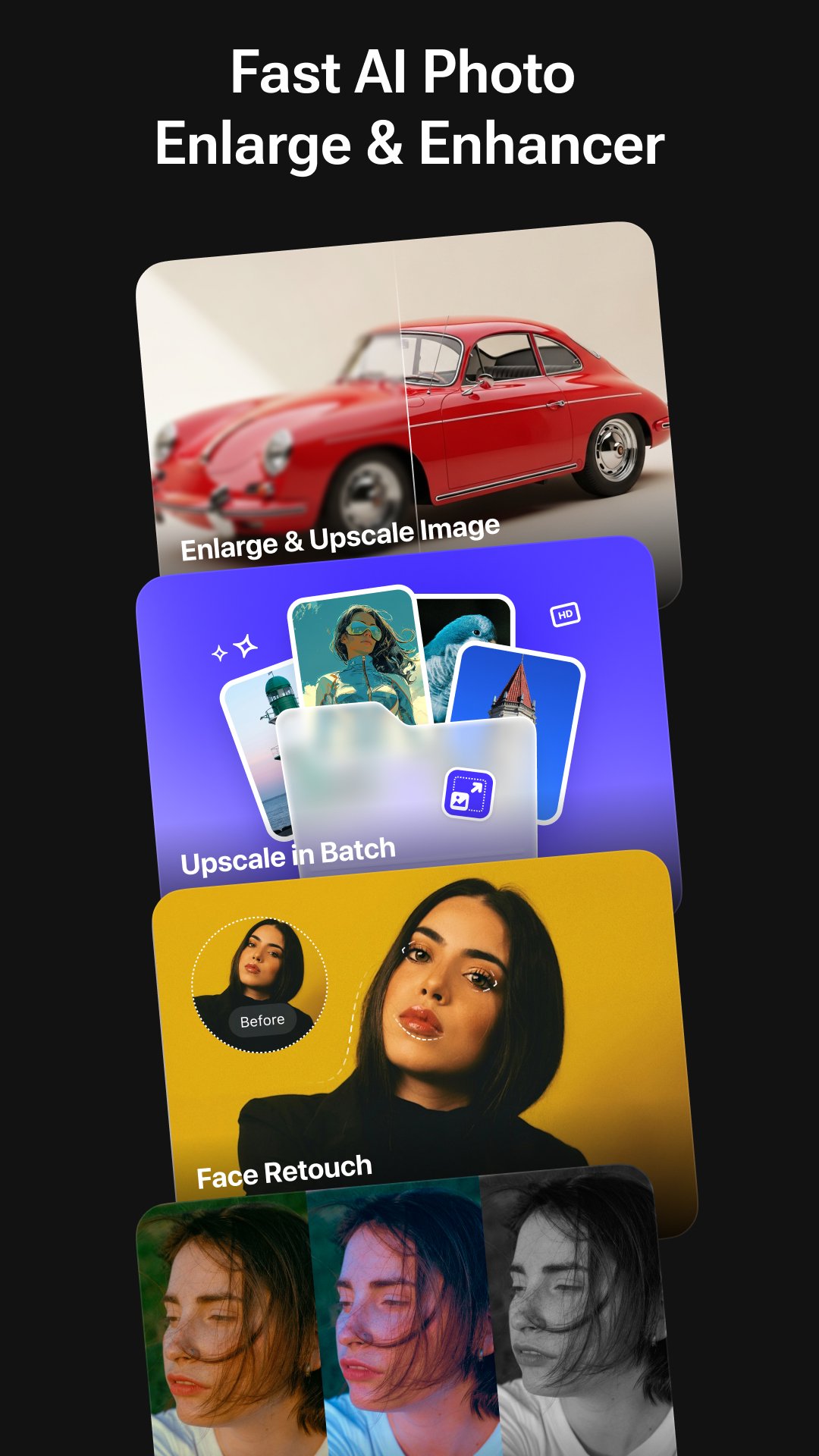
Enlarge photos by 2×, 4×, or 8×, fix blurry images, retouch portraits, and apply professional enhancements — all in one simple and intuitive app.
Whether you're restoring old photos, improving low-resolution images, enhancing anime artwork, or creating high-quality visuals for social media, AI Enlarger delivers sharp, clean, and natural-looking results.
- Key Features
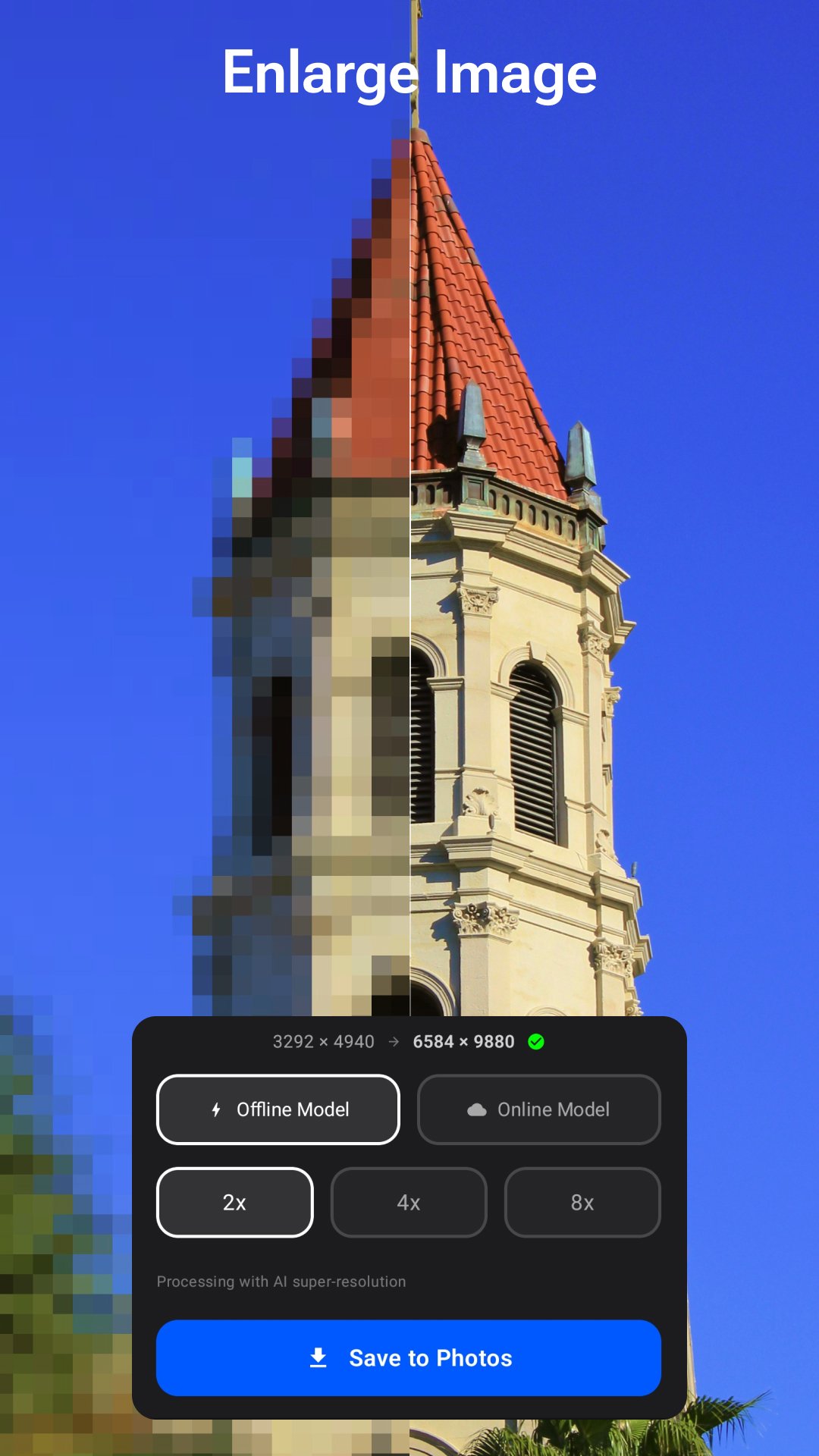
AI Image Upscale & Enlarge (2× / 4× / 8×)
Upscale photos with AI-powered super resolution
Improve image clarity, sharpness, and details
Supports both real photos and anime images
Choose between online AI processing or offline local models
Export high-resolution images (4K / 8K)
- Batch Image Upscaling
Process multiple images at once
Automatically enhance quality during batch processing
Ideal for photo collections, product images, and design workflows
- Advanced Face Retouch Tools
Enhance portraits with natural and detailed adjustments:
Eye enhancement (sharpness, brightness)
Eyebrow enhancement (density, contrast)
Face shaping and smoothing
Skin tone balance and beautification
Lip color adjustment with presets
- AI Photo Enhancement Studio
48 preset filters (portrait, vintage, cinematic, anime, etc.)
LUT filters for professional color grading
Lighting controls (exposure, contrast, highlights, shadows)
Color adjustments (temperature, tint, saturation, vibrance)
Detail tools (sharpen, clarity, noise reduction, dehaze, vignette)
- Performance & Stability
Improved processing speed and stability
Optimized memory usage for large image processing
Smooth and responsive editing experience
- How It Works
Select a photo from your device
Choose a feature: Upscale / Batch / Retouch / Enhance
Select your preferred scale (2× / 4× / 8×)
Preview and save your high-resolution result
- Perfect For
Enhancing low-resolution photos
Restoring old or blurry images
Improving anime and artwork quality
Creating high-resolution images for social media
E-commerce product photos
Wallpapers, prints, and digital design
- Pricing Plans
Monthly: $6.99 — Unlimited access
Yearly: $19.99 — Best value
Lifetime: $29.99 — One-time purchase
- Support
support@imglarger.com
https://imglarger.com
- Privacy Policy:
https://imglarger.com/blog/privacy-policy/
- Terms of Use:
https://imglarger.com/terms/
Preview
Tags
PhotographyInformation
Developer
Vertexshare Software Ltd
Latest Version
4.0.3
Last Updated
2026-04-15
Category
Photography
Available on
Google Play
Show More
How to play AI Enlarger: Image Upscaler with GameLoop on PC
1. Download GameLoop from the official website, then run the exe file to install GameLoop
2. Open GameLoop and search for “AI Enlarger: Image Upscaler” , find AI Enlarger: Image Upscaler in the search results and click “Install”
3. Enjoy playing AI Enlarger: Image Upscaler on GameLoop
Minimum requirements
OS
Windows 8.1 64-bit or Windows 10 64-bit
GPU
GTX 1050
CPU
i3-8300
Memory
8GB RAM
Storage
1GB available space
Recommended requirements
OS
Windows 8.1 64-bit or Windows 10 64-bit
GPU
GTX 1050
CPU
i3-9320
Memory
16GB RAM
Storage
1GB available space