
Spice POS, inventory & billing para PC
Spice Systems - Point of Sale, Inventory, Billing
Descarga Spice POS, inventory & billing en PC con GameLoop Emulator
Spice POS, inventory & billing en PC
Spice POS, inventory & billing, proveniente del desarrollador Spice Systems - Point of Sale, Inventory, Billing, se ejecuta en el sistema Android en el pasado.
Ahora, puedes jugar Spice POS, inventory & billing en PC con GameLoop sin problemas.
Descárgalo en la biblioteca de GameLoop o en los resultados de búsqueda. No más mirar la batería o llamadas frustrantes en el momento equivocado nunca más.
Simplemente disfrute de Spice POS, inventory & billing PC en la pantalla grande de forma gratuita!
Spice POS, inventory & billing Introducción
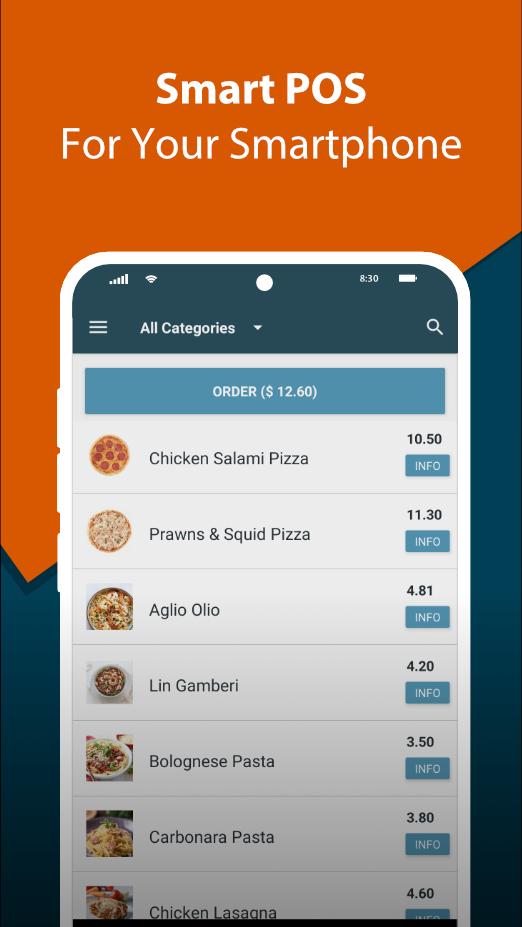
Spice POS is a point of sale and inventory management system for restaurants and retail businesses.
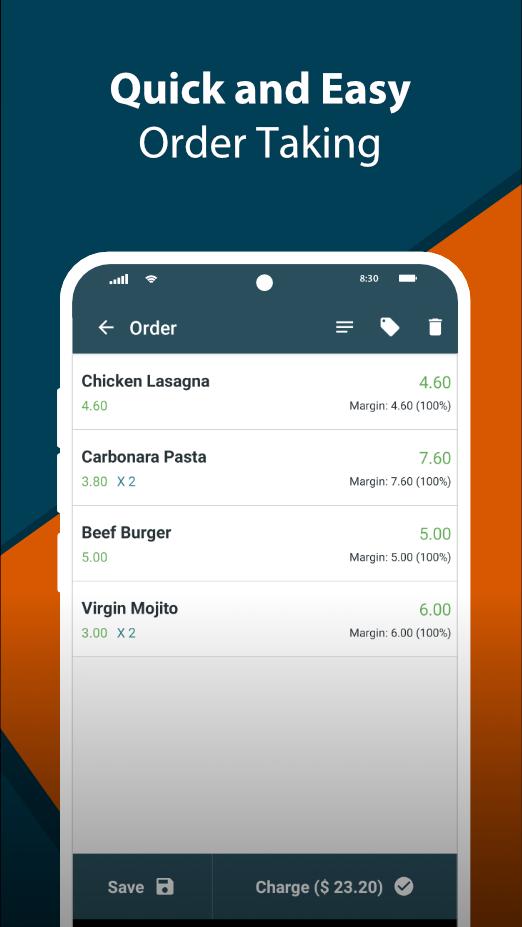
Spice POS consists of a feature rich, yet simple to learn point of sale app, and a web based back-office.
You can use Spice POS in your mobile phone, tablet, or android based POS terminals.
Spice POS is completely free for your small scale business, and you can use advanced features at a convenient pricing model as you grow. Visit our website: https://spicepos.com/pricing.html to learn more about pricing.
POINT OF SALE
★ Cloud based POS system, with ability to work offline
★ Printed or e-receipts
★ Bill level or item level discounts
★ Refunds and goods returns
★ Service charges and taxing
★ Customer display
★ Multi store management
★ Multiple payment methods, including CASH, CARD, CREDIT. Custom payment methods supported
★ Custom delivery methods
★ Payin / Payout
★ Gift cards
★ Setting up promotions
★ Item barcodes / weight based barcodes
★ Daily receipt sequence reset support
★ Ability to configure as a self service kiosk
★ Credit card excess fee
★ View sales margin / profit
RESTAURANT SPECIFIC
★ KOT / BOT printing
★ Multiple kitchen / bar support
★ Table orders
★ Combo item support
★ Item modifiers (additions)
★ Uber Eats and PickMe integration. Automatically receive orders from Uber Eats and PickMe directly in your POS app, streamlining order management for your restaurant.
★Capturing Pax (number of guests) in POS orders
INVENTORY MANAGEMENT
★ Inventory fully linked with POS
★ Purchase orders
★ GRN
★ Stock takes
★ Stock transfers
★ Stock returns
★ Low stock alerts & negative stock alerts
★ Inventory upload
★ Label / barcode printing (through POS terminal or back office)
★ Inventory insights
★ Historical inventory
★ Recipe based item support
★ Produced item support
★ Inventory expiry management
CUSTOMER MANAGEMENT
★ Customer loyalty points
★ Customer analytics
★ Customer credit management
★ Customer cheque management
EMPLOYEE MANAGEMENT
★ Role based access control, with admin override support
★ Shift management
★ Employee performance insights
SUPPLIER MANAGEMENT
★ Supplier credit management
★ Supplier cheque management
SOFTWARE PACKAGES Details: https://spicepos.com/pricing.html
★ Start (free): Point of sale features suitable for a small scale business
★ Grow: All features of Start plus basic inventory management, employees management, customer credit payments
★ Thrive: Full set of features including check payments, advanced inventory management
SUPPORTED BUSINESS TYPES
★ Restaurants
★ Bars / Pubs
★ Food Trucks
★ Pastry Shops
★ Retail Shops / Groceries
★ Hardware Stores
★ Book Shops
★ Clothing Stores
★ Bag / Shoe Shops
★ Pharmacies
★ Food / Retail Distributors
If you need help setting up Spice POS point of sale app for your store, or anything else regarding Spice POS, you can reach out to us through our chat support, through https://spicepos.com, or you can contact us through contactus@spicepos.com.
Avance
Etiquetas
EmpresaInformación
Desarrollador
Spice Systems - Point of Sale, Inventory, Billing
La última versión
392
Última actualización
2025-09-07
Categoría
Empresa
Disponible en
Google Play
Mostrar más
Cómo jugar Spice POS, inventory & billing con GameLoop en PC
1. Descargue GameLoop desde el sitio web oficial, luego ejecute el archivo exe para instalar GameLoop.
2. Abra GameLoop y busque "Spice POS, inventory & billing", busque Spice POS, inventory & billing en los resultados de búsqueda y haga clic en "Instalar".
3. Disfruta jugando Spice POS, inventory & billing en GameLoop.
Minimum requirements
OS
Windows 8.1 64-bit or Windows 10 64-bit
GPU
GTX 1050
CPU
i3-8300
Memory
8GB RAM
Storage
1GB available space
Recommended requirements
OS
Windows 8.1 64-bit or Windows 10 64-bit
GPU
GTX 1050
CPU
i3-9320
Memory
16GB RAM
Storage
1GB available space