
EPiC Mobile para PC
ABB Information Systems AG
Descarga EPiC Mobile en PC con GameLoop Emulator
EPiC Mobile en PC
EPiC Mobile, proveniente del desarrollador ABB Information Systems AG, se ejecuta en el sistema Android en el pasado.
Ahora, puedes jugar EPiC Mobile en PC con GameLoop sin problemas.
Descárgalo en la biblioteca de GameLoop o en los resultados de búsqueda. No más mirar la batería o llamadas frustrantes en el momento equivocado nunca más.
Simplemente disfrute de EPiC Mobile PC en la pantalla grande de forma gratuita!
EPiC Mobile Introducción
EPiC Mobile 4.0 – Pocket sized. EPiC control.
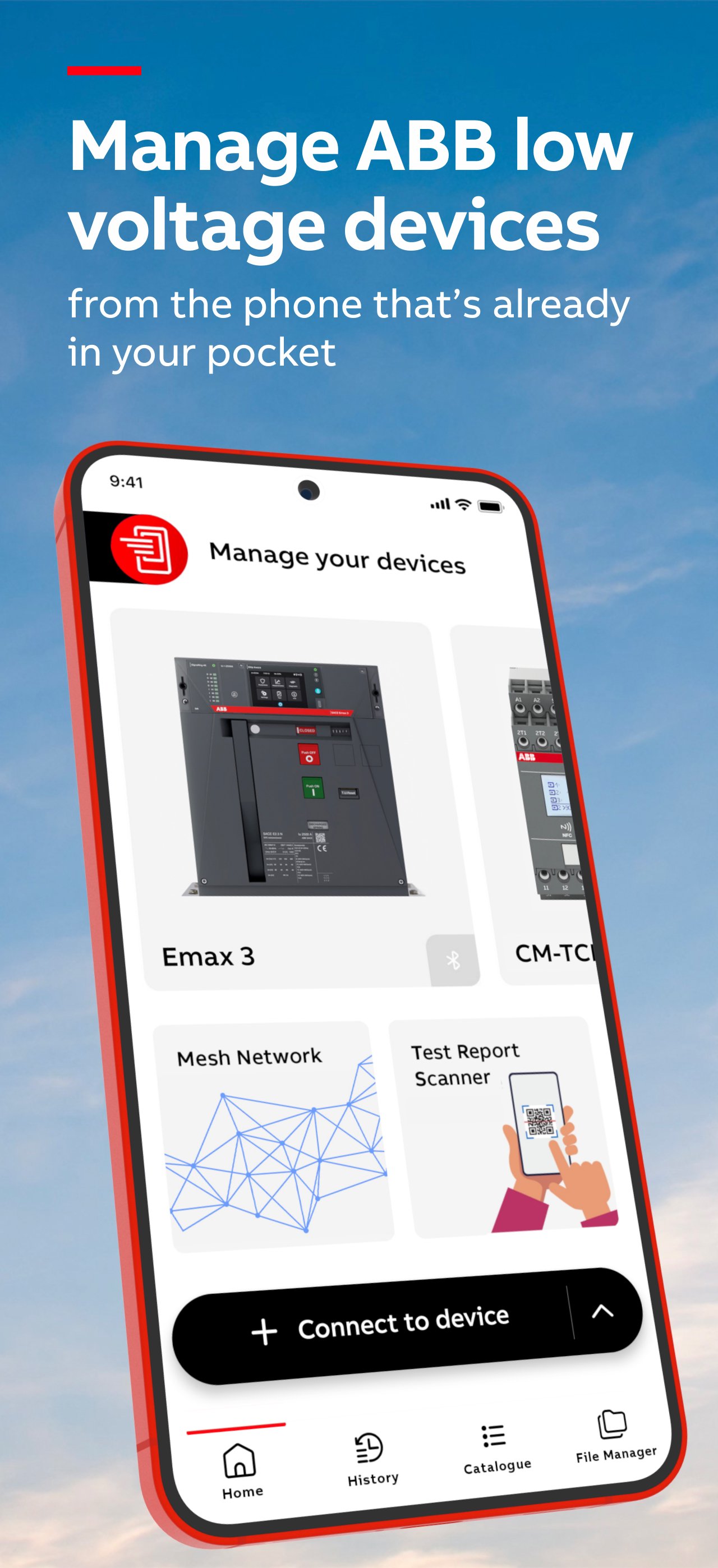
Manage ABB low-voltage devices with precision, speed and confidence, from the phone that's already in your pocket. EPiC Mobile is designed to help you monitor, install devices and digitally upgrade your hardware’s features.
Built for technicians, panel builders, and service engineers, EPiC Mobile gives you the tools and insights you need - whenever and wherever you need them.
Compatible devices
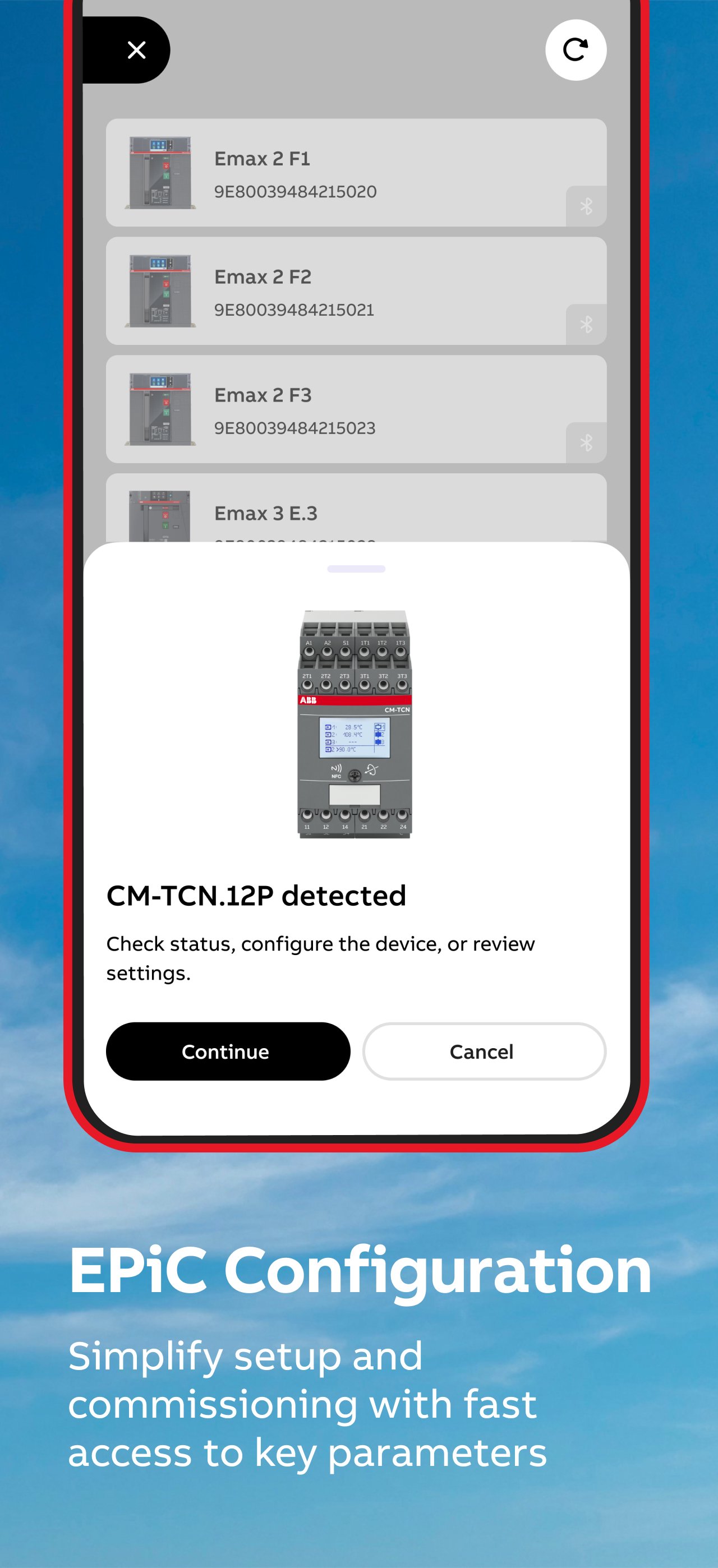
SACE Emax 3, SACE Emax 2, ABB SACE Tmax XT series (XT2, XT4, XT5), SACE Infinitus, Ekip UP+, CM-TCN.011 – 012 (via NFC), ABB CM-TCS.011 (via NFC)
What you can do
Connect first. Act faster.
Start by connecting to your device and instantly see what you can do - no guesswork. Access the right actions, data, and tools based on the device in front of you.
Commission and configure in minutes
Set parameters, apply configurations, and get devices up and running quickly via Bluetooth, USB-C, or NFC (depending on device model).
Monitor performance in real time
Connect to the device to view key data such as current, voltage, power, and temperature. Understand device status immediately and react before issues escalate.
Troubleshoot with clarity
Access alarms, event history, and diagnostics tools to identify and resolve problems faster - directly on-site.
Work offline
It works where you do, providing seamless wireless control and reliable offline access to ensure you get the job done. Selected features require an active internet connection.
Reduce risk. Increase safety
Connect wirelessly and avoid unnecessary exposure to live equipment.
React to trips and protection events before they escalate into downtime or danger. Access device data safely – even without powering it (where supported).
Stay efficient with smart features
• Recents: Quickly reconnect to recently used devices or review past data
• Dashboards: See key information and device status in one place
• Event overview: View all alarms at once for faster issue detection
• Context help: Get instant, screen-specific guidance whenever you need it
Built for the field
EPiC Mobile is designed to support your daily work:
• Configure devices faster and with less effort
• Minimize errors
• Improve troubleshooting speed
• See device status at a glance
• Keep systems running reliably
Emax 3 – Advanced capabilities
With ABB SACE Emax 3, unlock additional powerful features:
• Bluetooth Mesh for continuous thermal monitoring
• Integrated network analyzer for power quality insights
• USB-C connectivity for fast, reliable access
• Trip reader for detailed trip analysis
Why EPiC Mobile
With EPiC Mobile 4.0, your smartphone becomes a powerful tool to manage ABB low voltage devices - helping you work faster, make better decisions, and stay in control.
Avance
Etiquetas
EmpresaInformación
Desarrollador
ABB Information Systems AG
La última versión
4.0.1
Última actualización
2026-06-15
Categoría
Empresa
Disponible en
Google Play
Mostrar más
Cómo jugar EPiC Mobile con GameLoop en PC
1. Descargue GameLoop desde el sitio web oficial, luego ejecute el archivo exe para instalar GameLoop.
2. Abra GameLoop y busque "EPiC Mobile", busque EPiC Mobile en los resultados de búsqueda y haga clic en "Instalar".
3. Disfruta jugando EPiC Mobile en GameLoop.
Minimum requirements
OS
Windows 8.1 64-bit or Windows 10 64-bit
GPU
GTX 1050
CPU
i3-8300
Memory
8GB RAM
Storage
1GB available space
Recommended requirements
OS
Windows 8.1 64-bit or Windows 10 64-bit
GPU
GTX 1050
CPU
i3-9320
Memory
16GB RAM
Storage
1GB available space