
EdiGreen PC
Edimax Technology Co., Ltd.
Download EdiGreen on PC With GameLoop Emulator
EdiGreen on PC
EdiGreen, coming from the developer Edimax Technology Co., Ltd., is running on Android systerm in the past.
Now, You can play EdiGreen on PC with GameLoop smoothly.
Download it in the GameLoop library or search results. No more eyeing the battery or frustrating calls at the wrong time any more.
Just enjoy EdiGreen PC on the large screen for free!
EdiGreen Introduction
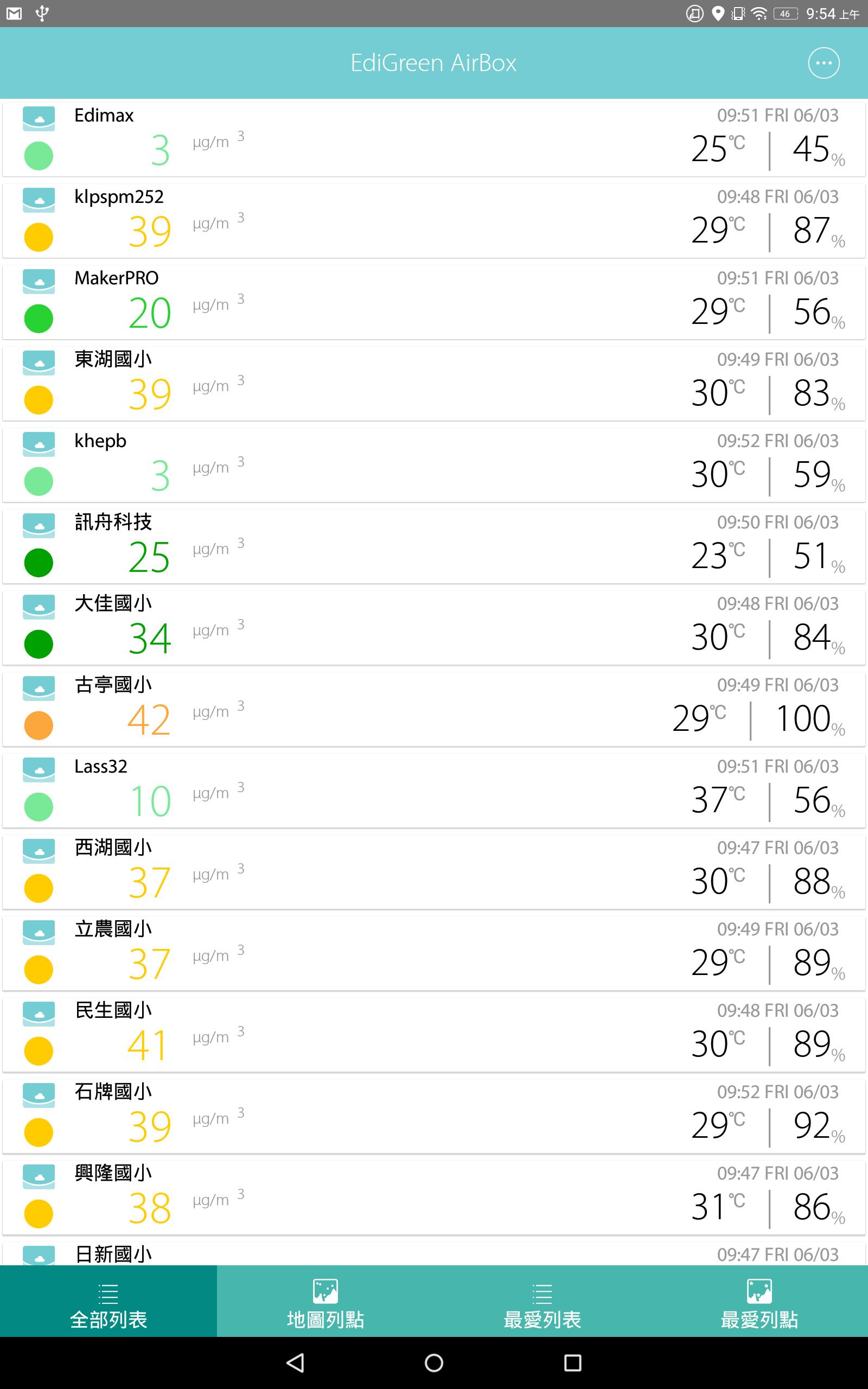
Made by the world’s largest IoT platform provider and air quality expert. Access real live air quality data (PM2.5, humidity and temperature) on-the-go from EDIMAX AirBoxes located around the world. Unlike other air quality Apps, the EdiGreen AirBoxes are located indoors and outdoors to give you the best air quality data standards possible. EdiGreen now has the widest AirBox coverage in the world and is also currently the largest AirBox provider.
+Live PM2.5 Air Quality Data at the Palm of Your Hand
Open the EdiGreen AirBox App and gain access to live air quality data around the world. With Updates every 5 min, you can plan your activities accordingly and avoid breathing in polluted air.
+Made and Developed in Taiwan with Over 10,000 Monitoring Sites Around the World
EdiGreen AirBox comes directly from the world’s largest AirBox provider, EDIMAX in Taiwan and developed in conjunction with Institute of Information Science Academia Sinica and public scientific researchers. With over 10,000 monitoring AirBoxes deployed in over 50 countries and growing rapidly. Data is provided 24/7 directly from the AirBoxes that are not altered in any way, giving uses useful, consistent and trusted air quality information across the world.
+Check the App Twice a Day and Protect your Health
Do you know how dirty your surrounding air is? Open up the EdiGreen App, you will find an intuitive and easy to view interface with AQI (Air Quality index) data. Furthermore, choose the GPS function to show the air quality of your current location or glance through different locations around the world. All you need to do is check the EdiGreen App twice a day and plan your activities accordingly for an improvement to your overall breathing quality.
Fully Open Data for the Benefit of All
The EdiGreen AirBox can be found in every public primary school across Taiwan. It does not stop there, the AirBox has footprints across multiple exhibitions and practical uses such taking part in student science fairs and researches by renowned universities such as National Taiwan University, National Chiao Tung University, Harvard University, National University of Singapore, Chicago University, Washington University and more. The EdiGreen AirBox is constantly contributing to the research of air quality and that of our breathing health.
App Functions
True real-time air quality information with PM2.5, temperature and humidity data.
24 hour air quality chart.
Everyday air quality indication and suggestions.
All list or all map display switch.
Favorite list and favorite map.
GPS: closest AirBox location.
Wind direction animation on/off
Location filter (EdiGreen AirBox, LASS, Environmental Protection Administration, malfunction or offline stations).
Preview
Tags
WeatherInformation
Developer
Edimax Technology Co., Ltd.
Latest Version
2.1.35
Last Updated
2022-11-22
Category
Weather
Available on
Google Play
Show More
How to play EdiGreen with GameLoop on PC
1. Download GameLoop from the official website, then run the exe file to install GameLoop
2. Open GameLoop and search for “EdiGreen” , find EdiGreen in the search results and click “Install”
3. Enjoy playing EdiGreen on GameLoop
Minimum requirements
OS
Windows 8.1 64-bit or Windows 10 64-bit
GPU
GTX 1050
CPU
i3-8300
Memory
8GB RAM
Storage
1GB available space
Recommended requirements
OS
Windows 8.1 64-bit or Windows 10 64-bit
GPU
GTX 1050
CPU
i3-9320
Memory
16GB RAM
Storage
1GB available space