
Kameram PC
Eagle Eye Networks B.V.
Download Kameram on PC With GameLoop Emulator
Kameram on PC
Kameram, coming from the developer Eagle Eye Networks B.V., is running on Android systerm in the past.
Now, You can play Kameram on PC with GameLoop smoothly.
Download it in the GameLoop library or search results. No more eyeing the battery or frustrating calls at the wrong time any more.
Just enjoy Kameram PC on the large screen for free!
Kameram Introduction
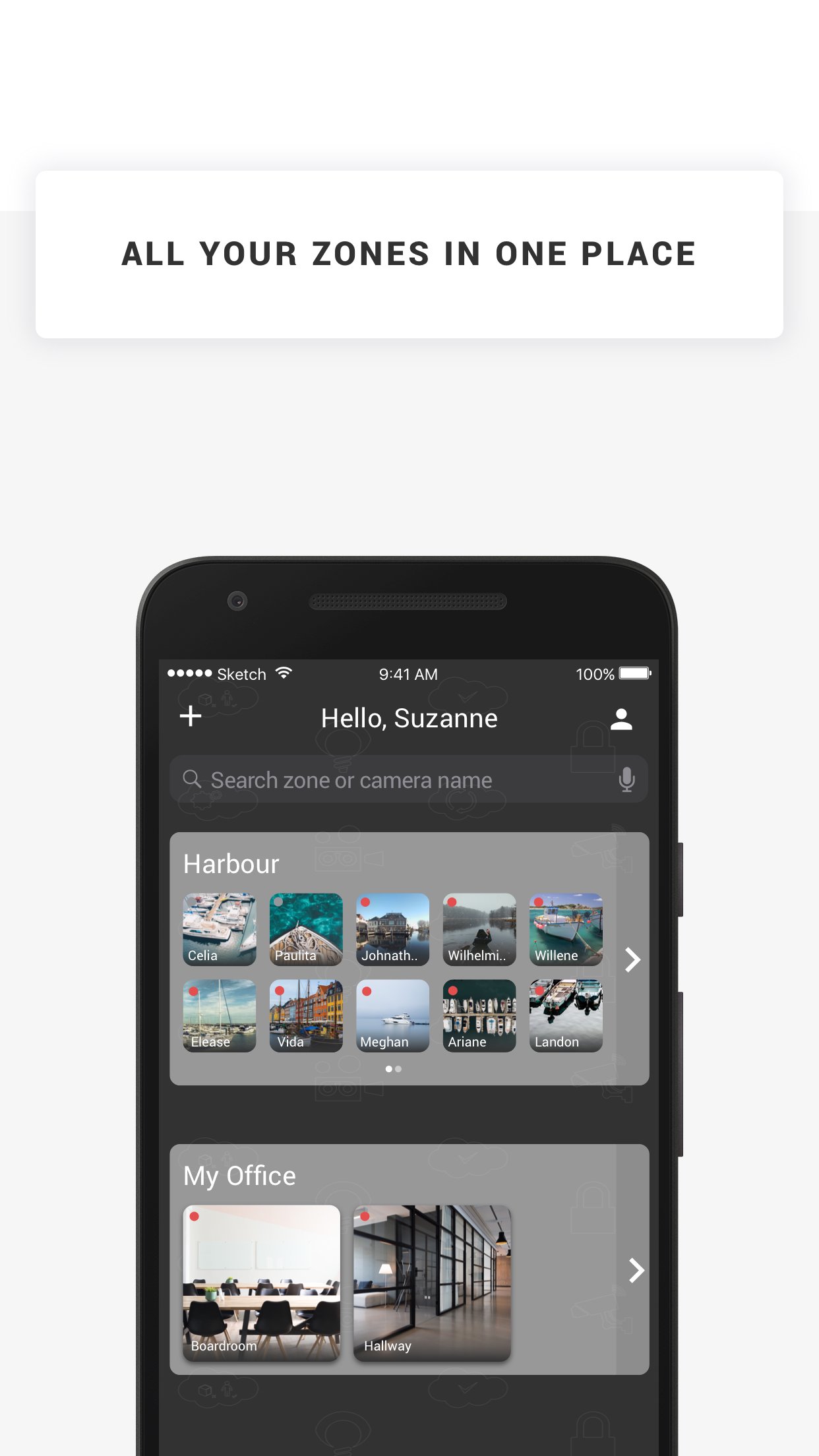
Kameram is the nr. 1 mobile IP camera application for Axis and Panasonic IP cameras. You can easily watch your house, office, shop or whatever you want to see! You just need an Axis, Hikvision or Panasonic IP camera and... Kameram.
Kameram contains a list of public cams so even when you don't have your own IP camera you can watch some of the cams we made public for you!
How does it work?
1. Login with your existing Kameram account. No account yet? Register for you trial.
2. After you've registered you can login with your Kameram username and password.
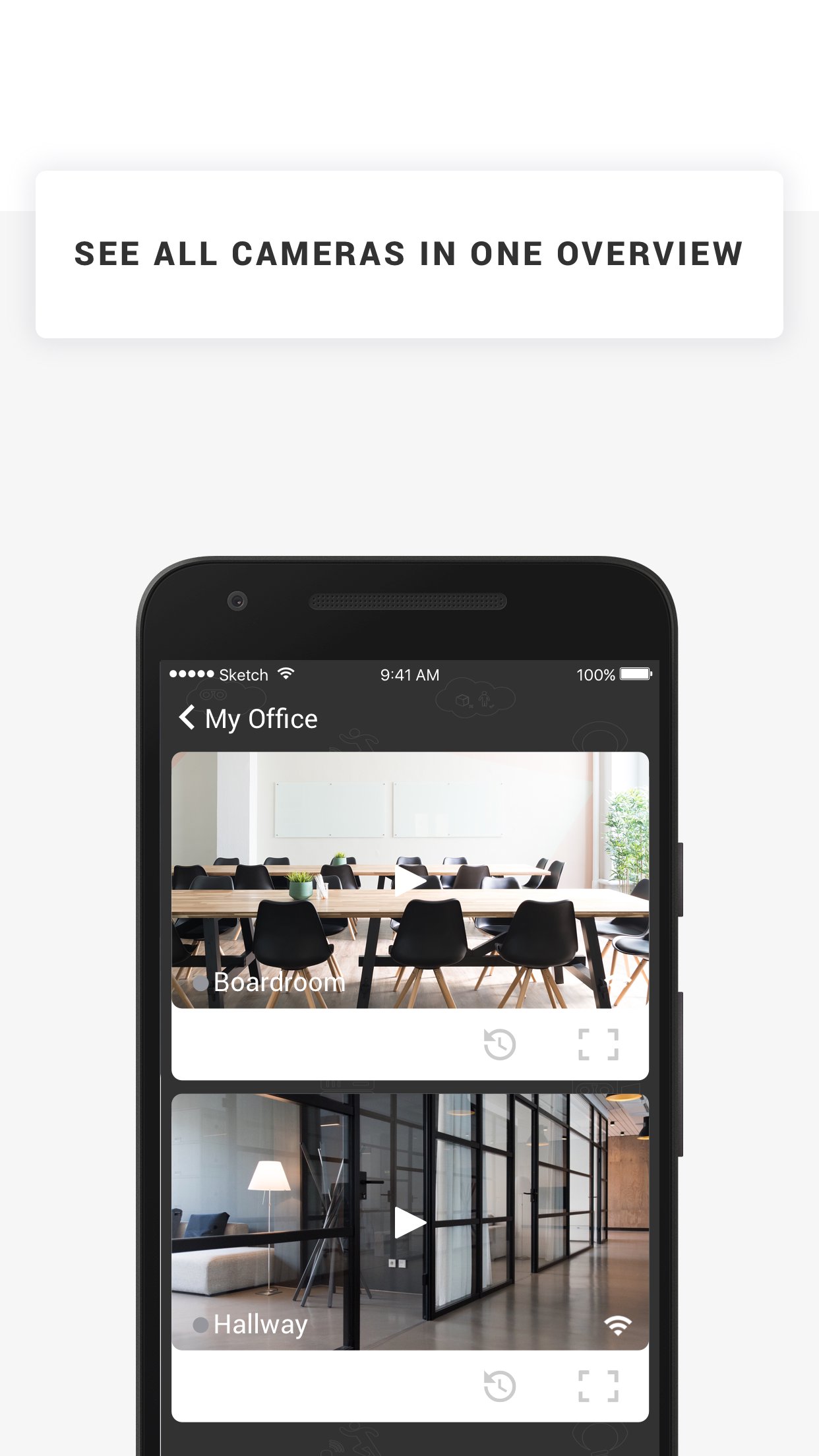
3. Click on the camera in the camera list to start live viewing. In the live viewing screen you can change PTZ of your camera, take a snapshot, go to fullscreen mode or start a recording.
4. For public demo cameras click the 'Take a tour' button
5. If your account supports online recording, click the 'Footage' button to playback your recordings
Supported features
* Live viewing
* Playback recordings MJPEG, MPEG-4, H.264 (old version MJPEG only)
* Pan-tilt-zoom
* I/O triggering
* Snapshots
* Recording trigger button
* Demo camera list
* Add, edit and delete cameras
* Fullscreen option
* IP camera status
* Support for Axis, Hikvision and Panasonic
* Delete Recordings
(supported features might differ per camera brand / model and for some features a subscription is needed, like online recording)
IMPORTANT NOTES
- Kameram mobile app supports MJPEG, MPEG-4 and H.264 streams.
Preview
Tags
Video-PlayersInformation
Developer
Eagle Eye Networks B.V.
Latest Version
26.1.0
Last Updated
2026-03-18
Category
Video-players-editors
Available on
Google Play
Show More
How to play Kameram with GameLoop on PC
1. Download GameLoop from the official website, then run the exe file to install GameLoop
2. Open GameLoop and search for “Kameram” , find Kameram in the search results and click “Install”
3. Enjoy playing Kameram on GameLoop
Minimum requirements
OS
Windows 8.1 64-bit or Windows 10 64-bit
GPU
GTX 1050
CPU
i3-8300
Memory
8GB RAM
Storage
1GB available space
Recommended requirements
OS
Windows 8.1 64-bit or Windows 10 64-bit
GPU
GTX 1050
CPU
i3-9320
Memory
16GB RAM
Storage
1GB available space