
Video Downloader - Story Saver PC
Fast Video Downloader & Story Saver - DevBay
Download Video Downloader - Story Saver on PC With GameLoop Emulator
Video Downloader - Story Saver on PC
Video Downloader - Story Saver, coming from the developer Fast Video Downloader & Story Saver - DevBay, is running on Android systerm in the past.
Now, You can play Video Downloader - Story Saver on PC with GameLoop smoothly.
Download it in the GameLoop library or search results. No more eyeing the battery or frustrating calls at the wrong time any more.
Just enjoy Video Downloader - Story Saver PC on the large screen for free!
Video Downloader - Story Saver Introduction
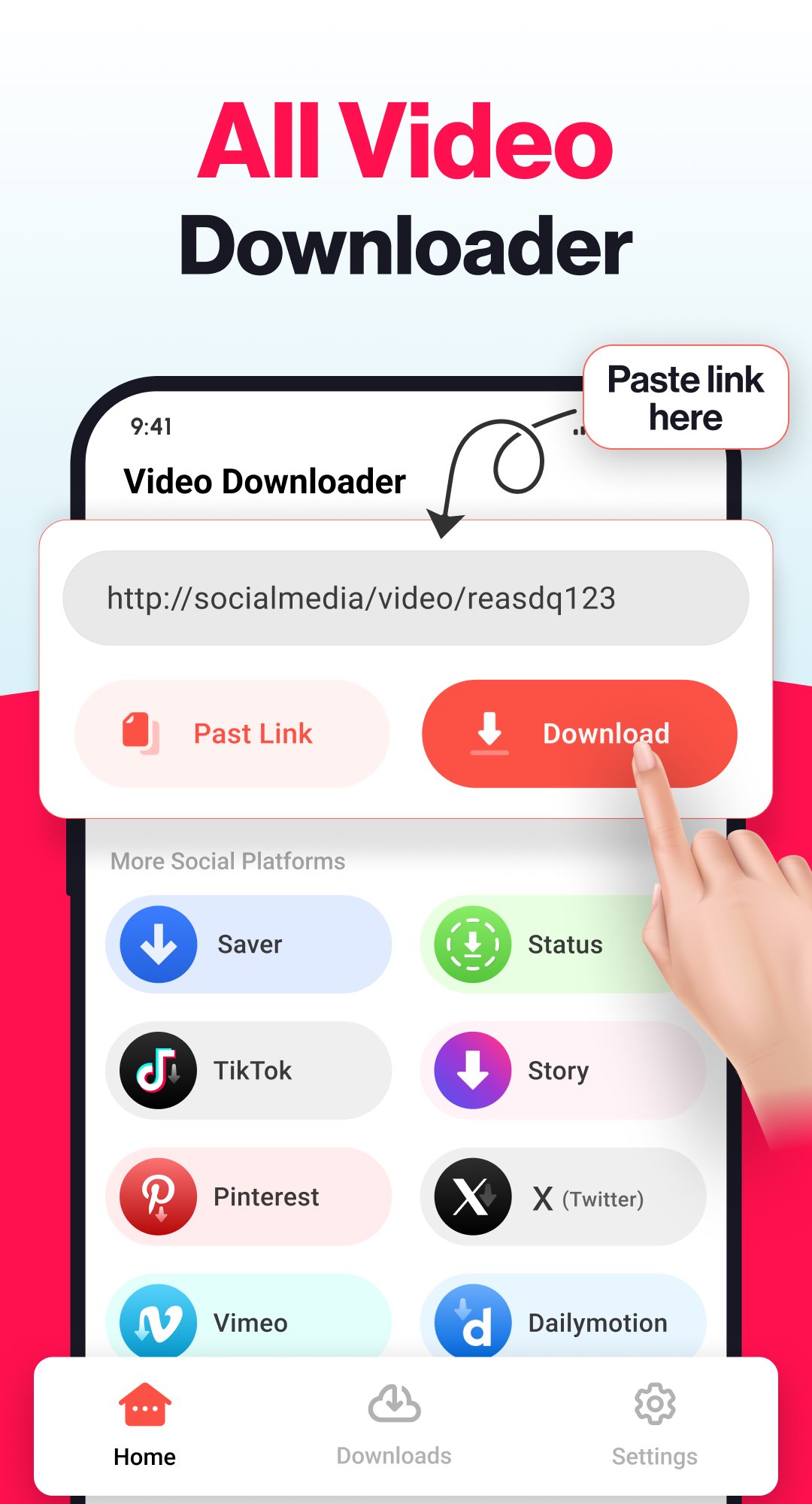
Video Downloader Story Saver is a free and simple tool that allows you to download videos, stories, reels, and images from multiple social media platforms.Video downloader auto fetch videos link you can download them with just one click. Whether you want to save videos, stories and video status our hd video downloader ensures a smooth experience. you can enjoy your saved content anytime in HD, Full HD, 4K, or 1080p quality with free video downloader.
Key Features of Video Downloader - Story Saver
Download HD videos with one click
* Browse videos with the built-in browser
* Download videos in the background
* Download HD videos, reels, and stories from popular platforms.
* Save images, photos, and video statuses directly to your device.
* Multiple downloads supported at the same time.
* Automatic detection of copied links for instant download.
* Works in the background while you see other apps.
* Built-in video player and photo viewer for offline access.
* Pause, resume, or cancel downloads anytime.
* Organize and manage your saved files in separate tabs.
* Choose video quality before downloading – from HD to 4K
✔️ All Video Downloader:
Save your favorite videos in just a few steps and watch them anytime offline. Our video downloader works with multiple formats and resolutions, including HD quality. It downloads videos quickly and smoothly.
✔️ Download videos for social media
Download reels with our video downloader app. Save engaging and creative reels effortlessly and watch them anytime with our video downloader.
✔️How Video Downloader Works:
Open your favorite platform and find the video or story you want to save. Copy video link and use our all video downloader tool auto fetch link and download videos effortlessly. The simple and clean interface makes it easy for anyone to use.
We are always working for a better user experience. If you have any suggestions or feedback, please feel free to contact us at goofflinemaps@gmail.com
Preview

Tags
Video-PlayersInformation
Developer
Fast Video Downloader & Story Saver - DevBay
Latest Version
2.1.5
Last Updated
2026-07-10
Category
Video-players-editors
Available on
Google Play
Show More
How to play Video Downloader - Story Saver with GameLoop on PC
1. Download GameLoop from the official website, then run the exe file to install GameLoop
2. Open GameLoop and search for “Video Downloader - Story Saver” , find Video Downloader - Story Saver in the search results and click “Install”
3. Enjoy playing Video Downloader - Story Saver on GameLoop
Minimum requirements
OS
Windows 8.1 64-bit or Windows 10 64-bit
GPU
GTX 1050
CPU
i3-8300
Memory
8GB RAM
Storage
1GB available space
Recommended requirements
OS
Windows 8.1 64-bit or Windows 10 64-bit
GPU
GTX 1050
CPU
i3-9320
Memory
16GB RAM
Storage
1GB available space