ERIBA Connect PC
Erwin Hymer Group SE
Download ERIBA Connect on PC With GameLoop Emulator
ERIBA Connect on PC
ERIBA Connect, coming from the developer Erwin Hymer Group SE, is running on Android systerm in the past.
Now, You can play ERIBA Connect on PC with GameLoop smoothly.
Download it in the GameLoop library or search results. No more eyeing the battery or frustrating calls at the wrong time any more.
Just enjoy ERIBA Connect PC on the large screen for free!
ERIBA Connect Introduction
With the ERIBA Connect app, you can transform your ERIBA into a smart leisure vehicle that adapts to your individual needs.
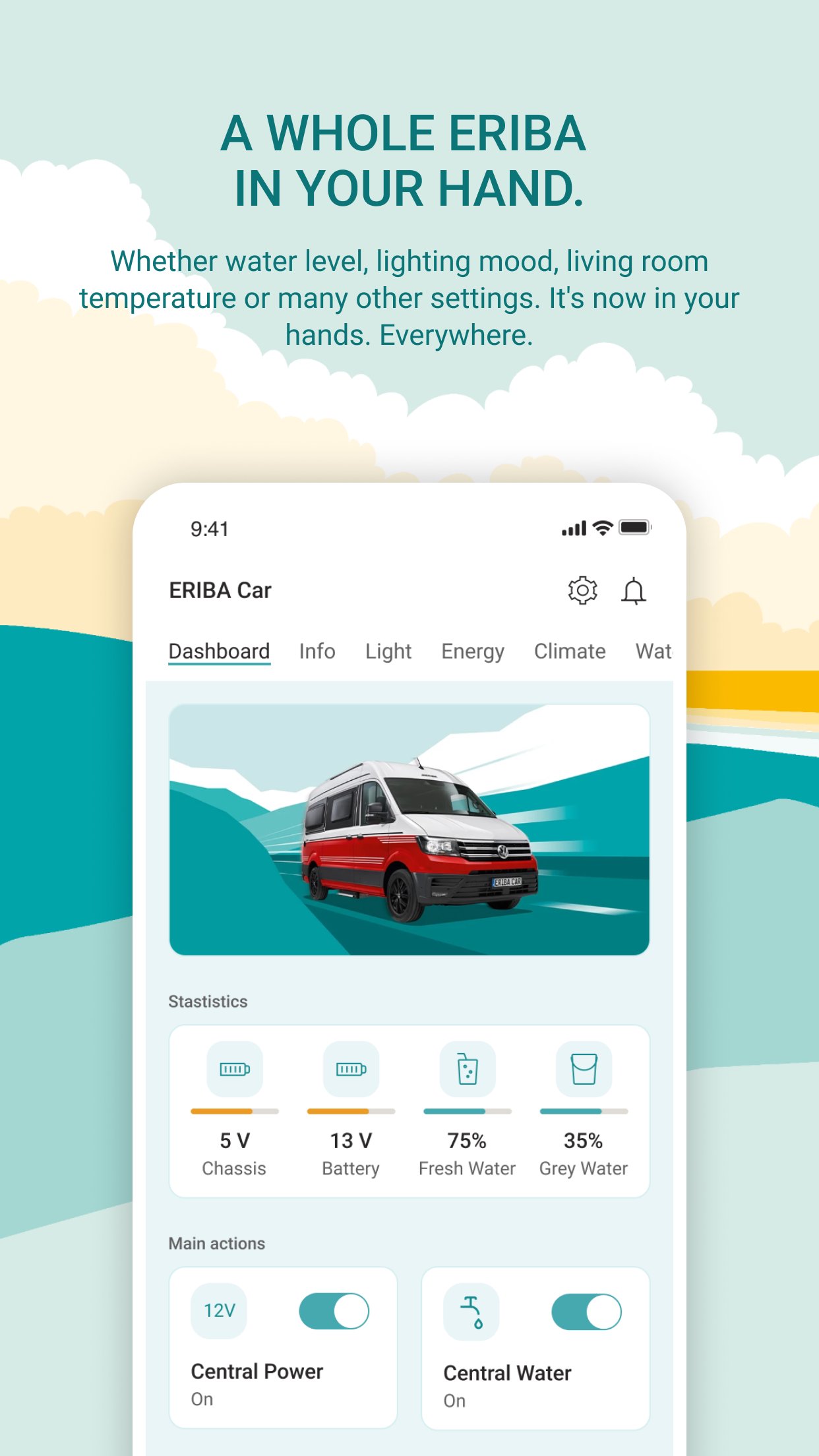
ERIBA Car
Control lights, temperature, and other living area components conveniently from your smartphone. Set up individual comfort scenarios that you can activate with just one click. Access power and water levels at any time – even while on the go.
KEY FEATURES
- Smart ecosystem for the Connected Mobile Home
- Intuitive app control for lights, heating, and air conditioning
- Secure and stable connection with the paired vehicle via Bluetooth or cellular network
- If desired, the current vehicle location can be retrieved
- Intelligent checklists and safety features
- Quick overview of water tank levels and battery status
- Extension through optional sensors like temperature sensors or gas bottle level (ask your dealer)
With your fully connected ERIBA, every journey becomes an exclusive trip, tailored to your personal taste. Try the app today for smarter, more comfortable travel.
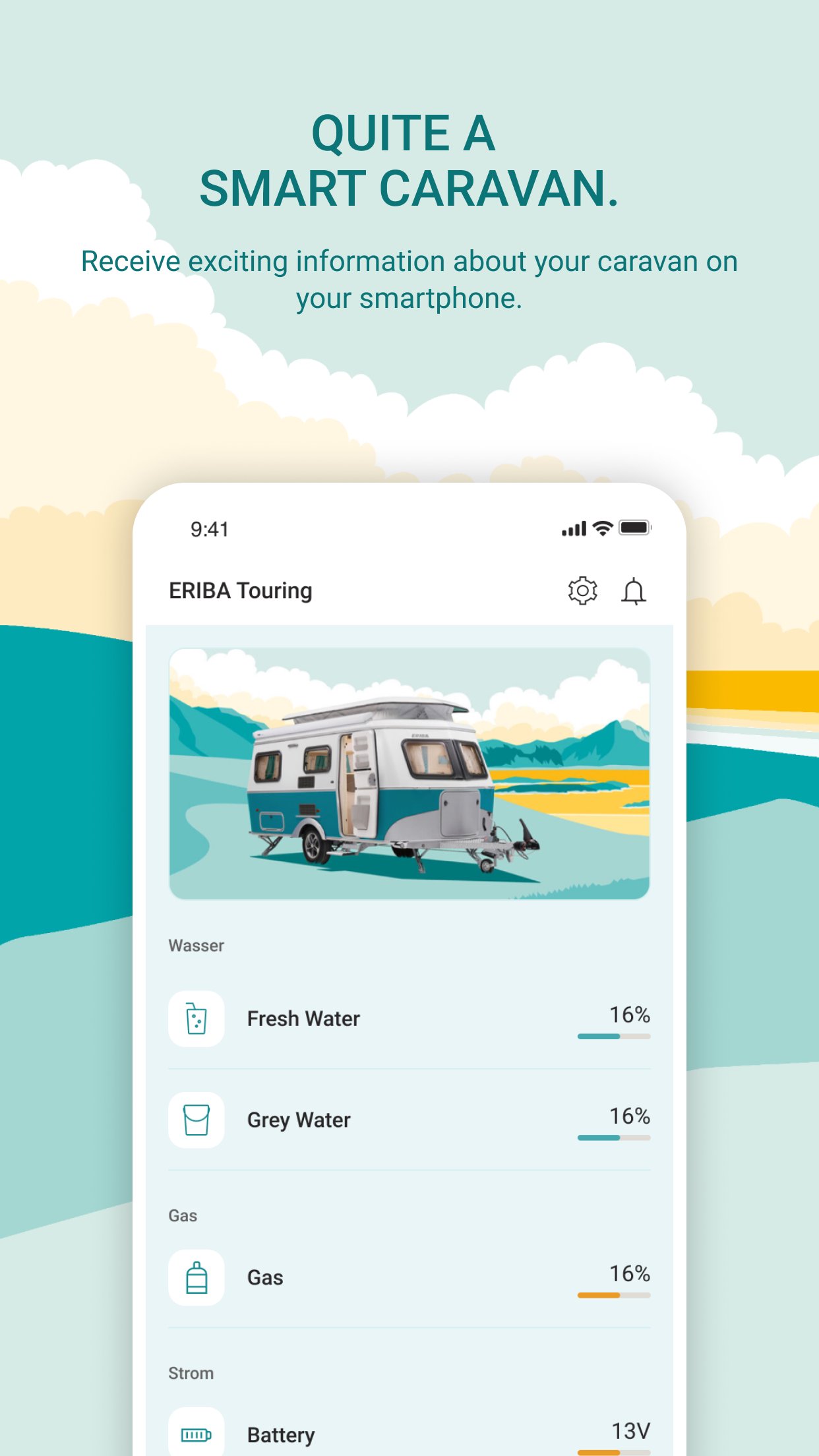
ERIBA Touring
The smart unit for ERIBA Caravans allows you to conveniently retrieve data and information from the caravan via the ERIBA Connect app:
- Quick overview of the fresh water tank level
- Leveling display
- Battery status (optional)
Optional sensors can be added, such as for gas bottle levels, temperature, tire pressure, or the lock status of flaps and doors.
Ready for the mobile travel of the future?
Preview
Tags
Travel-&Information
Developer
Erwin Hymer Group SE
Latest Version
2.10.14
Last Updated
2026-03-20
Category
Travel-local
Available on
Google Play
Show More
How to play ERIBA Connect with GameLoop on PC
1. Download GameLoop from the official website, then run the exe file to install GameLoop
2. Open GameLoop and search for “ERIBA Connect” , find ERIBA Connect in the search results and click “Install”
3. Enjoy playing ERIBA Connect on GameLoop
Minimum requirements
OS
Windows 8.1 64-bit or Windows 10 64-bit
GPU
GTX 1050
CPU
i3-8300
Memory
8GB RAM
Storage
1GB available space
Recommended requirements
OS
Windows 8.1 64-bit or Windows 10 64-bit
GPU
GTX 1050
CPU
i3-9320
Memory
16GB RAM
Storage
1GB available space