X-7E UI/HUD Designer PC
Marek Masár
Download X-7E UI/HUD Designer on PC With GameLoop Emulator
X-7E UI/HUD Designer on PC
X-7E UI/HUD Designer, coming from the developer Marek Masár, is running on Android systerm in the past.
Now, You can play X-7E UI/HUD Designer on PC with GameLoop smoothly.
Download it in the GameLoop library or search results. No more eyeing the battery or frustrating calls at the wrong time any more.
Just enjoy X-7E UI/HUD Designer PC on the large screen for free!
X-7E UI/HUD Designer Introduction
OVERVIEW
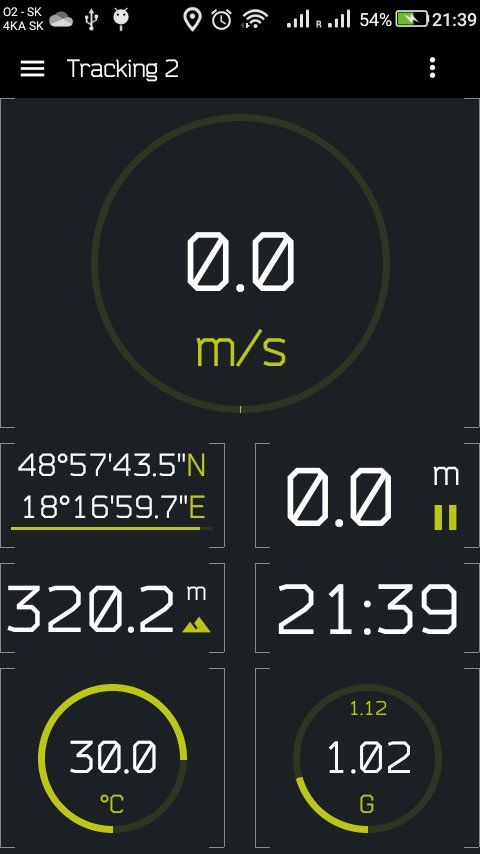
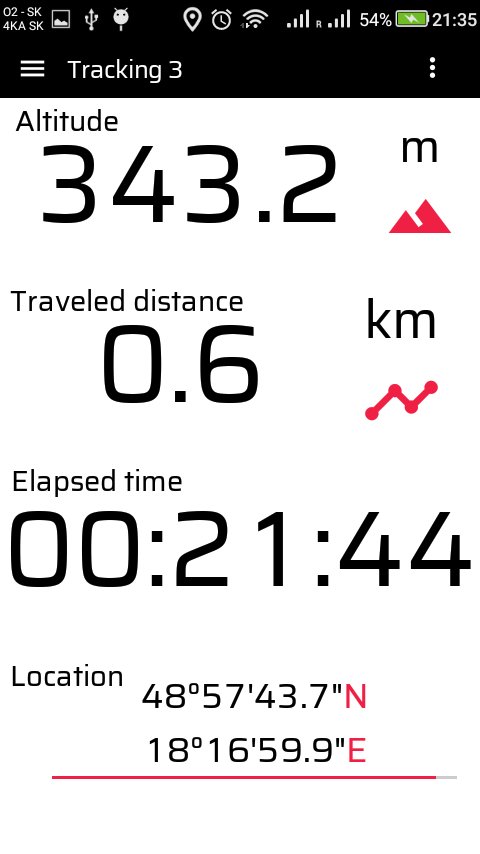
Build personalized screens from a variety of components — text labels, time displays, and sensor elements such as temperature, stopwatch, GPS speed, altitude, and more. Every component can be resized, customized, and positioned anywhere on the screen.
In this FREE version one interface can be designed and saved. In PRO version multiple different interfaces can be saved and it is possible to switch between them later.
The screenshots show only a small sample of what’s possible. Whether you prefer a clean, minimal display with large components showing key data — or a dense dashboard filled with detailed information — you can design it your way.
Perfect for creating custom displays for cars, motorcycles, outdoor activities, sports, games, or any hobby.
COMPONENTS
- text label
- counter
- current time
- stopwatch
- GPS coordinates (with hold function)
- GPS speed
- GPS altitude
- GPS travelled distance
- measured temperature
- battery level
- G-force (+max G-force)
- and more will come... feel free to suggest.
SUPPORT
Found a bug? Missing feature? Have a suggestion? Just email the developer. Your feedback is greatly appreciated.
masarmarek.fy@gmail.com.
Preview
Tags
ToolsInformation
Developer
Marek Masár
Latest Version
1.9
Last Updated
2025-11-09
Category
Tools
Available on
Google Play
Show More
How to play X-7E UI/HUD Designer with GameLoop on PC
1. Download GameLoop from the official website, then run the exe file to install GameLoop
2. Open GameLoop and search for “X-7E UI/HUD Designer” , find X-7E UI/HUD Designer in the search results and click “Install”
3. Enjoy playing X-7E UI/HUD Designer on GameLoop
Minimum requirements
OS
Windows 8.1 64-bit or Windows 10 64-bit
GPU
GTX 1050
CPU
i3-8300
Memory
8GB RAM
Storage
1GB available space
Recommended requirements
OS
Windows 8.1 64-bit or Windows 10 64-bit
GPU
GTX 1050
CPU
i3-9320
Memory
16GB RAM
Storage
1GB available space