
WA Offline Chat for WhatsApp PC
KuotaReguler
Download WA Offline Chat for WhatsApp on PC With GameLoop Emulator
WA Offline Chat for WhatsApp on PC
WA Offline Chat for WhatsApp, coming from the developer KuotaReguler, is running on Android systerm in the past.
Now, You can play WA Offline Chat for WhatsApp on PC with GameLoop smoothly.
Download it in the GameLoop library or search results. No more eyeing the battery or frustrating calls at the wrong time any more.
Just enjoy WA Offline Chat for WhatsApp PC on the large screen for free!
WA Offline Chat for WhatsApp Introduction
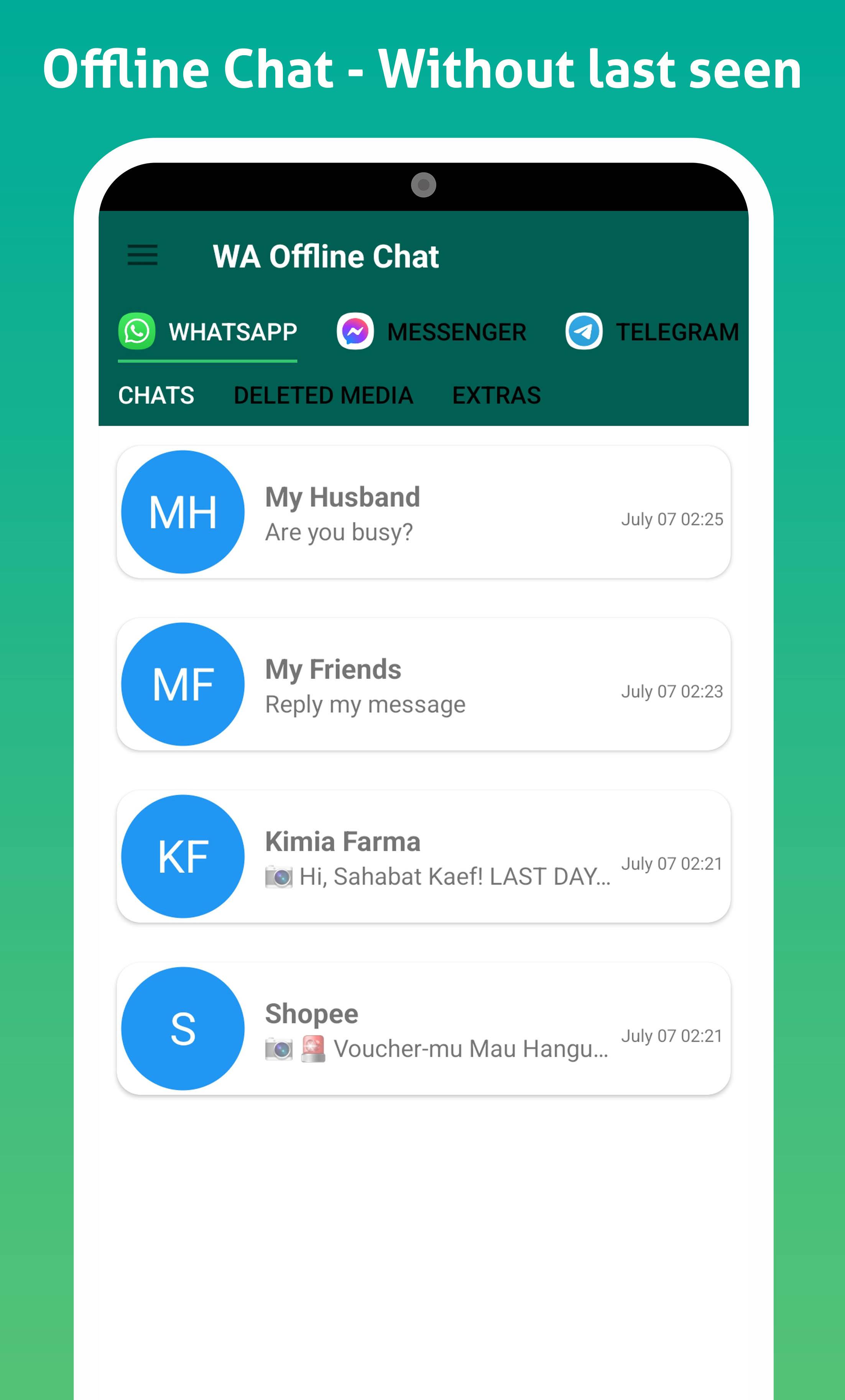
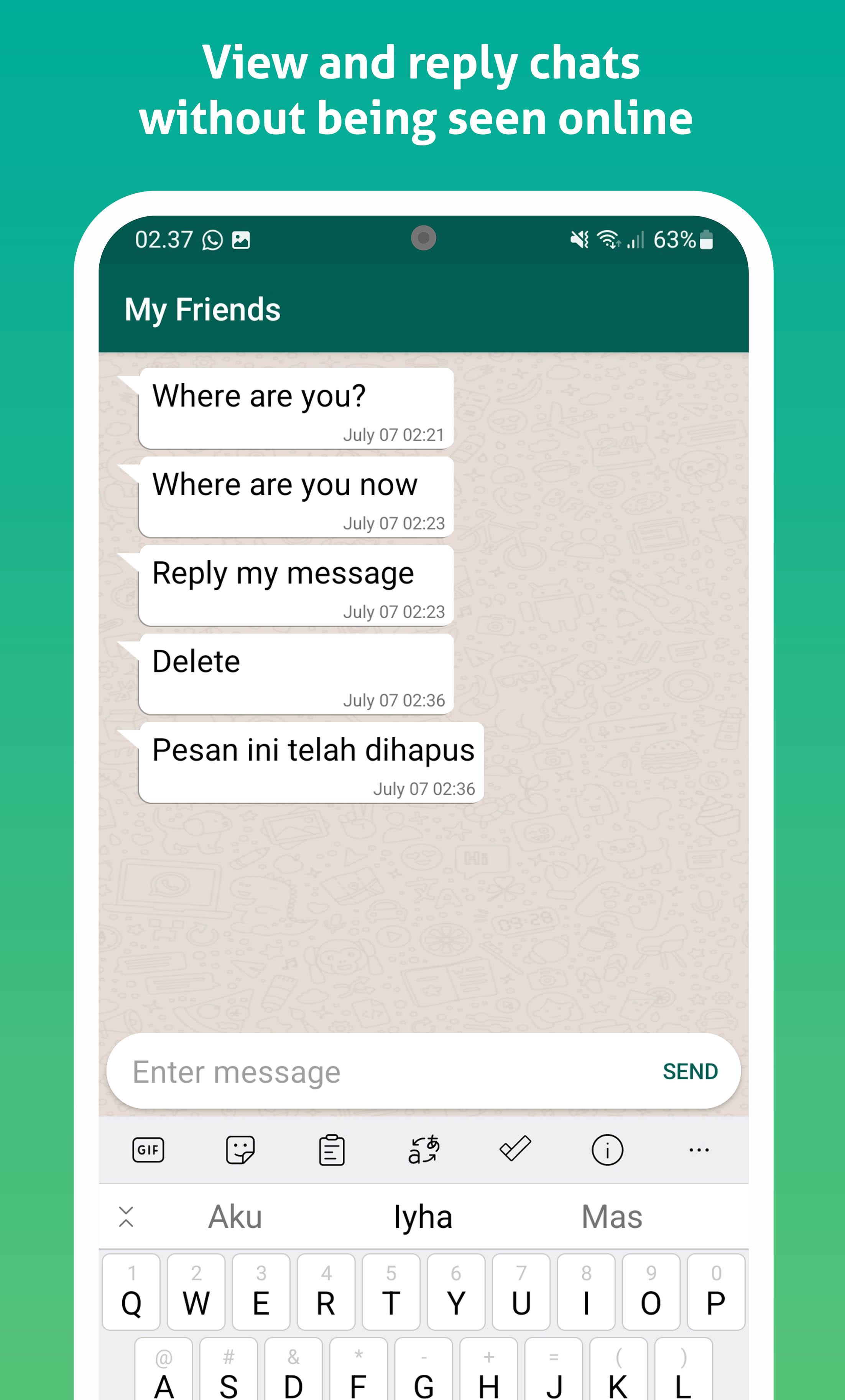
Do you want to always look offline when using WhatsApp? Yes, this application WA Offline Chat can help you. Without appearing online you can read and reply to chats. You can also read messages that have been deleted or revoked by the sender.
The most important feature of the WA Offline Chat application is that you will always be seen offline no one will know when you were last seen.
Why should you use this application?
1. You can maintain your privacy.
2. You can manage the time when you will reply to messages.
3. Can manage messages easily.
Main features:
- WA Offline Chat
Other users will not be able to see when you were last seen.
- Hide blue tick
You can read messages without the blue ticks. No one will know that you have read the message.
- View and read deleted messages
If someone sends a message and then deletes it. You will still be able to see and read it clearly.
WhatsTools
- Status saver
- Text repeater
- Whats Web
- Whats Cleaner
- Auto reply
- Direct chat
- Fake chat maker
How to use:
1. Open app, Now Add app screen will appear
2. Add your message which you want to see the message without blue tick
3. chat A chat screen will appear in front of you
4. Here you will get an instant notification if someone sends you a message on WhatsApp or other additional apps.
Disclaimer - This app or app developer is not associated with Whatsapp. Whatsapp is a registered trademark of Whatsapp Inc.
Preview
Tags
ToolsInformation
Developer
KuotaReguler
Latest Version
1.8
Last Updated
2022-07-29
Category
Tools
Available on
Google Play
Show More
How to play WA Offline Chat for WhatsApp with GameLoop on PC
1. Download GameLoop from the official website, then run the exe file to install GameLoop
2. Open GameLoop and search for “WA Offline Chat for WhatsApp” , find WA Offline Chat for WhatsApp in the search results and click “Install”
3. Enjoy playing WA Offline Chat for WhatsApp on GameLoop
Minimum requirements
OS
Windows 8.1 64-bit or Windows 10 64-bit
GPU
GTX 1050
CPU
i3-8300
Memory
8GB RAM
Storage
1GB available space
Recommended requirements
OS
Windows 8.1 64-bit or Windows 10 64-bit
GPU
GTX 1050
CPU
i3-9320
Memory
16GB RAM
Storage
1GB available space