UltraSync + PC
UHS Pty Ltd
Download UltraSync + on PC With GameLoop Emulator
UltraSync + on PC
UltraSync +, coming from the developer UHS Pty Ltd, is running on Android systerm in the past.
Now, You can play UltraSync + on PC with GameLoop smoothly.
Download it in the GameLoop library or search results. No more eyeing the battery or frustrating calls at the wrong time any more.
Just enjoy UltraSync + PC on the large screen for free!
UltraSync + Introduction
Welcome to the Secure Smarthome!
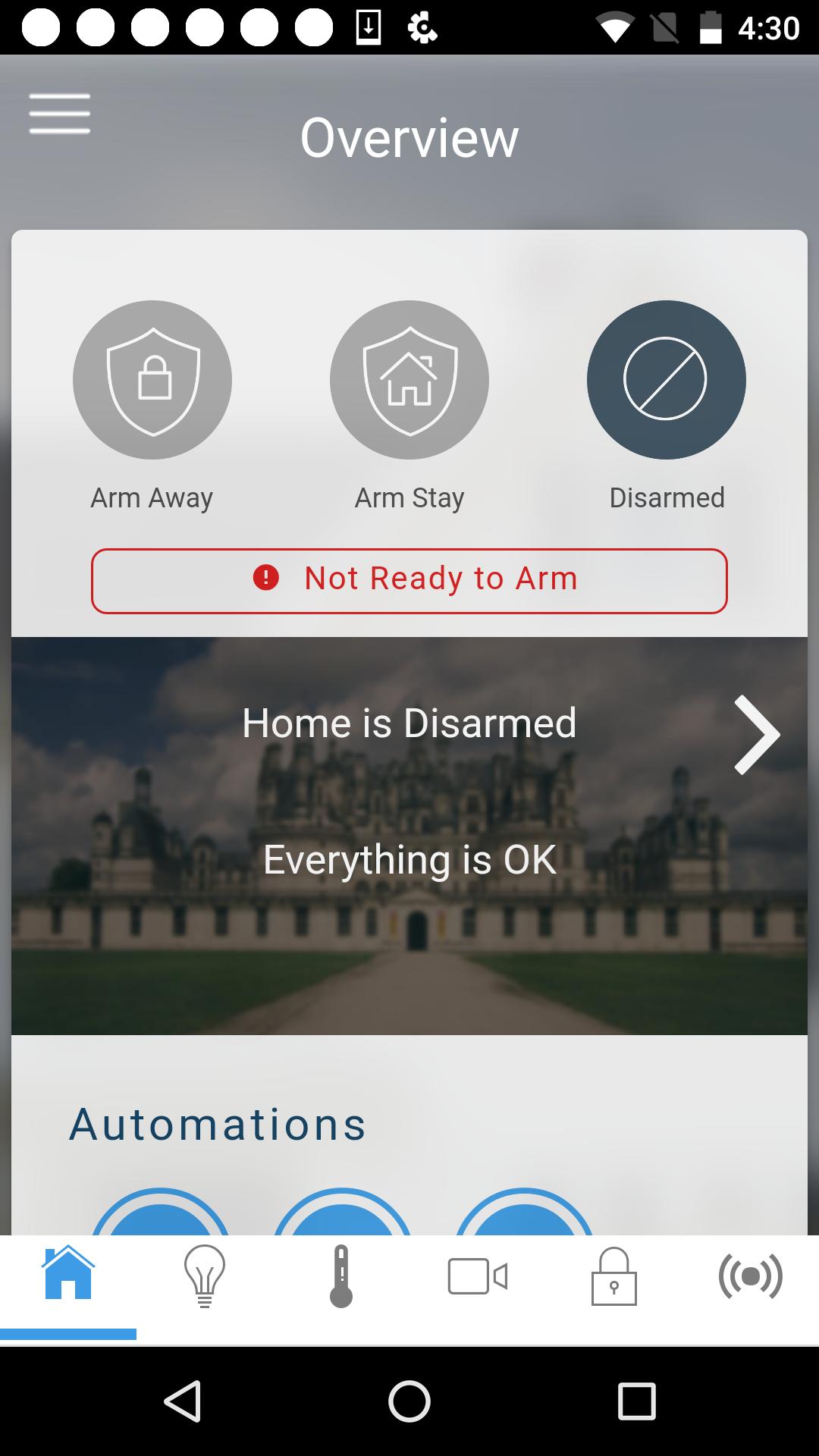
The UltraSync app enables remote control of Interlogix, UltraSecure products in homes and businesses. The UltraSync app provides real-time management of security and automation control systems from virtually anywhere. Optimize the safety, comfort and convenience of your UltraSecure products with UltraSync.
Note: Functionality of this app requires compatible equipment and an UltraSync service plan. Available features vary based on system and service plan.
Key Features:
Security
- Arm and disarm system
- See if doors and windows are open
- Monitor special areas such as a safes, liquor or medicine cabinets
- Monitor property and safety of loved ones
- Know when children get home from school or leave the home
- Look in on pets during the day
- Monitor history of users and events
- View live video and event-triggered recorded clips from security cameras
Lighting
- Turn on, off and dim lights
Geo Action
- Automate actions on user's location events when leaving or entering the home or business*
Door Locks
- Lock and unlock
Thermostat
- Change the temperature and fan
Video
- Watch live-video and recorded clips
Schedules and Scenes
- Create scenes that are triggered by specified actions (i.e., When system is disarmed, turn on house lights)
- Create schedules that limit system access (i.e., Housekeeper user account only active Monday - Friday from 8AM to 12PM)
- Combine scenes and schedules for enhanced automation (i.e., Monday - Friday, after 10PM and before 6AM, when system is armed, lock doors, turn off lights and set thermostat to 70 degrees)
Alerts
- Receive Email notification of system alerts
- Emergency alerts
- Non-emergency Alerts
* Continued use of GPS running in the background can dramatically decrease battery life.
Preview
Tags
ToolsInformation
Developer
UHS Pty Ltd
Latest Version
2.25.1
Last Updated
2025-04-09
Category
Tools
Available on
Google Play
Show More
How to play UltraSync + with GameLoop on PC
1. Download GameLoop from the official website, then run the exe file to install GameLoop
2. Open GameLoop and search for “UltraSync +” , find UltraSync + in the search results and click “Install”
3. Enjoy playing UltraSync + on GameLoop
Minimum requirements
OS
Windows 8.1 64-bit or Windows 10 64-bit
GPU
GTX 1050
CPU
i3-8300
Memory
8GB RAM
Storage
1GB available space
Recommended requirements
OS
Windows 8.1 64-bit or Windows 10 64-bit
GPU
GTX 1050
CPU
i3-9320
Memory
16GB RAM
Storage
1GB available space