
DreamVid - AI Video Generator PC
iMyfone Technology Co., Ltd.
Download DreamVid - AI Video Generator on PC With GameLoop Emulator
DreamVid - AI Video Generator on PC
DreamVid - AI Video Generator, coming from the developer iMyfone Technology Co., Ltd., is running on Android systerm in the past.
Now, You can play DreamVid - AI Video Generator on PC with GameLoop smoothly.
Download it in the GameLoop library or search results. No more eyeing the battery or frustrating calls at the wrong time any more.
Just enjoy DreamVid - AI Video Generator PC on the large screen for free!
DreamVid - AI Video Generator Introduction
🤩 DreamVid – The Ultimate Tool to Transform Photos & Text into Stunning AI Videos!
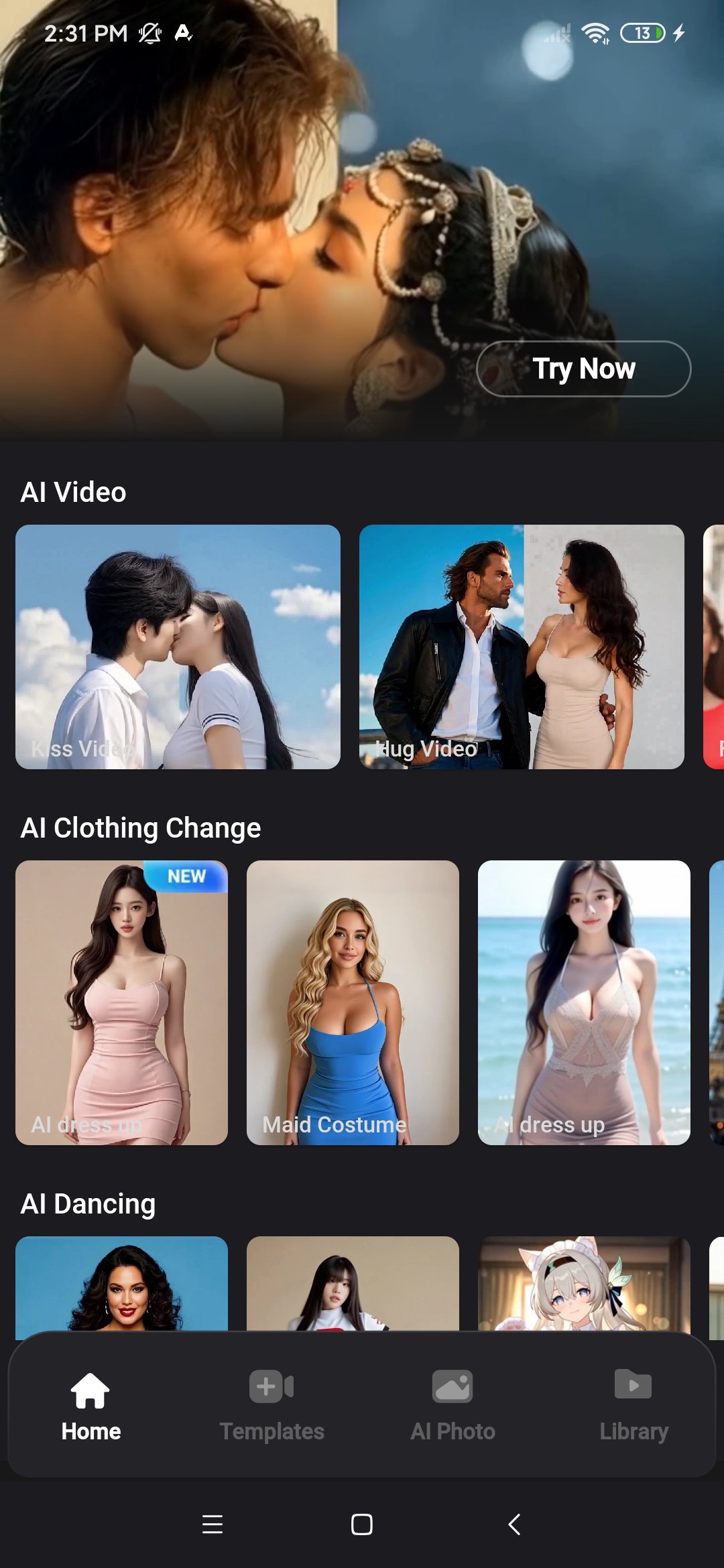
🔥 Image to Video — Upload photos and use a prompt or template to instantly create AI-powered videos with background music and voiceover.
🔥 Text to Video — Create amazing videos from text or templates, complete with background music and voiceover.
🔥 AI Photo Editor — Nano Banana 2 lets you transform photos freely—perfect for entertainment, social media, and advertising. Turn any image into stunning creations!
Ever wondered if a photo could come to life?
With DreamVid, turn any photo into vivid AI-powered videos with just one click. Revive precious memories, ride trending challenges, or create viral content—DreamVid makes it effortless, fun, and powerful. Generate short clips or longer videos, and let your imagination run wild!
√ Features That Set DreamVid Apart:
💕 1. AI Love Video Maker:
Let love bloom again. Upload one or two photos to create romantic videos filled with emotion, warmth, and heartfelt connection.
✨ 2. AI Custom Interaction:
Upload photos of you and someone you love, plus your dream scene—whether a cozy new home, a romantic beach, or even the moon—and create heartfelt interactions together.
👗 3. AI Custom Outfit Change:
Style without limits. Upload a photo and any outfit to create stunning videos of you wearing the looks you love.
💃 4. AI Motion Mimic:
Move like never before. Upload a photo and a dance or action video to make the person in your photo perform the same moves.
💃 5. AI Dance Video Generator:
Make your photo dance with AI-generated twerking moves—bold, rhythmic, and full of attitude! You can also try cute dances, body waves, and more. Just upload a pic and let the groove begin!
💑 6. AI Interactive Video Maker:
Upload photos of your loved ones, family, or favorite pets and enter prompts to instantly turn your imagination into vivid interactive videos.
💡 7. Reference to Video:
Upload a photo and a video, and let AI automatically generate a stunning new video featuring your photo. Ideal for ads, stories, explainers, or viral social content!
👗 8. AI Outfit Change:
Change clothes with one click! Use ready-made templates to instantly try swimsuits, maid outfits, wedding dresses, beachwear, Indian bridal looks, Christmas costumes, qipaos, JK uniforms, and more—all from just one photo.
💪 9. AI Body Enhancement:
Enhance your figure instantly! Subtly boost your curves, slim down, or add muscle definition—your ideal body, brought to life with just one photo!
🌟 10. Extend Your Videos with Prompts:
Want a longer, richer video? Just keep writing!
Start with a short clip—like a couple walking—then add a prompt such as: “They sit by the lake, watching the sunset.” Instantly, your video continues with a beautiful new scene.
The more you describe, the more your story grows—seamlessly and magically.
📸 11. Revive Old Photos:
Bring precious moments back to life. One tap animates your loved ones—watch them smile, sing, or even dance again.
👄 12. AI Lip Sync:
Upload a photo and an audio clip, and the person in the photo will speak or sing the audio in perfect sync, bringing them to life!
🎨 13. AI Text-to-Image:
Instantly turn simple ideas or prompts into stunning images!
✨ And that’s not all—explore even more fun templates like AI boyfriend/girlfriend generator, gender swap, anime filters, mermaid transformations, all kinds of magical transformations and much more exciting content are waiting for you to explore!
🖌️ Whether you want to touch hearts, go viral, or just have fun, DreamVid is your ultimate AI Video Creation App.
🔥 Download DreamVid now and instantly bring your photos to life!
Explore tons of AI effects and creative templates—endless ways to make your videos stand out.
Privacy Policy: https://www.imyfone.com/company/privacy-policy/
Terms of Use: https://www.imyfone.com/company/terms-conditions/
Preview
Tags
ToolsArt-&EntertainmentInformation
Developer
iMyfone Technology Co., Ltd.
Latest Version
4.3.0
Last Updated
2026-04-08
Category
Tools
Available on
Google Play
Show More
How to play DreamVid - AI Video Generator with GameLoop on PC
1. Download GameLoop from the official website, then run the exe file to install GameLoop
2. Open GameLoop and search for “DreamVid - AI Video Generator” , find DreamVid - AI Video Generator in the search results and click “Install”
3. Enjoy playing DreamVid - AI Video Generator on GameLoop
Minimum requirements
OS
Windows 8.1 64-bit or Windows 10 64-bit
GPU
GTX 1050
CPU
i3-8300
Memory
8GB RAM
Storage
1GB available space
Recommended requirements
OS
Windows 8.1 64-bit or Windows 10 64-bit
GPU
GTX 1050
CPU
i3-9320
Memory
16GB RAM
Storage
1GB available space