Sound Meter & Generator PC
Grade Star Apps
Download Sound Meter & Generator on PC With GameLoop Emulator
Sound Meter & Generator on PC
Sound Meter & Generator, coming from the developer Grade Star Apps, is running on Android systerm in the past.
Now, You can play Sound Meter & Generator on PC with GameLoop smoothly.
Download it in the GameLoop library or search results. No more eyeing the battery or frustrating calls at the wrong time any more.
Just enjoy Sound Meter & Generator PC on the large screen for free!
Sound Meter & Generator Introduction
Frequency Sound Generator is a simple wave form sound generator and oscillator. It is easy to use tool so you can create high variety of sounds and signals in just few seconds. All controls are in real time so you can dynamically change the sound signals.
Sound frequency meter, frequency generator app allow user to generate different type of Frequencies
Frequency Generator Sound player lets you generate a sine, square, sawtooth or triangle sound wave with a frequency between 10Hz and 25000Hz (hertz). It produces accurate tone & soundwaves while being simple and easy to use. Frequency sound generator app is one of the most important tool for hear testing and other purpose to.e.
Key Features :
--------------------
1. Generate .10Hz to more than 25000Hz & -80.00 dB to .00 dB Frequency with (Sine, SQU, SAW etc., Sound Generate Options)
2. Sound Frequency Meter (Sound Detector or Sound Level Meter)
- Sound Frequency in dB
- Show Minimum, Maximum & Average Sound Frequency in dB.
- Show Frequency Chart.
- Show Frequency Sound Info with Different types of sounds(Thunder, Motorcycle, Truck, Loud Music, Heavy Traffic, Office Room, Library etc.,)
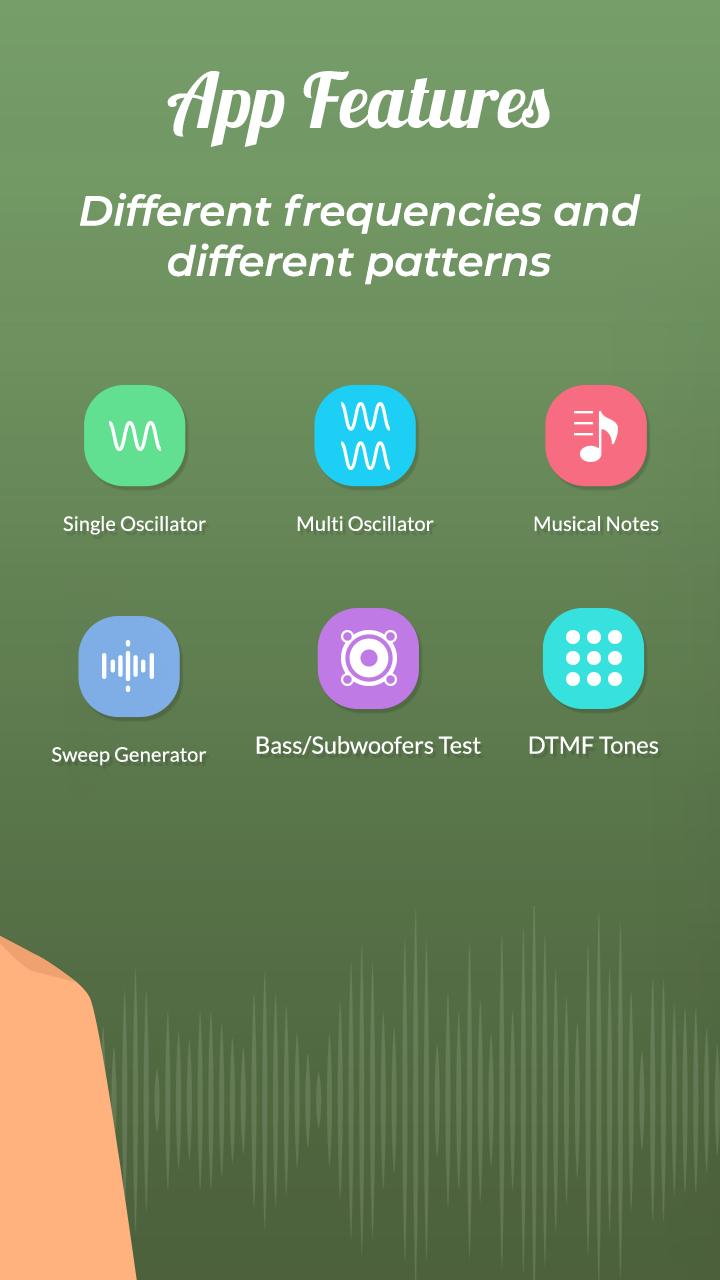
3. Sound Wave Generator:-
- Single Osclillator
- Multiple Osclillator
- Musical Notes
- Bass Test
- Sweep Generator
- Dial Tones Multi Frequency
Download the all new Sound Frequency Meter - Sound Frequency Generator app for FREE!!!
Preview
Tags
ToolsInformation
Developer
Grade Star Apps
Latest Version
1.3
Last Updated
2022-07-28
Category
Tools
Available on
Google Play
Show More
How to play Sound Meter & Generator with GameLoop on PC
1. Download GameLoop from the official website, then run the exe file to install GameLoop
2. Open GameLoop and search for “Sound Meter & Generator” , find Sound Meter & Generator in the search results and click “Install”
3. Enjoy playing Sound Meter & Generator on GameLoop
Minimum requirements
OS
Windows 8.1 64-bit or Windows 10 64-bit
GPU
GTX 1050
CPU
i3-8300
Memory
8GB RAM
Storage
1GB available space
Recommended requirements
OS
Windows 8.1 64-bit or Windows 10 64-bit
GPU
GTX 1050
CPU
i3-9320
Memory
16GB RAM
Storage
1GB available space