
Solar Hijri Calendar PC
AbuHadi
Download Solar Hijri Calendar on PC With GameLoop Emulator
Solar Hijri Calendar on PC
Solar Hijri Calendar, coming from the developer AbuHadi, is running on Android systerm in the past.
Now, You can play Solar Hijri Calendar on PC with GameLoop smoothly.
Download it in the GameLoop library or search results. No more eyeing the battery or frustrating calls at the wrong time any more.
Just enjoy Solar Hijri Calendar PC on the large screen for free!
Solar Hijri Calendar Introduction
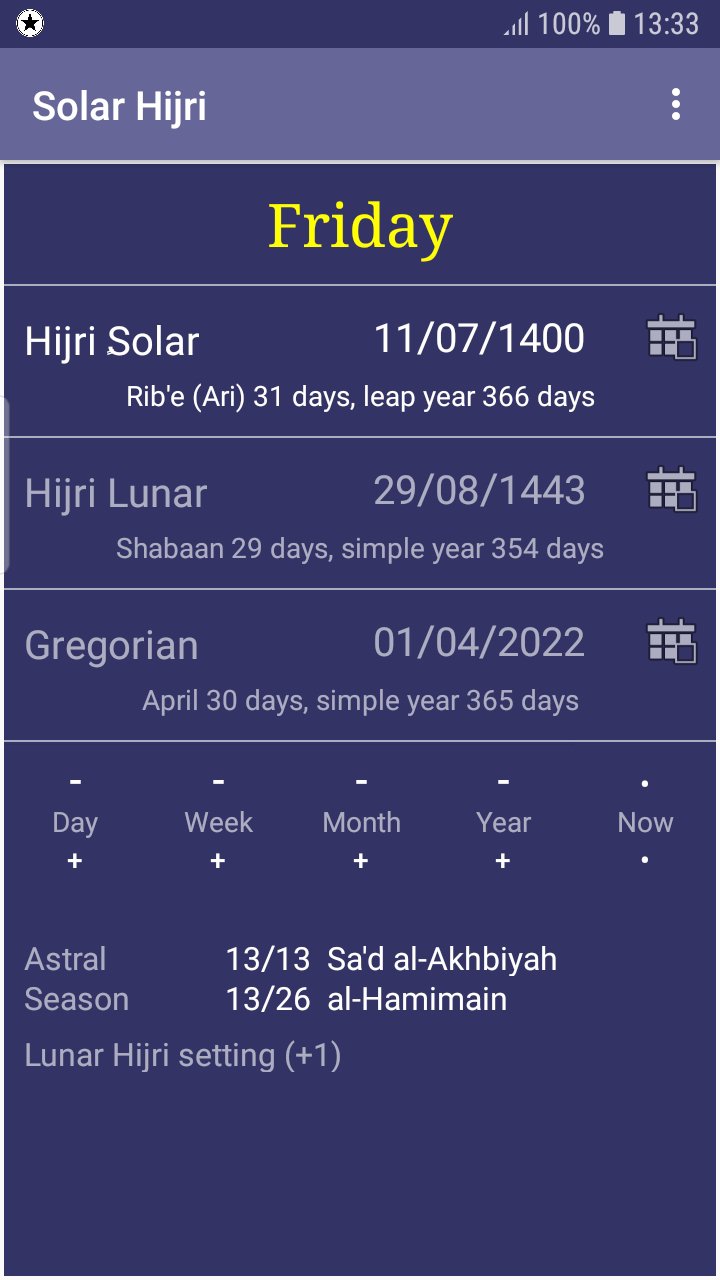
Solar Hijri calendar:
It is a standard Islamic solar Hijri calendar, and it is one of the most accurate solar calendars in use at present. It comes in second place after the Iranian calendar, then they are followed by the Gregorian and Um al-Qura, then the Hebrew, then the Julian and the Coptic.
It was known as the Mukhtar calendar, and it was proposed by the invader Ahmed Mukhtar Pasha in the Ottoman Empire to reform the Ottoman financial calendar, but the state did not use it officially as it used the Gregorian calendar instead.
Then the Hassan Wafqi calendar came in the aftermath of the First World War when Hassan Wafqi Bey Al Qadi suggested an amendment to the Mukhtar calendar, so its principle became the autumnal equinox instead of the vernal equinox, corresponding to the day the Prophet Mohammed (SAWW), arrived in Quba, and also changed the names of the months to the old Arabic names.
Reference:
Book of Calendars old and new.
Translated by Google.
Preview
Tags
ToolsInformation
Developer
AbuHadi
Latest Version
1.0.23
Last Updated
2025-11-06
Category
Tools
Available on
Google Play
Show More
How to play Solar Hijri Calendar with GameLoop on PC
1. Download GameLoop from the official website, then run the exe file to install GameLoop
2. Open GameLoop and search for “Solar Hijri Calendar” , find Solar Hijri Calendar in the search results and click “Install”
3. Enjoy playing Solar Hijri Calendar on GameLoop
Minimum requirements
OS
Windows 8.1 64-bit or Windows 10 64-bit
GPU
GTX 1050
CPU
i3-8300
Memory
8GB RAM
Storage
1GB available space
Recommended requirements
OS
Windows 8.1 64-bit or Windows 10 64-bit
GPU
GTX 1050
CPU
i3-9320
Memory
16GB RAM
Storage
1GB available space