SKF Enlight Collect Manager PC
SKF
Download SKF Enlight Collect Manager on PC With GameLoop Emulator
SKF Enlight Collect Manager on PC
SKF Enlight Collect Manager, coming from the developer SKF, is running on Android systerm in the past.
Now, You can play SKF Enlight Collect Manager on PC with GameLoop smoothly.
Download it in the GameLoop library or search results. No more eyeing the battery or frustrating calls at the wrong time any more.
Just enjoy SKF Enlight Collect Manager PC on the large screen for free!
SKF Enlight Collect Manager Introduction
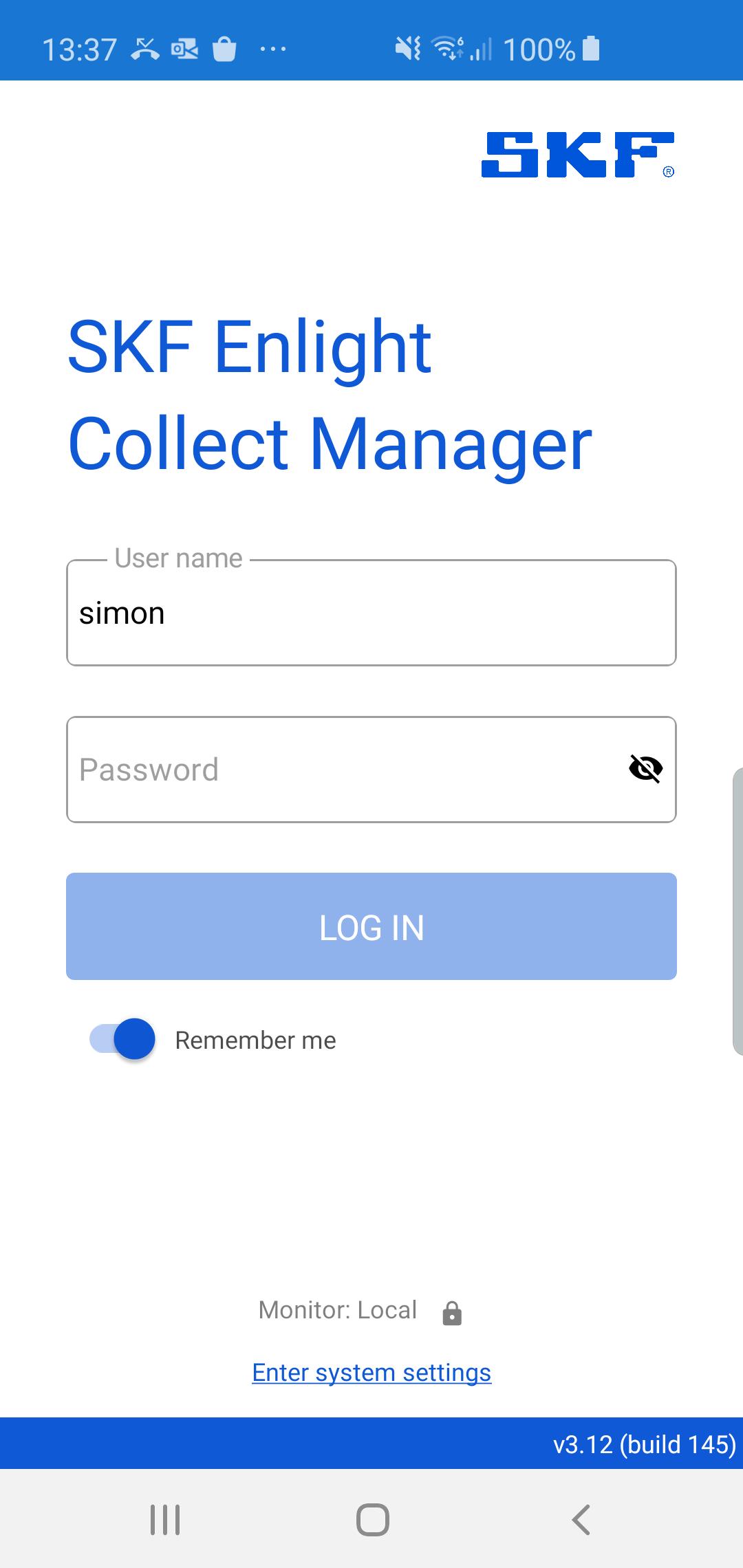
The SKF Enlight Collect Manager application is used in conjunction with SKF @ptitude Observer software and provides two functions:
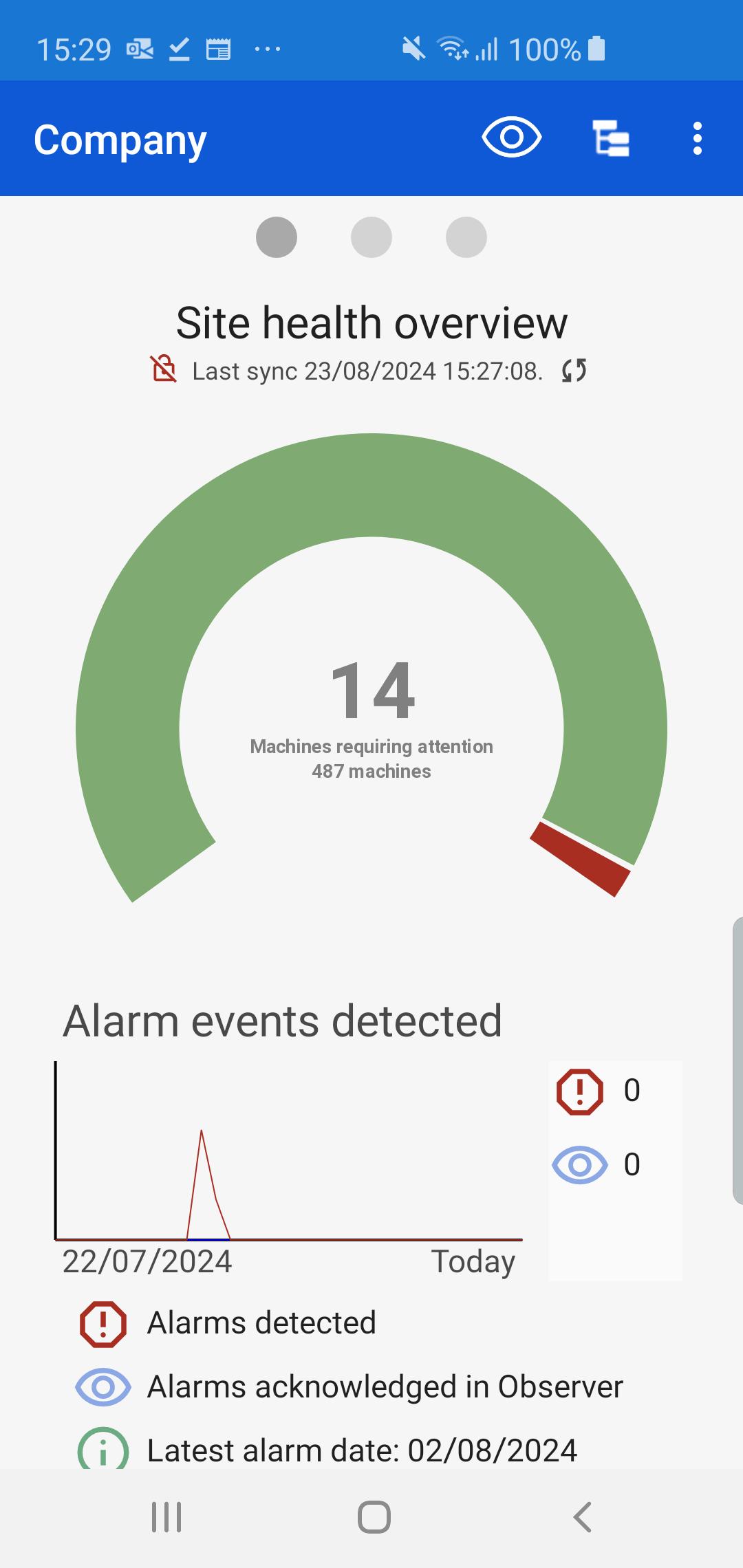
1. A dashboard function providing overview and insight into your machine health via the Phoenix webservice.
2. Commissioning of IMx-1 sensors and gateways in an SKF Enlight Collect IMx-1 System.
The dashboard function allows users to view the overall status of their @ptitude Observer hierarchy, including presentation of status overview, detailed view of alarm conditions, detailed viewing of machine and point measurements, including plotting trends, spectra and time waveforms, along with alarm conditions, notes and event cases. System alarms may be viewed (depending on Observer version) and, if permissions allow it, acknowledged. Data alarms may also be acknowledged, also depending on user permissions. Finally, there is a full hierarchy browser and a function for "following" any object from the database, where they can be presented in an observer view.
Users of Observer version 13.6 will also be able to add, edit or delete notes, add notes replies and upload images, depending on permissions.
The IMx-1 System provides low cost condition monitoring of machinery via battery powered wireless sensors and an externally powered gateway that controls the sensors and passes their measurement data to the back end for reporting and analysis. Enlight Collect Manager connects to the sensors and gateways using NFC and Bluetooth Low Energy in order to commission them or report their status and a commissioning report in PDF format may be generated and shared.
A phone running Android 9.0 or later is required and must include NFC and Bluetooth Low Energy 4.2 or later.
Preview
Tags
ToolsInformation
Developer
SKF
Latest Version
4.02
Last Updated
2025-03-26
Category
Tools
Available on
Google Play
Show More
How to play SKF Enlight Collect Manager with GameLoop on PC
1. Download GameLoop from the official website, then run the exe file to install GameLoop
2. Open GameLoop and search for “SKF Enlight Collect Manager” , find SKF Enlight Collect Manager in the search results and click “Install”
3. Enjoy playing SKF Enlight Collect Manager on GameLoop
Minimum requirements
OS
Windows 8.1 64-bit or Windows 10 64-bit
GPU
GTX 1050
CPU
i3-8300
Memory
8GB RAM
Storage
1GB available space
Recommended requirements
OS
Windows 8.1 64-bit or Windows 10 64-bit
GPU
GTX 1050
CPU
i3-9320
Memory
16GB RAM
Storage
1GB available space