
Point Of Sale : Offline and a PC
Ayomi
Download Point Of Sale : Offline and a on PC With GameLoop Emulator
Point Of Sale : Offline and a on PC
Point Of Sale : Offline and a, coming from the developer Ayomi, is running on Android systerm in the past.
Now, You can play Point Of Sale : Offline and a on PC with GameLoop smoothly.
Download it in the GameLoop library or search results. No more eyeing the battery or frustrating calls at the wrong time any more.
Just enjoy Point Of Sale : Offline and a PC on the large screen for free!
Point Of Sale : Offline and a Introduction
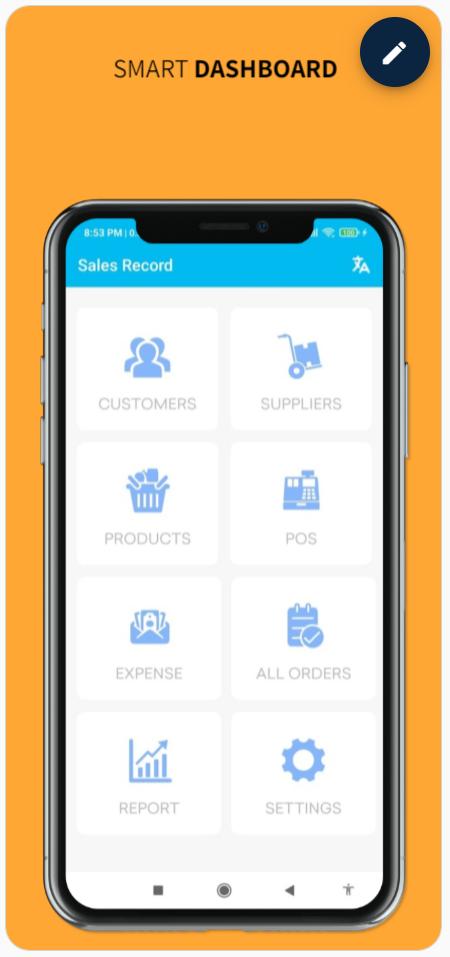
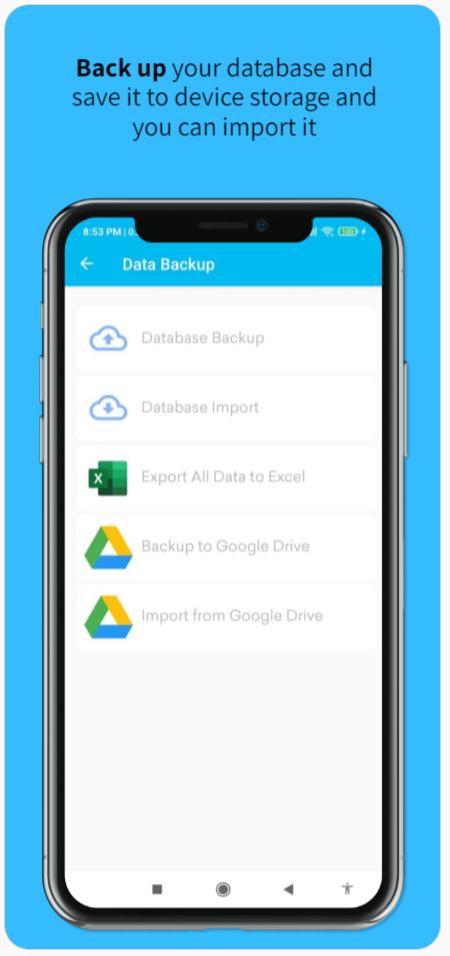
Easily maintain your all kinds of products and store all sales records. You can store customer and supplier’s information. You can easily see your daily, monthly and yearly reports with bar chart. it has multiple language (English, Spanish, Bangla) support. Also, there is backup facility. You can back up your database and save it to device storage and you can import it. You can easily generate PDF receipt and print receipt via printer. You can also share PDF receipt to customers and manage your daily sales smartly.
Feature:
- Create customers and suppliers information.
- Create product information with image.
- Edit product information
- Generate PDF receipt
- Print PDF receipt by POS printer
- Share PDF receipt to customers
- Open PDF receipt by external PDF readers
- Add product using QR code
- Add product using Barcode code
- Product stock management system
- Product Stock count
- Product by category
- Search product using QR and Barcode
- Point of sales system with cart.
- Create expense list.
- Add/Edit product category
- Add/Edit payment method
- Daily,monthly and yearly report with bar chart
- Database backup and restore system.
- Data backup and import from Google Drive
- Add any currency symbol
- Attractive User Interface.
- Tax and discount system
- Thermal Printing support
- Import product data from Excel(xls) file
- Export product data into Excel(xls) file
- Import customers and suppliers data from Excel (xls) file
- Export customers and suppliers data into Excel
- Export all sales data into Excel file
- Export all expense data into Excel file
- Export full database into Excel
- Multiple language (English,French,Spanish and Bangla) support.
Preview
Tags
ToolsInformation
Developer
Ayomi
Latest Version
7.1
Last Updated
2021-01-15
Category
Tools
Available on
Google Play
Show More
How to play Point Of Sale : Offline and a with GameLoop on PC
1. Download GameLoop from the official website, then run the exe file to install GameLoop
2. Open GameLoop and search for “Point Of Sale : Offline and a” , find Point Of Sale : Offline and a in the search results and click “Install”
3. Enjoy playing Point Of Sale : Offline and a on GameLoop
Minimum requirements
OS
Windows 8.1 64-bit or Windows 10 64-bit
GPU
GTX 1050
CPU
i3-8300
Memory
8GB RAM
Storage
1GB available space
Recommended requirements
OS
Windows 8.1 64-bit or Windows 10 64-bit
GPU
GTX 1050
CPU
i3-9320
Memory
16GB RAM
Storage
1GB available space