
Netstar Companion PC
Netstar
Download Netstar Companion on PC With GameLoop Emulator
Netstar Companion on PC
Netstar Companion, coming from the developer Netstar, is running on Android systerm in the past.
Now, You can play Netstar Companion on PC with GameLoop smoothly.
Download it in the GameLoop library or search results. No more eyeing the battery or frustrating calls at the wrong time any more.
Just enjoy Netstar Companion PC on the large screen for free!
Netstar Companion Introduction
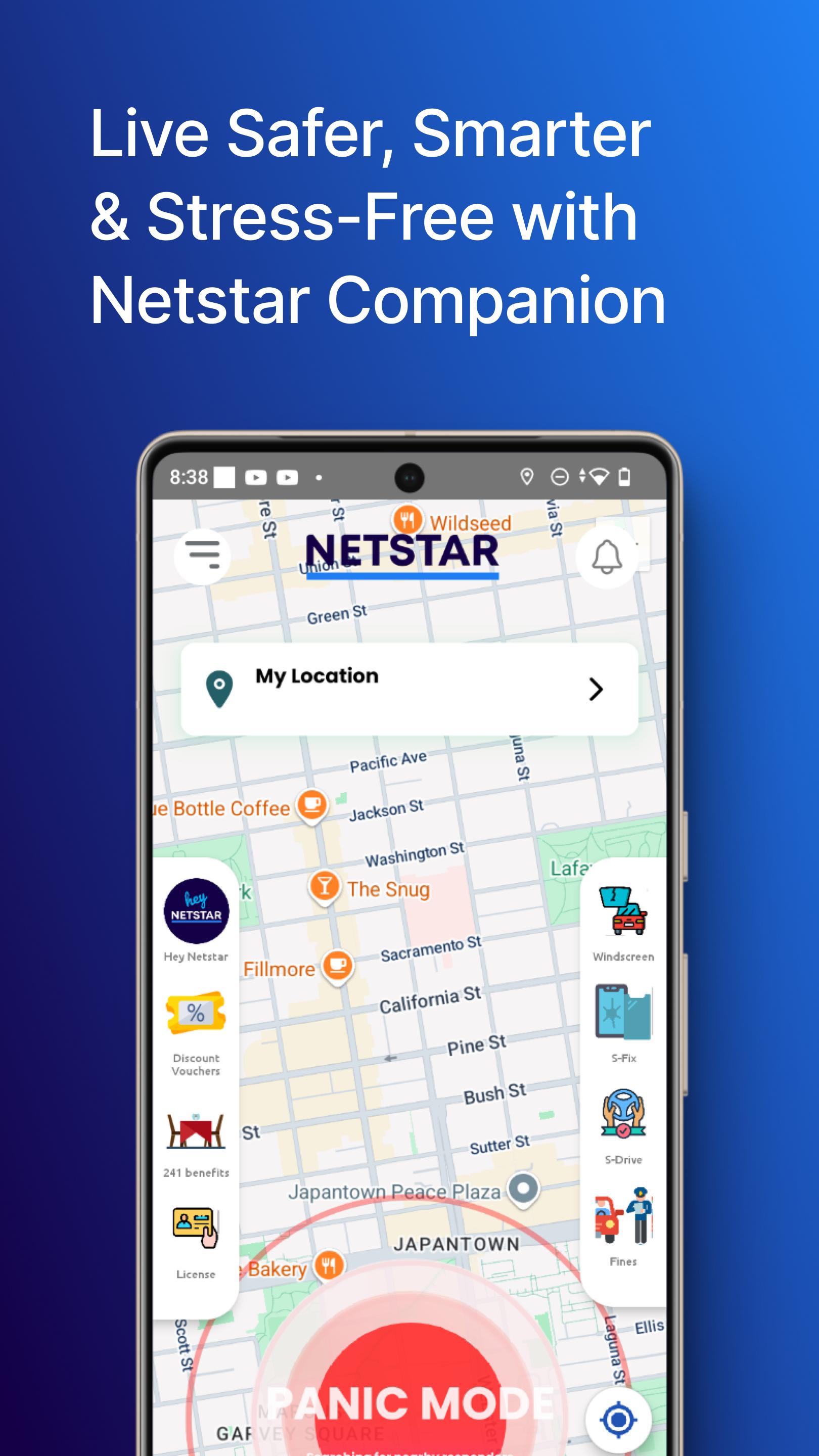
Netstar Companion is an on-demand emergency response service that dispatches the nearest Armed Response Officer or Emergency Medical Services to your location – whenever you tap the app on your smartphone.
• Feel safe & supported for just R69p/m:
With Netstar Companion, you have access to over 1500 armed responders nationwide.
• No matter the emergency, we've got you:
Whether you need armed response or medical assistance, just tap your app!
• Quick & efficient response:
The app automatically dispatches the closest responder to your phone's GPS location.
• One family, one membership:
Add additional family members to your account at a reduced fee.
KEY FEATURES & BENEFITS
• Mobile Response:
Netstar Companion is not limited to a specific place. You can use it from home, at the office – anywhere, any time.
• Autonomous Dispatch:
Smart technology identifies the closest responder to your location and autonomously dispatches them.
• Pinpoint Geo-located Incidents:
The closest response vehicle is navigated to your exact GPS location, resulting in greater response accuracy.
• Nationwide Response Network:
We have partnered with the best response companies, to give you access to over 1500 armed responders, nationwide.
• Rapid Response:
The Netstar Companion Control Room will quickly call you on receipt of your panic.
• Shake-to-Activate Mechanism:
The emergency panic feature can also be activated by simply shaking your phone.
• Emergency Messages:
The app can send SMS messages with a link to your real-time location to 5 specified emergency contacts.
• Emergency Recording:
A 20-second audio/video recording is triggered on activation of a panic. The app automatically sends the file to the Netstar Companion server for safekeeping. This can be used as evidence in future legal action.
HOW DOES IT WORK
• Tap Your App for Help:
When in an emergency, simply open the Netstar Companion app and tap the ‘activate now’ button.
• Closest Responder Activated and User Contacted:
The alert is autonomously distributed to the 5 closest response vehicles to your location and the control room attempts to contact you to gather information. If the control room is unable to make contact with you, the responder will still arrive at your location.
• GPS Navigation:
The accepting response vehicle is navigated via the responder device, directly to the incident location through built in GPS and accurate tracking.
• Instant Client Profile:
Client identity and other key information are automatically shared with the dispatched response vehicle and the control centre.
• Control Room Back-Up:
The control centre oversees all activations and can support in dispatching additional resources if required. e.g. SAPS and EMS.
HOW TO SIGN UP
1. Subscribe to Netstar Companion at www.netstar.co.za/companion
2. Download the Netstar Companion app from your app store.
3. Complete the registration process in the app, using the same cellphone number as entered during the online subscription process.
For more information about this service, please visit www.netstar.co.za/companion, email companion@netstar.co.za or phone 010 822 9288.
Preview

Tags
ToolsInformation
Developer
Netstar
Latest Version
2.0.7
Last Updated
2025-10-16
Category
Tools
Available on
Google Play
Show More
How to play Netstar Companion with GameLoop on PC
1. Download GameLoop from the official website, then run the exe file to install GameLoop
2. Open GameLoop and search for “Netstar Companion” , find Netstar Companion in the search results and click “Install”
3. Enjoy playing Netstar Companion on GameLoop
Minimum requirements
OS
Windows 8.1 64-bit or Windows 10 64-bit
GPU
GTX 1050
CPU
i3-8300
Memory
8GB RAM
Storage
1GB available space
Recommended requirements
OS
Windows 8.1 64-bit or Windows 10 64-bit
GPU
GTX 1050
CPU
i3-9320
Memory
16GB RAM
Storage
1GB available space