Moji Keyboard - Emoji Themes PC
MaxKeyTech
Download Moji Keyboard - Emoji Themes on PC With GameLoop Emulator
Moji Keyboard - Emoji Themes on PC
Moji Keyboard - Emoji Themes, coming from the developer MaxKeyTech, is running on Android systerm in the past.
Now, You can play Moji Keyboard - Emoji Themes on PC with GameLoop smoothly.
Download it in the GameLoop library or search results. No more eyeing the battery or frustrating calls at the wrong time any more.
Just enjoy Moji Keyboard - Emoji Themes PC on the large screen for free!
Moji Keyboard - Emoji Themes Introduction
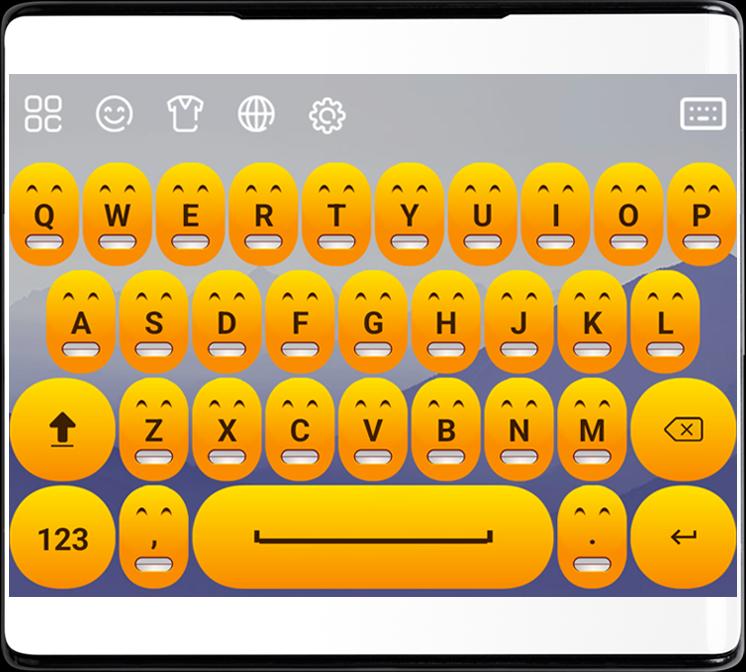
Transform your typing experience with the Moji Keyboard - Emoji Keys, Themes Android app! This vibrant and customizable keyboard brings a delightful twist to your device, offering a wide range of eye-catching themes and an extensive collection of expressive emojis.
The Emoji Theme Keyboard app allows you to personalize your keyboard to match your mood, style, or occasion. Choose from a variety of visually stunning themes, from playful and colorful designs to sleek and elegant styles. With each theme, your keyboard becomes a reflection of your unique personality, adding a touch of excitement and visual flair to your everyday interactions.
Key Features😊:
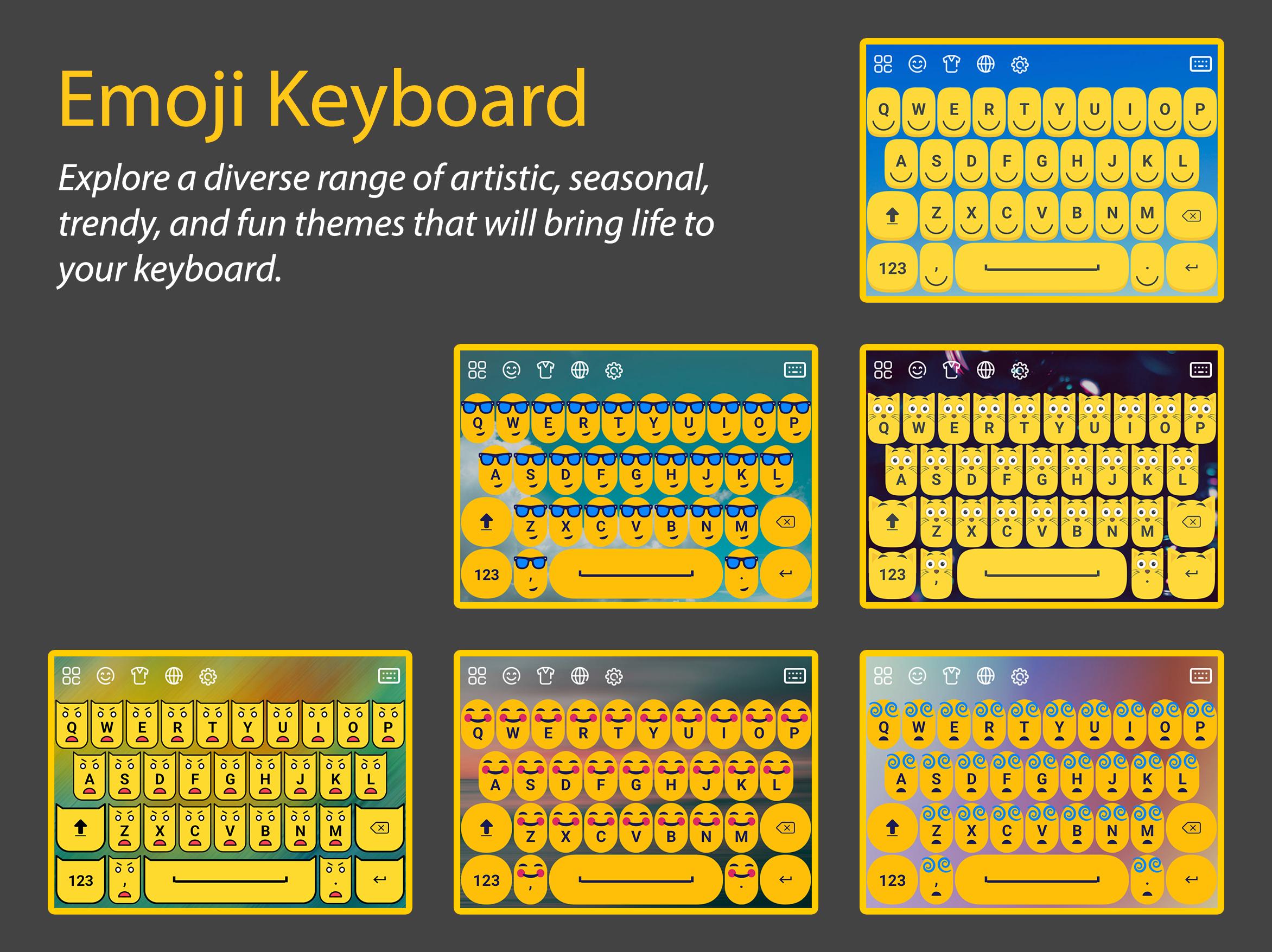
Dazzling Theme Collection: Dive into a vast collection of themes designed to captivate your visual senses. Explore a diverse range of artistic, seasonal, trendy, and fun smiley themes that will bring life to your keyboard.
Emoji Integration: Express yourself with a rich assortment of emojis right at your fingertips. Seamlessly switch between your favorite themes and access a comprehensive library of expressive emojis, allowing you to convey emotions effortlessly.
Customization Options: Tailor your keyboard to suit your preferences. Customize the background, key shapes, font style, and colors to create a truly personalized typing experience. Let your creativity shine through!
Smart Typing Features: Enhance your productivity with smart typing features, including autocorrect, predictive text, and gesture typing. Effortlessly glide your finger across the keyboard to form words, and let the app do the rest.
My Photo Keyboard: You can choose any photo from your gallery or take a new picture using your device's camera. Once you've selected your desired photo, you can adjust its position, zoom in or out, and even add filters or effects to enhance its appearance.
Emoji Prediction: Say goodbye to searching for the right emoji. The Emoji Theme Keyboard app intelligently predicts the emojis you want to use based on your text, making it quicker and easier to add that perfect touch of emotion to your messages.
Emoji Art and GIFs: Take your conversations to the next level with delightful emoji art and animated GIFs. Express yourself in a more dynamic way, and make your messages truly stand out.
Multiple Language Support: The Emoji Theme Keyboard supports multiple languages, allowing you to switch seamlessly between different languages while enjoying your chosen themes and emojis.
Revitalize your typing experience and bring a burst of color and joy to your device with the Emoji Theme Keyboard Android app. Download now and unleash your creativity while adding an extra layer of fun to every message you send!
Preview
Tags
ToolsInformation
Developer
MaxKeyTech
Latest Version
1.0
Last Updated
2023-07-05
Category
Tools
Available on
Google Play
Show More
How to play Moji Keyboard - Emoji Themes with GameLoop on PC
1. Download GameLoop from the official website, then run the exe file to install GameLoop
2. Open GameLoop and search for “Moji Keyboard - Emoji Themes” , find Moji Keyboard - Emoji Themes in the search results and click “Install”
3. Enjoy playing Moji Keyboard - Emoji Themes on GameLoop
Minimum requirements
OS
Windows 8.1 64-bit or Windows 10 64-bit
GPU
GTX 1050
CPU
i3-8300
Memory
8GB RAM
Storage
1GB available space
Recommended requirements
OS
Windows 8.1 64-bit or Windows 10 64-bit
GPU
GTX 1050
CPU
i3-9320
Memory
16GB RAM
Storage
1GB available space