
Macro Photography Tools PC
Ioannis Ioannou
Download Macro Photography Tools on PC With GameLoop Emulator
Macro Photography Tools on PC
Macro Photography Tools, coming from the developer Ioannis Ioannou, is running on Android systerm in the past.
Now, You can play Macro Photography Tools on PC with GameLoop smoothly.
Download it in the GameLoop library or search results. No more eyeing the battery or frustrating calls at the wrong time any more.
Just enjoy Macro Photography Tools PC on the large screen for free!
Macro Photography Tools Introduction
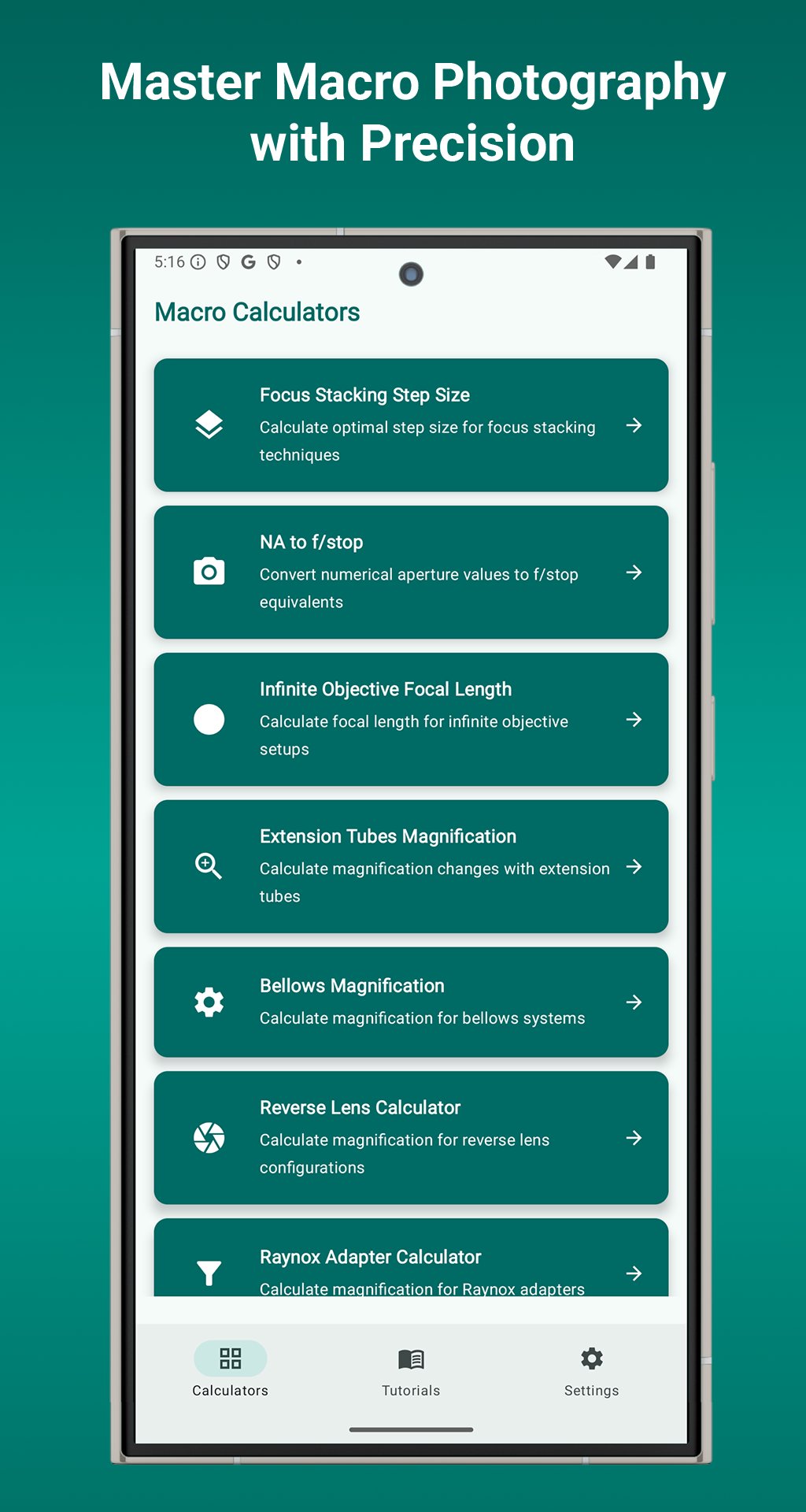
📸 Master Your Macro Photography with Precision
Macro Tools is the ultimate calculator suite built for serious macro photographers. Whether you're focus stacking, calculating magnification, or configuring complex setups, this app gives you the accuracy and control professionals rely on.
🔍 9 Powerful Macro Photography Calculators
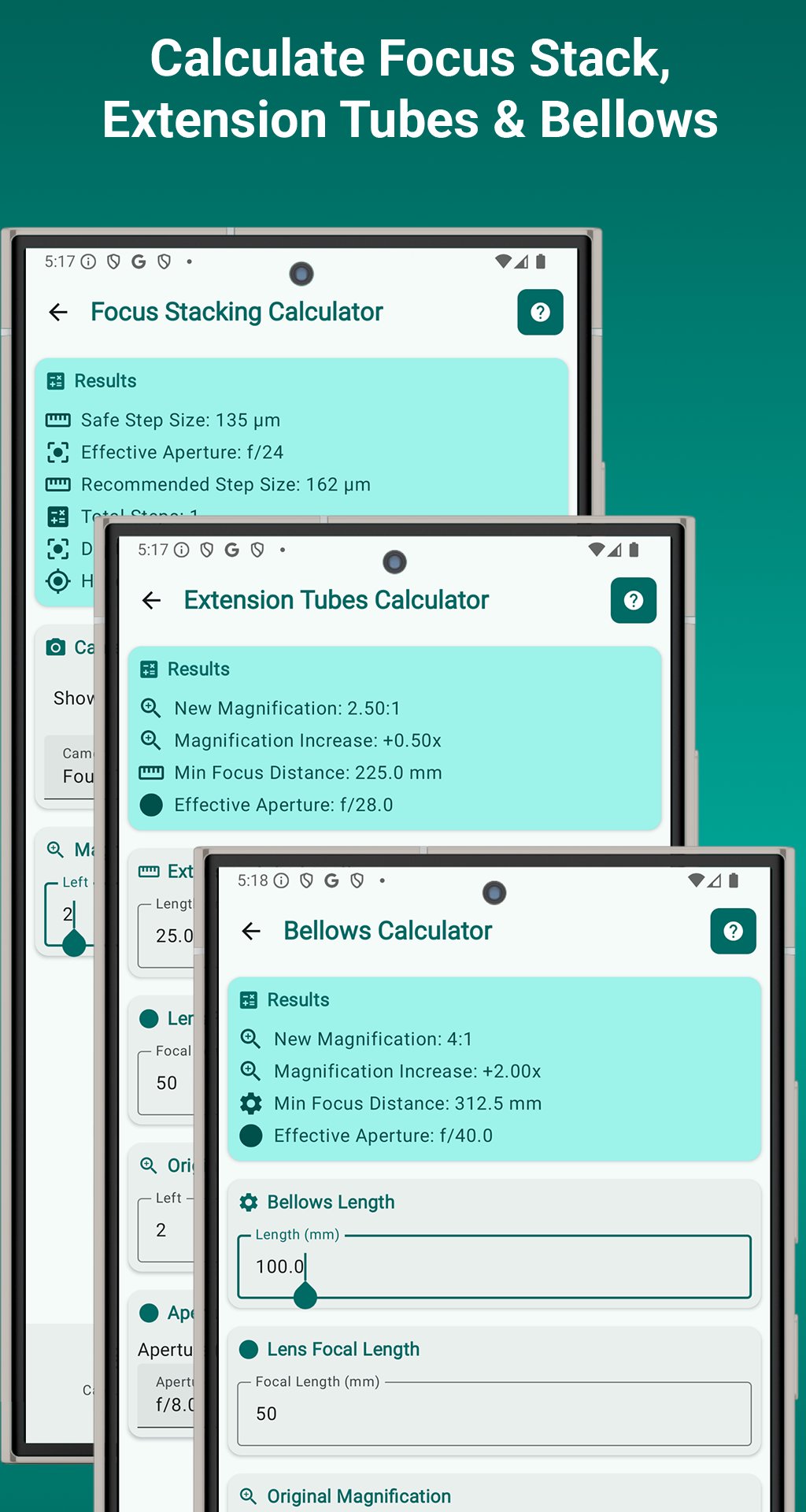
📏 Focus Stacking
• Calculate step sizes for tack-sharp stacks
• Supports all sensor sizes & apertures
• Ideal for product, insect, and nature shots
🔧 Extension Tubes
• Adjust magnification and focusing distance
• Includes exposure and effective aperture tools
🔬 NA to f/stop Converter
• Convert numerical aperture to f-stop
• Perfect for microscopy and scientific imaging
📡 Infinite Objective
• Calculate magnification in infinite objective setups
• Tailored for microscope-style macro systems
📷 Bellows Calculator
• Estimate magnification and working distance
• Designed for professional bellows rigs
🔁 Reverse Lens
• Compute high magnification using reversed lenses
• Great for high-detail, low-cost macro
🔍 Raynox Adapter
• Determine magnification and working distance
• Optimized for telephoto macro combos
🔍 Close-up Filters
• Calculate magnification from diopter strength
• Choose the right filter for your needs
🌀 Stacked Lenses
• Combine two lenses for extreme macro
• Get total system magnification instantly
✨ Built for Macro Photography Professionals
⚡ Real-Time Results – Instant feedback as you type
📂 Auto-Save Inputs – No need to re-enter data
📘 Tutorials – Learn theory and technique
🎨 Modern UI – Clean, responsive, Material Design
🌗 Dark Mode – Beautiful teal interface with theme toggle
🌍 Locale-Smart – Supports all number formats
🎯 Who’s It For?
• Macro & scientific photographers
• Nature & product shooters
• Educators, students, and hobbyists
• Anyone who values precision and control
🚀 Why Choose Macro Tools?
• Most complete macro photography calculator app
• Works fully offline – no internet or permissions
• Lightweight, battery-friendly (<20MB)
• Trusted by professionals worldwide
📞 Support You Can Count On
• Built-in guides
• FAQ
• responsive developer support
• Regular updates
✅ Download Macro Tools – Photography Calculator today and elevate your macro photography with tools designed for true detail work. Perfect focus, perfect results — every time.
Preview
Tags
ToolsInformation
Developer
Ioannis Ioannou
Latest Version
1.2025.07.31
Last Updated
2025-08-01
Category
Tools
Available on
Google Play
Show More
How to play Macro Photography Tools with GameLoop on PC
1. Download GameLoop from the official website, then run the exe file to install GameLoop
2. Open GameLoop and search for “Macro Photography Tools” , find Macro Photography Tools in the search results and click “Install”
3. Enjoy playing Macro Photography Tools on GameLoop
Minimum requirements
OS
Windows 8.1 64-bit or Windows 10 64-bit
GPU
GTX 1050
CPU
i3-8300
Memory
8GB RAM
Storage
1GB available space
Recommended requirements
OS
Windows 8.1 64-bit or Windows 10 64-bit
GPU
GTX 1050
CPU
i3-9320
Memory
16GB RAM
Storage
1GB available space