
Instant Locker to Instant Chat PC
SYSTWEAK SOFTWARE
Download Instant Locker to Instant Chat on PC With GameLoop Emulator
Instant Locker to Instant Chat on PC
Instant Locker to Instant Chat, coming from the developer SYSTWEAK SOFTWARE, is running on Android systerm in the past.
Now, You can play Instant Locker to Instant Chat on PC with GameLoop smoothly.
Download it in the GameLoop library or search results. No more eyeing the battery or frustrating calls at the wrong time any more.
Just enjoy Instant Locker to Instant Chat PC on the large screen for free!
Instant Locker to Instant Chat Introduction
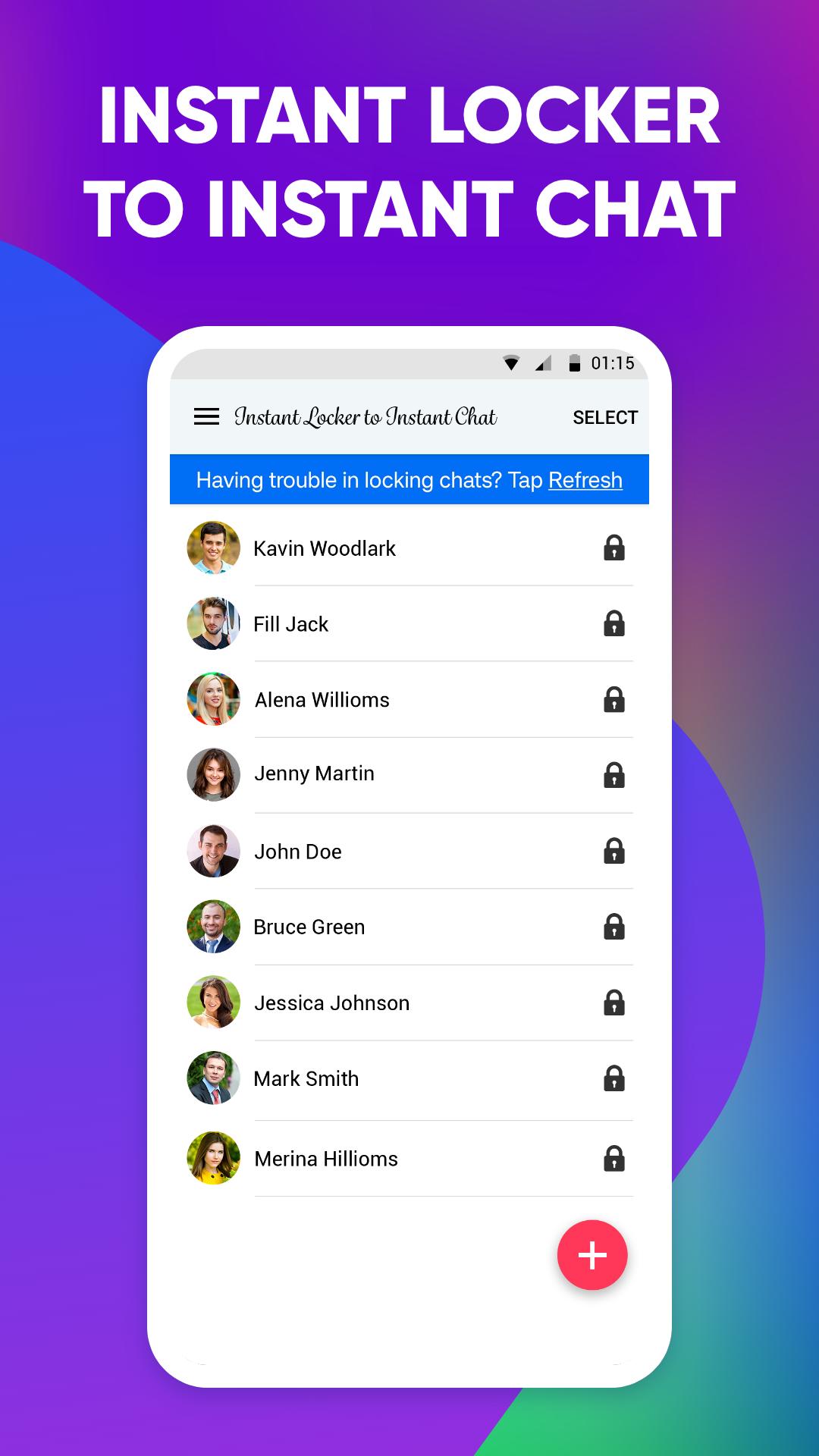
Secure your private chats with this chat locker for the INS social app. Systweak Software has developed Instant Locker to Instant Chat, which offers to protect users’ privacy. It is capable of locking chats on INS social app, which refrains others from snooping in. This also doubles as a locker for INS social app, as you can add an app lock for the entire application.
Instant Locker to Instant Chat is a must-have for all those using INS social app to have private conversations. This INS social app chat locker can be used to lock chats on your INS social app account. Access locked chats using your unique PIN or fingerprint.
Features to look out for:-
● Private Chat Locker - Lock personal chats individually for INS social app.
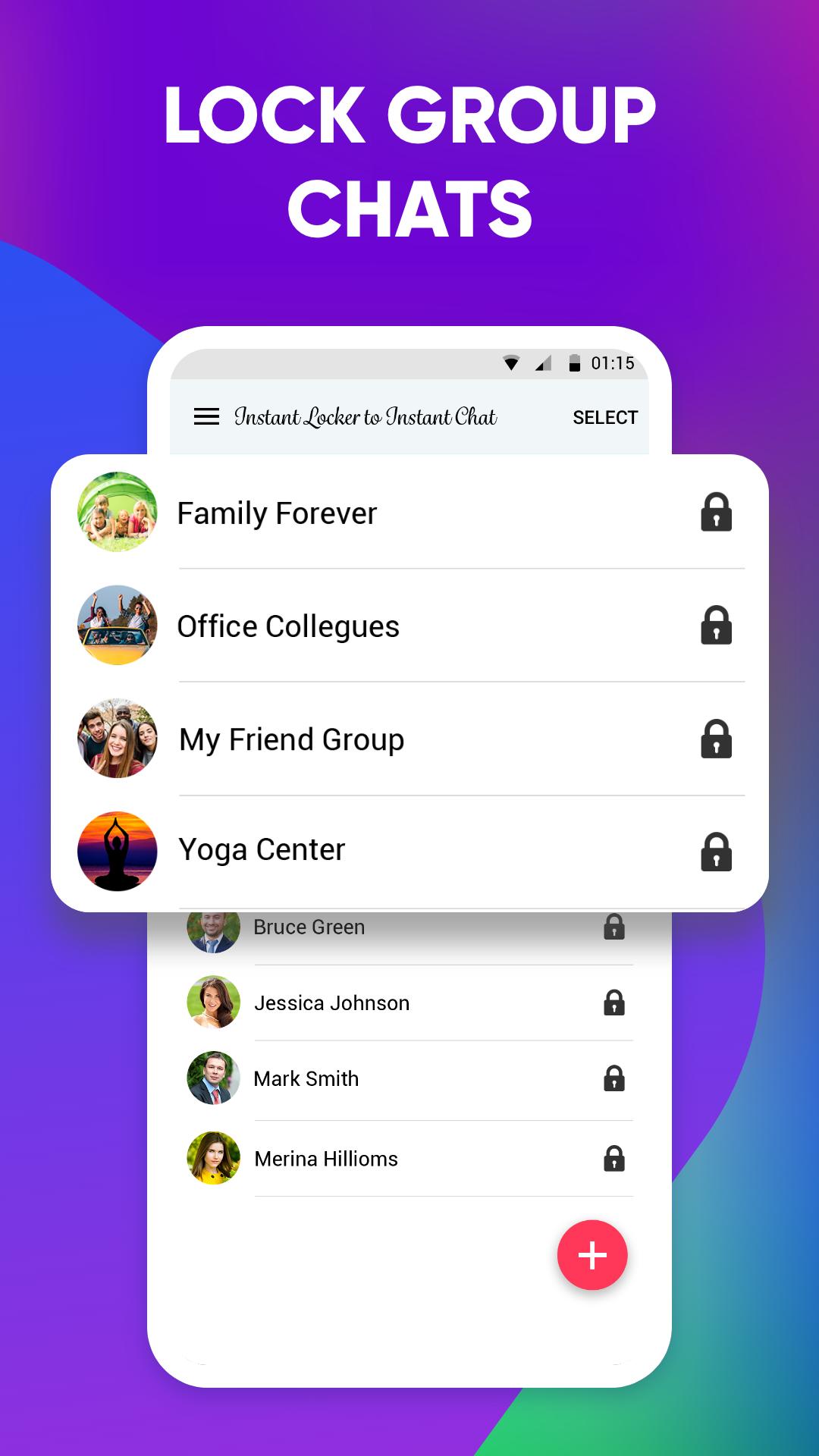
● Group Chat Locker - Allows adding locks to group chats as well.
● Fingerprint Scanner - Use Fingerprint to unlock chats instantly.
● App lock for INS social app - Add an app lock to INS social app with Instant Locker to Instant Chat.
● PIN lock - Easy-to-remember 4-digit PIN to unlock chats on INS social app.
Why use Instant Locker to Instant Chat?
● Lock group chats: Add lock to the group chats from INS social app.
● Add lock to INS social app: The entire INS social app application can be locked with a 4-digit passcode.
● Quick Solution: Simply add chats to the list to keep them private in a few quick steps.
● Easy recovery: In case of forgetting the passcode, reset it using the recovery email address.
● Unlock easily: Use fingerprint or PIN to unlock chats on INS social app.
● Add/remove chats: Single tap to add or remove chats from the list of locked chats.
● Lightweight app: It works on fewer system resources.
● Safe & secure: No third-party access to private data.
Steps to lock INS social app chats using Instant Locker to Instant Chat?
Step 1: Open Instant Locker to Instant Chat by Systweak Software and create a 4-digit passcode. Re-type it and confirm it.
Step 2: Add a recovery email address. Grant the necessary permissions to the application.
Step 3: Tap on ‘+’ to add the chats from INS social app. Repeat the process to add your private chats.
The selected chats are now locked and can only be accessed using the 4-digit passcode or fingerprint.
Get Instant Locker to Instant Chat to protect your chats from prying eyes!
NOTE: Systweak Software takes user security as the ultimate priority. The Instant Locker to Instant Chat works on a secure and user-friendly algorithm. We require Accessibility permission in order to protect user's INS social app chats. No user personal information is gathered or stored by us, and nobody is given access to it.
For any further information, visit https://www.systweak.com/locker-for-instagram
For queries, feel free to write to us at support@systweak.com .
Disclaimer: This application is developed entirely by Systweak Software and is an independent product. It is not affiliated, associated or endorsed by Meta or Instagram in any way. Any mention of Meta or Instagram are made solely for informational purposes. The names Meta, Instagram or related terms are registered trademarks of their respective owners.
Preview
Tags
ToolsInformation
Developer
SYSTWEAK SOFTWARE
Latest Version
9.1.05.09
Last Updated
2025-08-01
Category
Tools
Available on
Google Play
Show More
How to play Instant Locker to Instant Chat with GameLoop on PC
1. Download GameLoop from the official website, then run the exe file to install GameLoop
2. Open GameLoop and search for “Instant Locker to Instant Chat” , find Instant Locker to Instant Chat in the search results and click “Install”
3. Enjoy playing Instant Locker to Instant Chat on GameLoop
Minimum requirements
OS
Windows 8.1 64-bit or Windows 10 64-bit
GPU
GTX 1050
CPU
i3-8300
Memory
8GB RAM
Storage
1GB available space
Recommended requirements
OS
Windows 8.1 64-bit or Windows 10 64-bit
GPU
GTX 1050
CPU
i3-9320
Memory
16GB RAM
Storage
1GB available space