Korean Keyboard: Korean typing keypad PC
United Apps LLC.
Download Korean Keyboard: Korean typing keypad on PC With GameLoop Emulator
Korean Keyboard: Korean typing keypad on PC
Korean Keyboard: Korean typing keypad, coming from the developer United Apps LLC., is running on Android systerm in the past.
Now, You can play Korean Keyboard: Korean typing keypad on PC with GameLoop smoothly.
Download it in the GameLoop library or search results. No more eyeing the battery or frustrating calls at the wrong time any more.
Just enjoy Korean Keyboard: Korean typing keypad PC on the large screen for free!
Korean Keyboard: Korean typing keypad Introduction
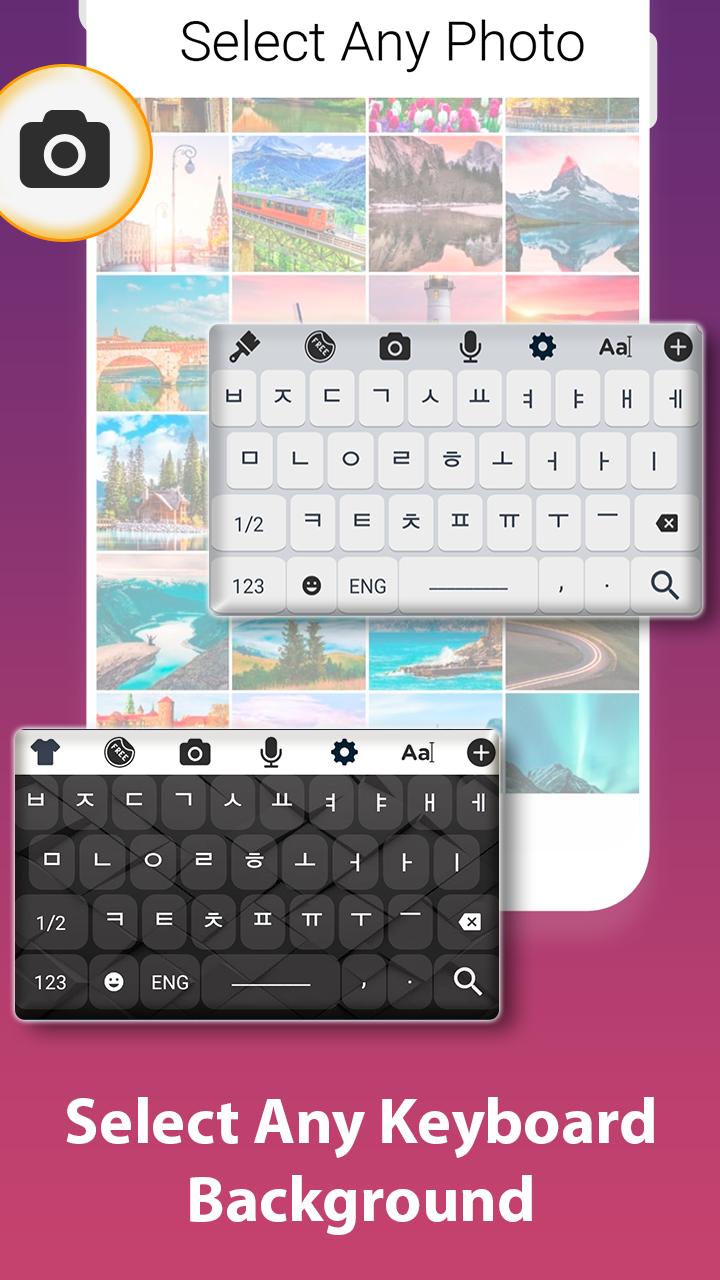
Set korean keyboard as a default input support with many of other features and options like theme selection, Background ideas with vast colour scheme. Simply enable the korean keyboard support in the system input settings.
Its user interface is so friendly and easy that any body can understand it, basically it is designed with the perspective of end user because the end user genuinely requires a keyboard to be easy and smooth.
You can communicate on many platforms like business, translator support for korean language, sending text, emails, posts to a specific person whose bilingual language is korean and many more.
One tap away is your official language keyboard so do have it on your device and communicate with multi cultural and multi language people using such keyboards.
We have other collections too so do visit our store and get any of the keyboard.
How to use:
Tap to start
Set it as default keyboard from input settings.
Change theme from collection of themes.
Set a background which gives you ease while typing in korean language.
Salient Features:
Large collection of keyboard themes.
Huge collection of backgrounds.
Korean keyboard typing support.
Emoji collection.
Preview

Tags
ToolsInformation
Developer
United Apps LLC.
Latest Version
1.9
Last Updated
2020-06-04
Category
Tools
Available on
Google Play
Show More
How to play Korean Keyboard: Korean typing keypad with GameLoop on PC
1. Download GameLoop from the official website, then run the exe file to install GameLoop
2. Open GameLoop and search for “Korean Keyboard: Korean typing keypad” , find Korean Keyboard: Korean typing keypad in the search results and click “Install”
3. Enjoy playing Korean Keyboard: Korean typing keypad on GameLoop
Minimum requirements
OS
Windows 8.1 64-bit or Windows 10 64-bit
GPU
GTX 1050
CPU
i3-8300
Memory
8GB RAM
Storage
1GB available space
Recommended requirements
OS
Windows 8.1 64-bit or Windows 10 64-bit
GPU
GTX 1050
CPU
i3-9320
Memory
16GB RAM
Storage
1GB available space