
IE Stopwatch - Auto Time Study PC
Decompile Lab
Download IE Stopwatch - Auto Time Study on PC With GameLoop Emulator
IE Stopwatch - Auto Time Study on PC
IE Stopwatch - Auto Time Study, coming from the developer Decompile Lab, is running on Android systerm in the past.
Now, You can play IE Stopwatch - Auto Time Study on PC with GameLoop smoothly.
Download it in the GameLoop library or search results. No more eyeing the battery or frustrating calls at the wrong time any more.
Just enjoy IE Stopwatch - Auto Time Study PC on the large screen for free!
IE Stopwatch - Auto Time Study Introduction
IE Stopwatch - Auto Time Study
Industrial engineering is a branch of engineering which is used to eliminate waste of time, money, materials, machine time, energy, person-hours, and other resources that do not generate value. Industrial engineers devise efficient systems that integrate workers, machines, materials, information, and energy to make a product or provide a service.
This Industrial engineering calculator offers
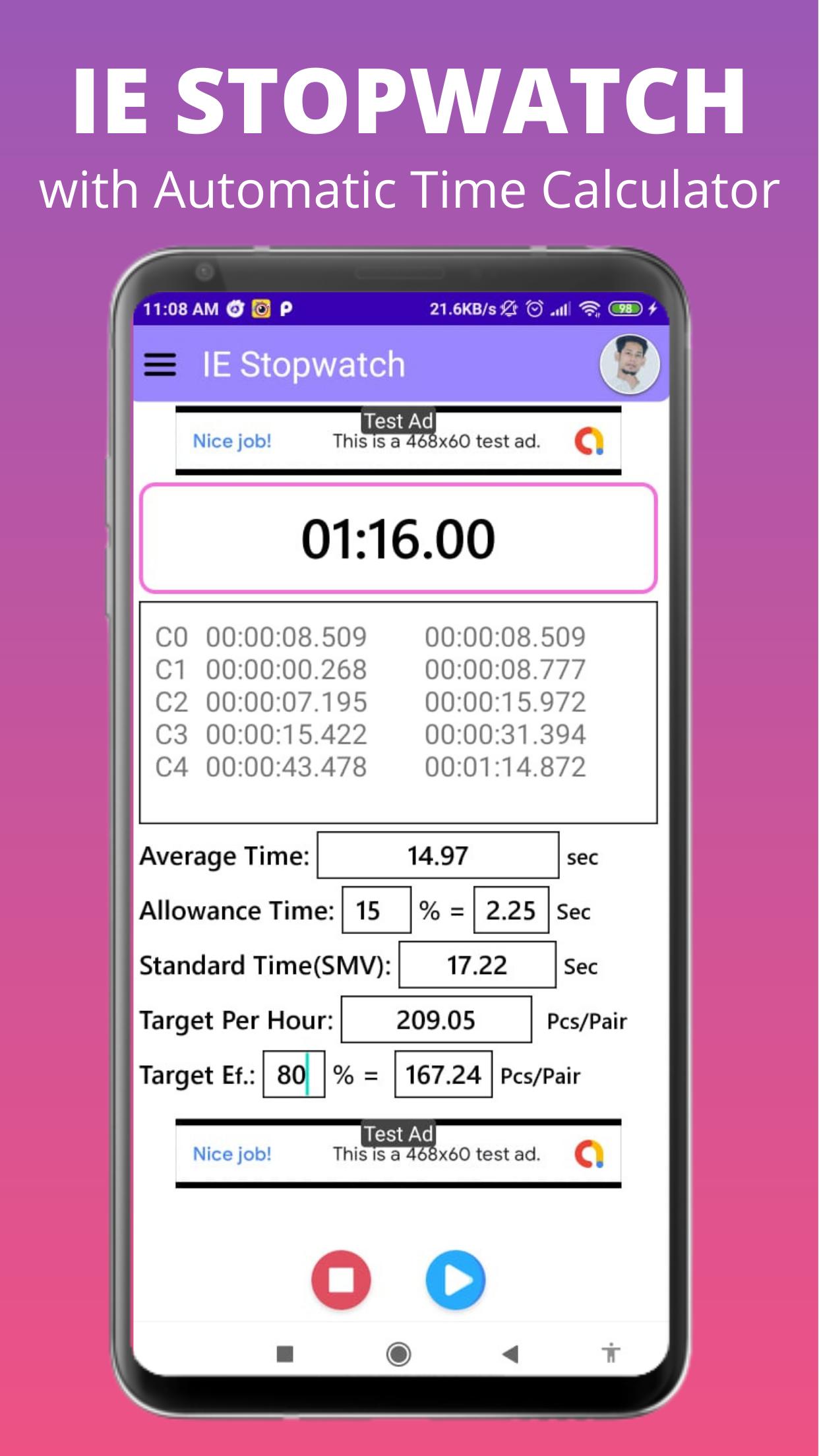
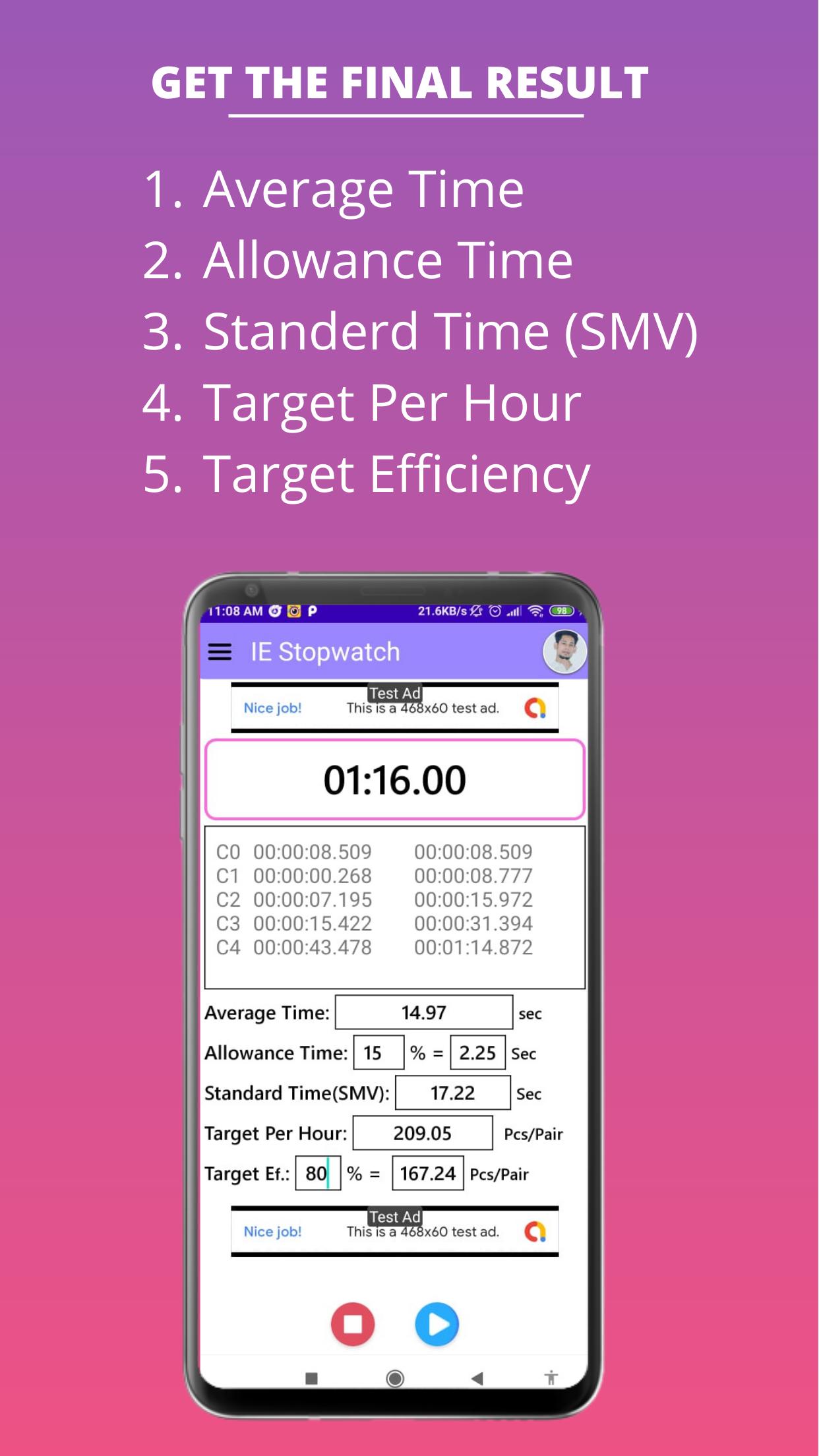
1. Stopwatch System
2. Loop Timing
3. Auto Loop Average Time Calculation
4. Allowance Calculation
5. Standard Time (SMV) Calculation
6. Target Per Hour Calculation
7. Target Efficiency Calculation
• Stopwatch System:
This app has a stopwatch. Using our stopwatch you can take timing on individual work.
• Loop Timing:
After clicking the loop button this app will store the loop time temporarily to find and calculate the loop average time.
• Auto Loop Average Time Calculation:
When you will click the loop button this app will calculate the loop average time automatically.
• Allowance Calculation:
In this app, there has an edit text field to input the Allowance in percent. After inputting the Allowance value then this app will calculate the Allowance Time automatically.
• Standard Time (SMV) Calculation:
After inputting the Allowance value this app will automatically calculate the Standard Time or SMV.
• Target Per Hour Calculation:
After inputting the Allowance value this app will automatically calculate the Target Per Hour.
• Target Efficiency Calculation:
This app also there has an edit text field to input the Target Efficiency in percent. After inputting the Target Efficiency value then this app will calculate the Target Efficiency automatically.
Hope this app will help all Industrial Engineers.
Preview
Tags
ToolsInformation
Developer
Decompile Lab
Latest Version
1.01.2.14
Last Updated
2024-08-07
Category
Tools
Available on
Google Play
Show More
How to play IE Stopwatch - Auto Time Study with GameLoop on PC
1. Download GameLoop from the official website, then run the exe file to install GameLoop
2. Open GameLoop and search for “IE Stopwatch - Auto Time Study” , find IE Stopwatch - Auto Time Study in the search results and click “Install”
3. Enjoy playing IE Stopwatch - Auto Time Study on GameLoop
Minimum requirements
OS
Windows 8.1 64-bit or Windows 10 64-bit
GPU
GTX 1050
CPU
i3-8300
Memory
8GB RAM
Storage
1GB available space
Recommended requirements
OS
Windows 8.1 64-bit or Windows 10 64-bit
GPU
GTX 1050
CPU
i3-9320
Memory
16GB RAM
Storage
1GB available space