iCenter OS 17: Assistive Touch PC
PUBLISH-APP.LTD
Download iCenter OS 17: Assistive Touch on PC With GameLoop Emulator
iCenter OS 17: Assistive Touch on PC
iCenter OS 17: Assistive Touch, coming from the developer PUBLISH-APP.LTD, is running on Android systerm in the past.
Now, You can play iCenter OS 17: Assistive Touch on PC with GameLoop smoothly.
Download it in the GameLoop library or search results. No more eyeing the battery or frustrating calls at the wrong time any more.
Just enjoy iCenter OS 17: Assistive Touch PC on the large screen for free!
iCenter OS 17: Assistive Touch Introduction
**🎯 Assistive Touch - Your Ultimate Android Control Center**
Transform your Android device with Assistive Touch - the most powerful floating button app that brings iOS-style convenience to Android. Access everything with one touch!
**✨ KEY FEATURES**
**🔘 Virtual Navigation Buttons**
• Virtual Home, Back, Recent buttons - Navigate instantly
• Lock Screen & Power Menu - Quick device control
**⚡ 30+ Quick Actions**
• Screenshot & Screen Recorder - HD recording, no watermark, no time limit
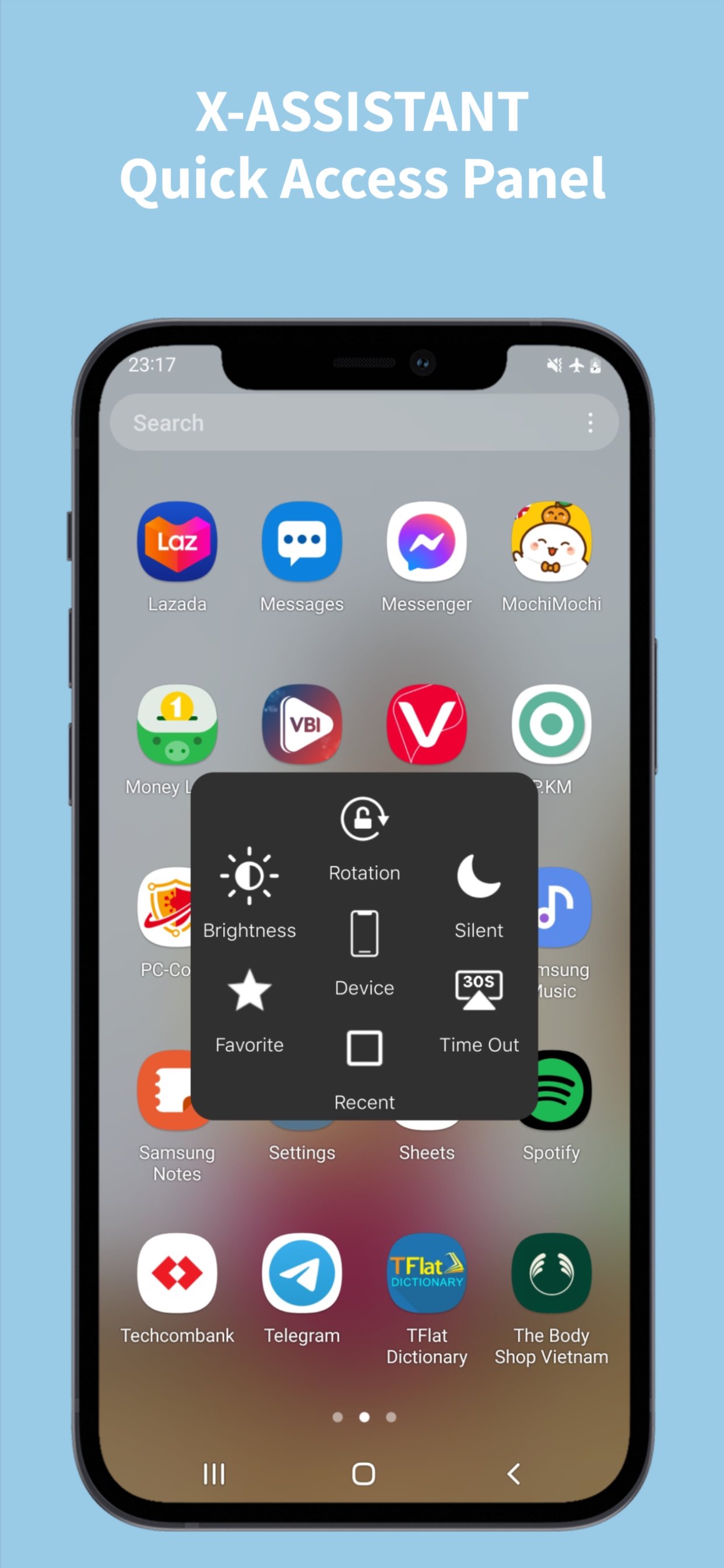
• Flashlight, WiFi, Bluetooth, Mobile Data, Airplane Mode
• Location (GPS), Sound Modes, Screen Rotation
• Volume & Brightness Control, Screen Timeout
• Dark Mode, Battery Saver, Screen Mirroring
• Notifications, Quick Settings, Camera, Calculator, Clock, Notes
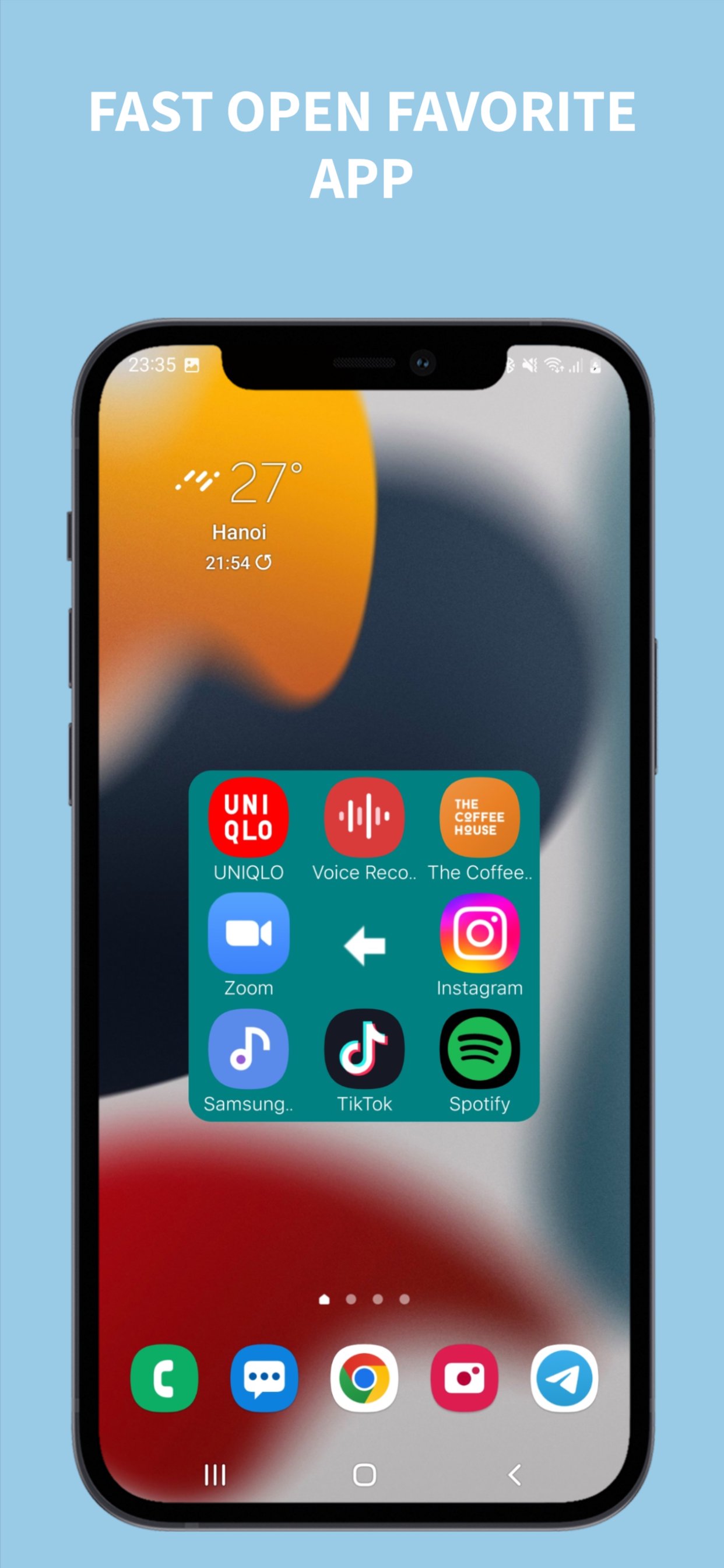
**📱 Favorite Apps Menu**
• Add up to 9 favorite apps for instant access
• Quick launch games and applications
**🎨 Complete Customization**
• Button Colors, Size, Shape (Circle/Rectangle)
• Menu Colors & Size, Icon Styles
• Gesture Controls (tap, double tap, long press)
• Auto-move to Edge, Vibrator Feedback, Transparent Mode
**💡 WHY CHOOSE ASSISTIVE TOUCH?**
✅ Protect Physical Buttons - Reduce wear on home/volume buttons
✅ One-Hand Operation - Perfect for large screen phones
✅ Quick Access - All controls in one floating button
✅ Fully Customizable - Colors, sizes, shapes, gestures
✅ Lightweight & Fast - Optimized performance, minimal battery
✅ 100% FREE - All features free, no hidden costs
✅ No Root Required - Works on all Android devices
✅ Privacy Focused - No data collection, secure and private
**🎯 PERFECT FOR:**
Large screen users, damaged button users, one-hand operation, quick access enthusiasts, gamers, content creators
**📋 PERMISSIONS EXPLAINED**
**Accessibility Service** - Required for navigation, lock screen, screenshot, add assistive touch bottom to screen. We do NOT collect personal data, financial info, contacts, or photos. Your privacy is our priority.
**🔧 HOW TO USE**
1. Install and open Assistive Touch
2. Enable Accessibility Service
3. Customize your floating button
4. Set up quick actions and favorite apps
5. Enjoy one-touch access!
**❓ FAQ**
**Q: How to uninstall?** A: Settings → Uninstall button
**Q: Battery drain?** A: No, optimized for minimal usage
**Q: Root required?** A: No, works without root
**Q: Free?** A: Yes, 100% free with all features
**Q: Customizable?** A: Yes, fully customizable
**💬 FEEDBACK & SUPPORT**
⭐ Rate us 5 stars | 📧 Email feedback | 🐛 Report issues
**📱 COMPATIBILITY**
Android 5.0+ | All screen sizes | Tablets & phones | No root required
**🔒 PRIVACY & SECURITY**
No data collection | No tracking | Secure & private
---
**Download Assistive Touch now and experience the most convenient way to control your Android device!**
Preview
Tags
ToolsInformation
Developer
PUBLISH-APP.LTD
Latest Version
2.3
Last Updated
2025-12-26
Category
Tools
Available on
Google Play
Show More
How to play iCenter OS 17: Assistive Touch with GameLoop on PC
1. Download GameLoop from the official website, then run the exe file to install GameLoop
2. Open GameLoop and search for “iCenter OS 17: Assistive Touch” , find iCenter OS 17: Assistive Touch in the search results and click “Install”
3. Enjoy playing iCenter OS 17: Assistive Touch on GameLoop
Minimum requirements
OS
Windows 8.1 64-bit or Windows 10 64-bit
GPU
GTX 1050
CPU
i3-8300
Memory
8GB RAM
Storage
1GB available space
Recommended requirements
OS
Windows 8.1 64-bit or Windows 10 64-bit
GPU
GTX 1050
CPU
i3-9320
Memory
16GB RAM
Storage
1GB available space