File Manager & Organizer PC
Divine Apps Studio
Download File Manager & Organizer on PC With GameLoop Emulator
File Manager & Organizer on PC
File Manager & Organizer, coming from the developer Divine Apps Studio, is running on Android systerm in the past.
Now, You can play File Manager & Organizer on PC with GameLoop smoothly.
Download it in the GameLoop library or search results. No more eyeing the battery or frustrating calls at the wrong time any more.
Just enjoy File Manager & Organizer PC on the large screen for free!
File Manager & Organizer Introduction
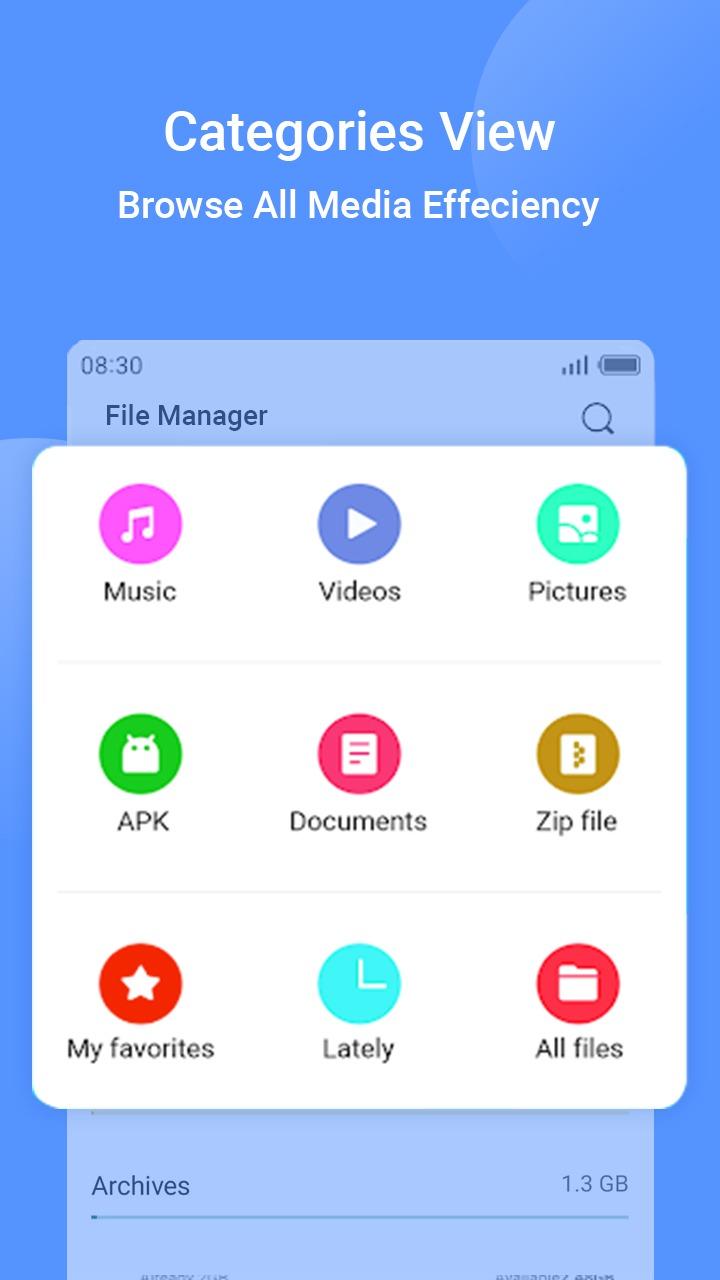
★ A file manager app that can manage files like images, documents, apps, music, videos and more. This is the most suitable file manager for android to handle the catches data and useful data separately. Just a few clicks and you can free up some space by clearing the cache in blink of our eye. Improve our device with beautifully managed data.
★ A file manager can also use for browsing your root files and SD card content. There are no such data, that this file master can not recognize. Simply allows you to rename, copy, paste, move, delete and share anything you want. Most importantly, it does not ask for unnecessary permission to use it well. With using smooth scrolling, you will get to know that, this file manager explorer is really fast app.
★ You can easily protect your file or photo with password protection. Or hide them from intruders. It also allows to view your file as per convenience with grid or list. Select and put your favorite files in folder. So, you can quickly pick them, when you need it. Put password protection to hidden item visibility.
★ Search by image or content name, so it will appear in first place. You don’t need to worry about choosing particular file from the large list anymore. To make it faster, create shortcuts on your home screen.
★ Key Feature of using File master:
- Create your own folder or rename it.
- Rename the file or create new.
- you can easily move file to different folder.
- Copy or delete the file as per user choice.
- Show up details of each and every content user have
- Show recent files on top for user convenience.
- View data with grid or list format.
- Show up root path of data to access them throughout.
- Hide or Unhide important file from intruder.
- Password protection for whole app.
- Password protection for hidden item visibility.
- Password protection for file deletion and moving.
- Pull from the top to refresh the data.
- Customize font size.
- Sort your data with bit of personalization.
- Manage date and time format.
- Add files to favorite, and access them swiftly.
- Analysis of your device storage will show up category wise.
- Share file supports every basic format.
- Create shortcut on your home screen to access them in sudden.
- No internet Need.
- Easy to use.
★ Simply navigate your files through categories and filter. Sort your data with name, size, last modified date or extension. Also, ascending or descending order is available. Efficient storage management will give you remark that which type of data consume much storage on your device.
★ Simple but effective user interface will help you to have a great experience by using File Master. And share your experience to your friends and Family too.
Download and enjoy now!!
Preview
Tags
ToolsInformation
Developer
Divine Apps Studio
Latest Version
1.11
Last Updated
2022-11-17
Category
Tools
Available on
Google Play
Show More
How to play File Manager & Organizer with GameLoop on PC
1. Download GameLoop from the official website, then run the exe file to install GameLoop
2. Open GameLoop and search for “File Manager & Organizer” , find File Manager & Organizer in the search results and click “Install”
3. Enjoy playing File Manager & Organizer on GameLoop
Minimum requirements
OS
Windows 8.1 64-bit or Windows 10 64-bit
GPU
GTX 1050
CPU
i3-8300
Memory
8GB RAM
Storage
1GB available space
Recommended requirements
OS
Windows 8.1 64-bit or Windows 10 64-bit
GPU
GTX 1050
CPU
i3-9320
Memory
16GB RAM
Storage
1GB available space