
Fast Web Browser PC
Oxtoxpha
Download Fast Web Browser on PC With GameLoop Emulator
Fast Web Browser on PC
Fast Web Browser, coming from the developer Oxtoxpha, is running on Android systerm in the past.
Now, You can play Fast Web Browser on PC with GameLoop smoothly.
Download it in the GameLoop library or search results. No more eyeing the battery or frustrating calls at the wrong time any more.
Just enjoy Fast Web Browser PC on the large screen for free!
Fast Web Browser Introduction
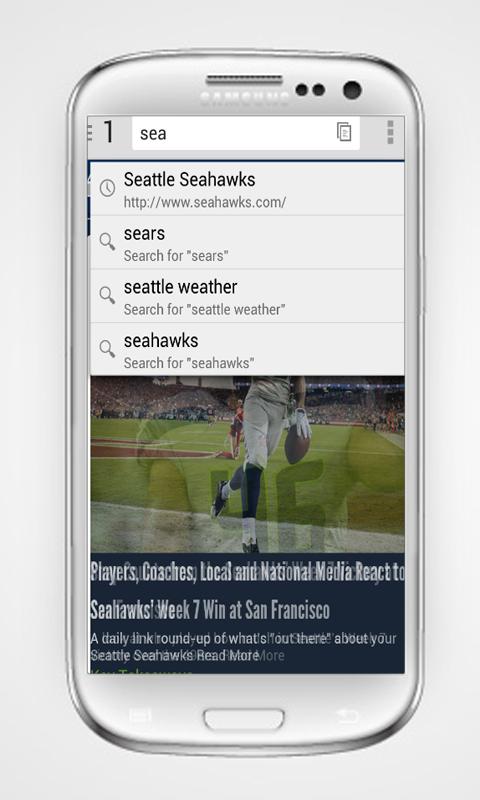
Fast Web Browser makes your browsing faster and stabilizer than other browsers when you use and work. It has many features which surprise you with well quality. It’s designed very simple, light and safe mode. You might use very easy with watch videos, secure browser, especially it’s FREE for everyone. With the best search sites and the best weather sites.easy-to-use, and fastest – undoubtedly one of the best Android browsers on the market.
Features :
- Favorite search engine: Choose your favorite search engine including Google, Yahoo, Bing Etc.
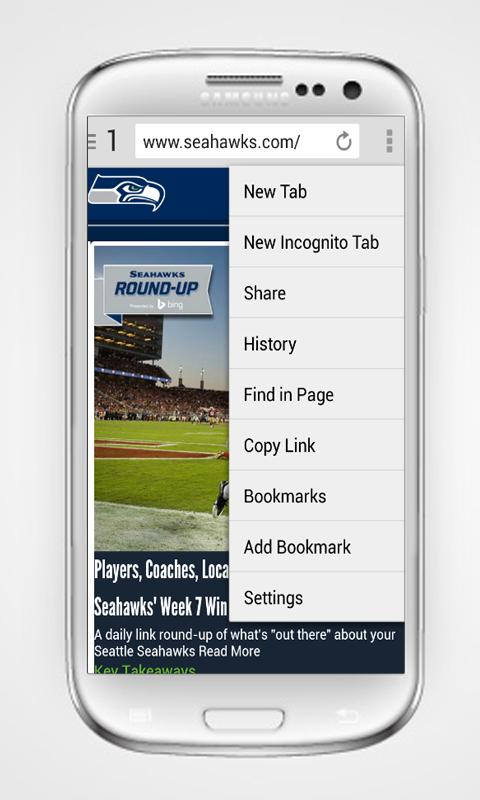
- Multi-tab Management: Easily navigate between multiple tabs with convenient gesture controls between browser windows.
- Bookmark your favorite websites for later access and fast browsing, on demand.
- Easy-to-use, and fast speed Internet browser
- Lightweight browser with the fast internet and powerful SPEED!
- Full internet security
- Stylish and simple interface
- Mutil-share every time, every where
- Manage your favorite pages well, flexible
- Incognito Mode. Private browse the web without saving any browser history.
- Supports Adobe Flash Player
- User Agent settings
- Advanced Gesture feature
- Sharing - Super-easy and intuitive ways to share mobile contents.
Preview
Information
Developer
Oxtoxpha
Latest Version
1.0
Last Updated
2015-10-25
Category
Tools
Available on
Google Play
Show More
How to play Fast Web Browser with GameLoop on PC
1. Download GameLoop from the official website, then run the exe file to install GameLoop
2. Open GameLoop and search for “Fast Web Browser” , find Fast Web Browser in the search results and click “Install”
3. Enjoy playing Fast Web Browser on GameLoop
Minimum requirements
OS
Windows 8.1 64-bit or Windows 10 64-bit
GPU
GTX 1050
CPU
i3-8300
Memory
8GB RAM
Storage
1GB available space
Recommended requirements
OS
Windows 8.1 64-bit or Windows 10 64-bit
GPU
GTX 1050
CPU
i3-9320
Memory
16GB RAM
Storage
1GB available space