
Dream Sinhala Keyboard PC
DreamApps Sinhala
Download Dream Sinhala Keyboard on PC With GameLoop Emulator
Dream Sinhala Keyboard on PC
Dream Sinhala Keyboard, coming from the developer DreamApps Sinhala, is running on Android systerm in the past.
Now, You can play Dream Sinhala Keyboard on PC with GameLoop smoothly.
Download it in the GameLoop library or search results. No more eyeing the battery or frustrating calls at the wrong time any more.
Just enjoy Dream Sinhala Keyboard PC on the large screen for free!
Dream Sinhala Keyboard Introduction
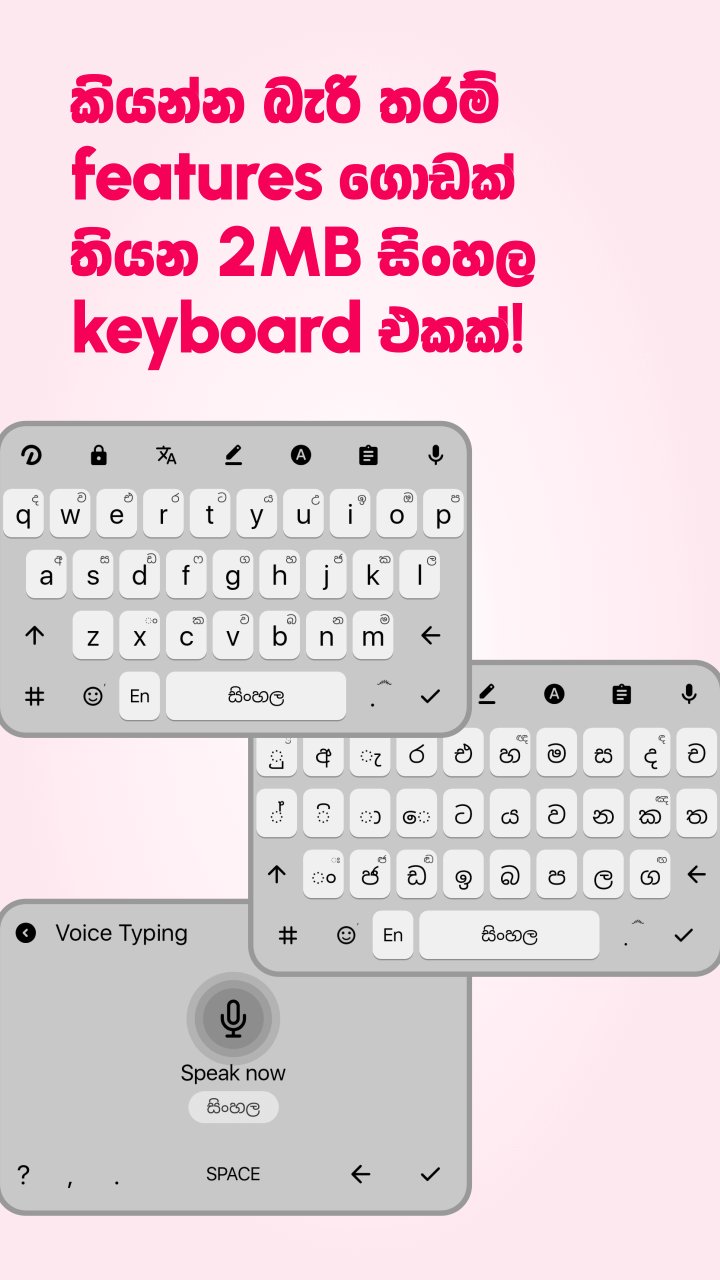
කියන්න බැරි තරම් features ගොඩක් තියන 2MB සිංහල keyboard එකක්! ලංකාවටම එකයි 🇱🇰
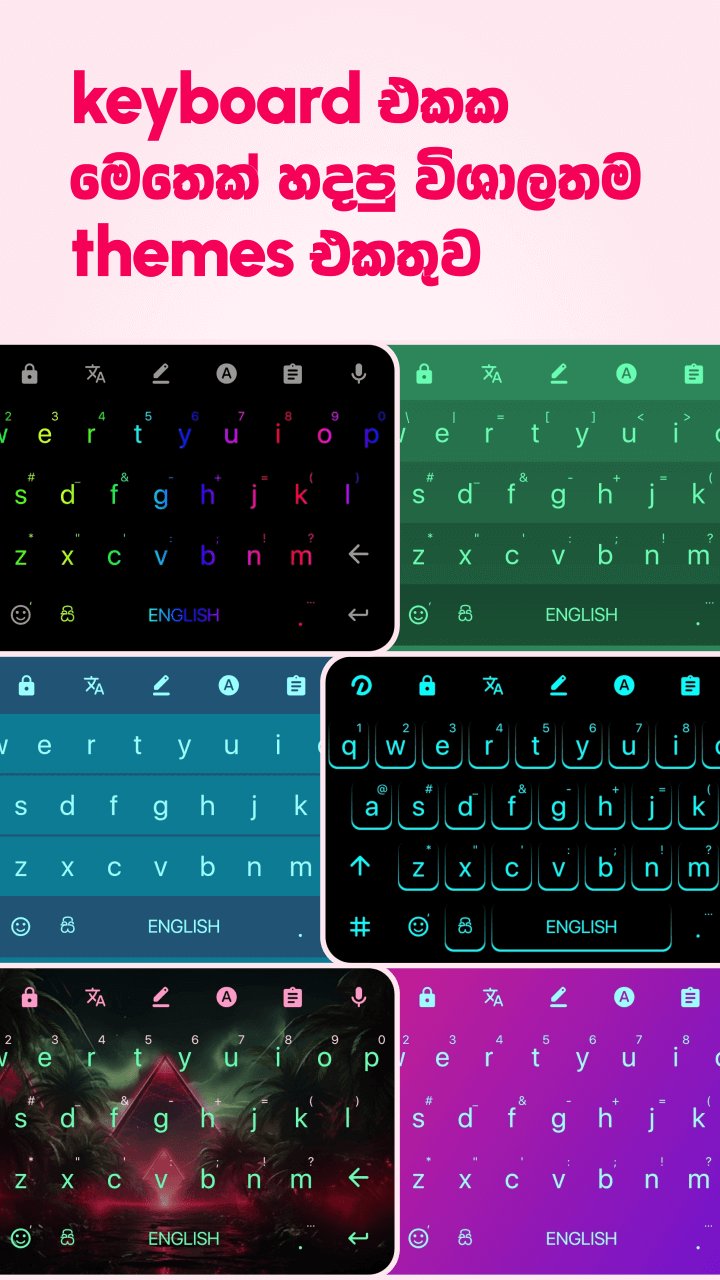
🎨 Keyboard එකක මෙතෙක් හදපු විශාලතම Themes එකතුව! වර්ග ගොඩකින් Unlimited Themes තියනවා. හිතෙන ඕනම විදිහකට keyboard එක වෙනස් කරගන්න
😍 Emoji වැඩ ගොඩයි - Mix කරන්න, Animate කරන්න, Style මාරු කරන්න, Search කරන්න, Stickers හදන්න…
✅ වැරදියට type කරන සිංහල වචන ඉබේම හරියනවා (Auto-correction). හිත කියවනවා වගේ හරියටම වචන, emoji suggest වෙනවා
🈶 ඕනම භාෂාවකින් Chat සහ Voice type කරන්න පුළුවන් ක්ෂණික භාෂා පරිවර්තකයක් තියනවා
💡 WhatsApp stickers අනිත් app වලදිත් යවන්න තිබුණොත් කොහොමද? මේ keyboard එකෙන් එහෙම පුළුවන්!
🅰️ එක එක අකුරු හැඩවලින් (Fonts) සහ Sound වර්ගවලින් type කරන්න පුළුවන්
📤 Clipboard, Dictionary, Settings වගේ data ඔක්කොම backup වෙනවා. app එක අයින් කෙරුවත් data නැතිවෙන්නෙ නෑ, වෙන phone එකකට app එක දැම්මත් මේ විදිහටම ඒකත් හැදෙනවා
🎤 අතින් type කරලා එපාවෙලා නම් කටින් type කරමු! සිංහල ඉංග්රීසි 2 න්ම Voice Typing පුළුවන්
👆 වේගෙන් type කරන්න උදවු වෙන gestures ගොඩක් තියනවා
↩️ දිග වාක්ය type කරලා එපාවෙලාද? එහෙනම් shortcuts වලින් අකුරු කීපෙකින් මුළු වාක්යම type කරමු! (mk ගැහුවොත් "මොකද කරන්නෙ?" type වෙනවා)
❎ එහෙම වෙන්නෙ shortcuts වෙනම add කෙරුවොත් නෙ? නෑ! Keyboard එකේ "Create shortcut" click කරපුවම select කරන ඕනම text එකකින් ඉබේම shortcuts හැදෙනවා
📝 Keyboard එකෙන්ම cursor move කරන්න, වචන select copy paste කරන්න වගේම Type කරලා මකපු දේවල් ආපහු ගන්නත් (undo & redo) Text Editor එකෙන් පුළුවන්
🎛 Keyboard එකේ උඩ තීරුවෙ තියන buttons කැමති විදිහට වෙනස් කරගන්න පුළුවන්
🔒 Type කරන දේවල් Dictionary එකට save වෙන්න ඕනෙ නැත්නම් Private Mode එක on කරගන්න
😍 මේවත් එක්ක ඔබන්න හිතෙන ලස්සන පෙනුමකුත් තියනවා. ලංකාවෙ ලස්සනම keyboard එක!
🔋මේ ඔක්කොම තිබිලත් App size එක 2MB විතරයි! Battery, Storage, Memory, Data නාස්ති කරන්නෙ නෑ, හිර වෙන එක ගැන අහලවත් නෑ!
🌟 මෙතන දාන්න ඉඩ මදි තරම් තව features ගොඩක් තියනවා. App එක අරගෙනම බලන්න. අකමැති දේවල් තිබුණොත් malith.dreamkeyboard@gmail.com එකට mail එකක් එවන්න හදලා දෙන්නම්
🇱🇰 ශ්රී ලාංකීය නිපැයුමකි!
Made with ♥️ in Sri Lanka 🇱🇰
Preview
Tags
ToolsInformation
Developer
DreamApps Sinhala
Latest Version
3.6.40
Last Updated
2025-11-20
Category
Tools
Available on
Google Play
Show More
How to play Dream Sinhala Keyboard with GameLoop on PC
1. Download GameLoop from the official website, then run the exe file to install GameLoop
2. Open GameLoop and search for “Dream Sinhala Keyboard” , find Dream Sinhala Keyboard in the search results and click “Install”
3. Enjoy playing Dream Sinhala Keyboard on GameLoop
Minimum requirements
OS
Windows 8.1 64-bit or Windows 10 64-bit
GPU
GTX 1050
CPU
i3-8300
Memory
8GB RAM
Storage
1GB available space
Recommended requirements
OS
Windows 8.1 64-bit or Windows 10 64-bit
GPU
GTX 1050
CPU
i3-9320
Memory
16GB RAM
Storage
1GB available space