
Don't Touch My Phone PC
File Recovery, App Manager and Phone Cleaner
Download Don't Touch My Phone on PC With GameLoop Emulator
Don't Touch My Phone on PC
Don't Touch My Phone, coming from the developer File Recovery, App Manager and Phone Cleaner, is running on Android systerm in the past.
Now, You can play Don't Touch My Phone on PC with GameLoop smoothly.
Download it in the GameLoop library or search results. No more eyeing the battery or frustrating calls at the wrong time any more.
Just enjoy Don't Touch My Phone PC on the large screen for free!
Don't Touch My Phone Introduction
The Don't Touch My Phone App is a Useful Phone Anti Theft Alarm tool to find who touch my phone and protect your phone and privacy.
If anybody want to touch or steal your mobile
Or If you are afraid to leave your device in public places
Or If your children or family persons want to use your mobile when you are not there
Don't be afraid, Don't Touch My Phone will secure your phone and allows you to find out someone who touch my phone. This Anti Theft Alarm will protect your phone from crooks and snooper.
With the Don't Touch My Phone app, you will not be afraid to let your phone any where in your surroundings.
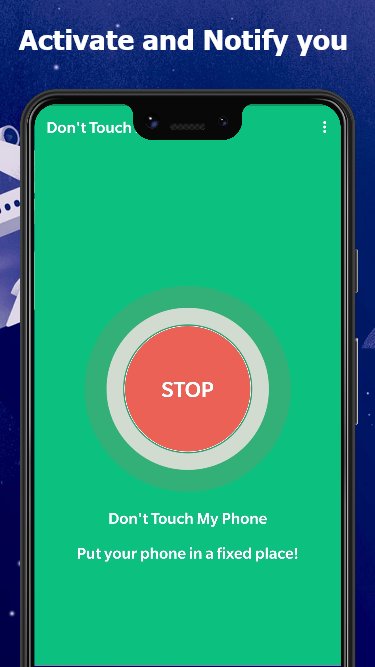
Once you activate the Phone Anti Theft Alarm, none could touch My Phone, because the Anti Theft Alarm will be triggered if any one tries to touch my phone, the alarm ringtone will warn you. you can set Four-digit pin code to protect your phone.
The Anti Theft Alarm tool can detect motion when someone tries to touch my phone without my permission and the phone will activate the alarm. then you will be notified and find out who touch my Phone..
★ How to Use:
1. Place the device on a fixed place
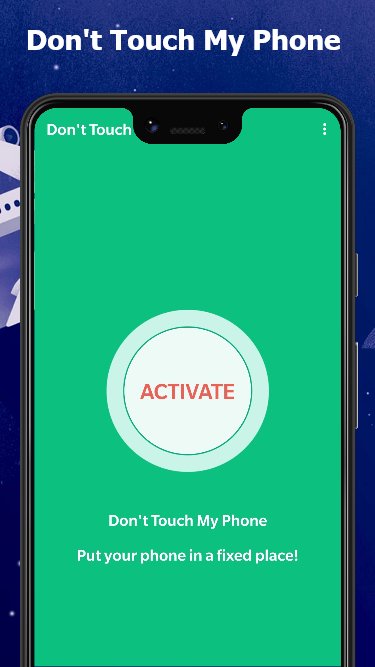
2. Click ACTIVATE to activate the Anti theft Alarm
3. If anyone touch the mobile, It will activate the alarm.
4. You can find who touch my phone.
Use Don't Touch My Phone to protect your phone, if you're afraid that someone uses your stuff.
Preview
Tags
ToolsInformation
Developer
File Recovery, App Manager and Phone Cleaner
Latest Version
1.0.23
Last Updated
2026-02-22
Category
Tools
Available on
Google Play
Show More
How to play Don't Touch My Phone with GameLoop on PC
1. Download GameLoop from the official website, then run the exe file to install GameLoop
2. Open GameLoop and search for “Don't Touch My Phone” , find Don't Touch My Phone in the search results and click “Install”
3. Enjoy playing Don't Touch My Phone on GameLoop
Minimum requirements
OS
Windows 8.1 64-bit or Windows 10 64-bit
GPU
GTX 1050
CPU
i3-8300
Memory
8GB RAM
Storage
1GB available space
Recommended requirements
OS
Windows 8.1 64-bit or Windows 10 64-bit
GPU
GTX 1050
CPU
i3-9320
Memory
16GB RAM
Storage
1GB available space