
WiFi Analyzer - Signal Meter PC
Zoltán Pallagi
Download WiFi Analyzer - Signal Meter on PC With GameLoop Emulator
WiFi Analyzer - Signal Meter on PC
WiFi Analyzer - Signal Meter, coming from the developer Zoltán Pallagi, is running on Android systerm in the past.
Now, You can play WiFi Analyzer - Signal Meter on PC with GameLoop smoothly.
Download it in the GameLoop library or search results. No more eyeing the battery or frustrating calls at the wrong time any more.
Just enjoy WiFi Analyzer - Signal Meter PC on the large screen for free!
WiFi Analyzer - Signal Meter Introduction
Is your WiFi slow, laggy, or constantly dropping? This app shows you exactly why — and how to fix it.
FIND OUT WHY YOUR WIFI IS SLOW
Most people blame their internet provider when WiFi is slow. But 80% of the time, the problem is inside your home: wrong channel, bad router placement, or interference from neighbors.
WiFi Analyzer shows you the real problem in seconds, so you can fix it yourself — no technician needed.
COMMON PROBLEMS THIS APP SOLVES
"My WiFi is slow but my internet plan is fast"
→ Your router is probably on a congested channel. The app shows you which channel to switch to.
"WiFi works in the living room but not in the bedroom"
→ Check signal strength in different rooms. Find the best spot for your router.
"My video calls keep freezing"
→ Test the actual speed between your phone and router — not just internet speed. Find what's causing the lag.
"I think someone is stealing my WiFi"
→ See every device connected to your network. Spot unknown devices instantly.
"My new router isn't faster than my old one"
→ Check if you're actually connected to the fast 5GHz or 6GHz band, not the slow 2.4GHz.
KEY FEATURES
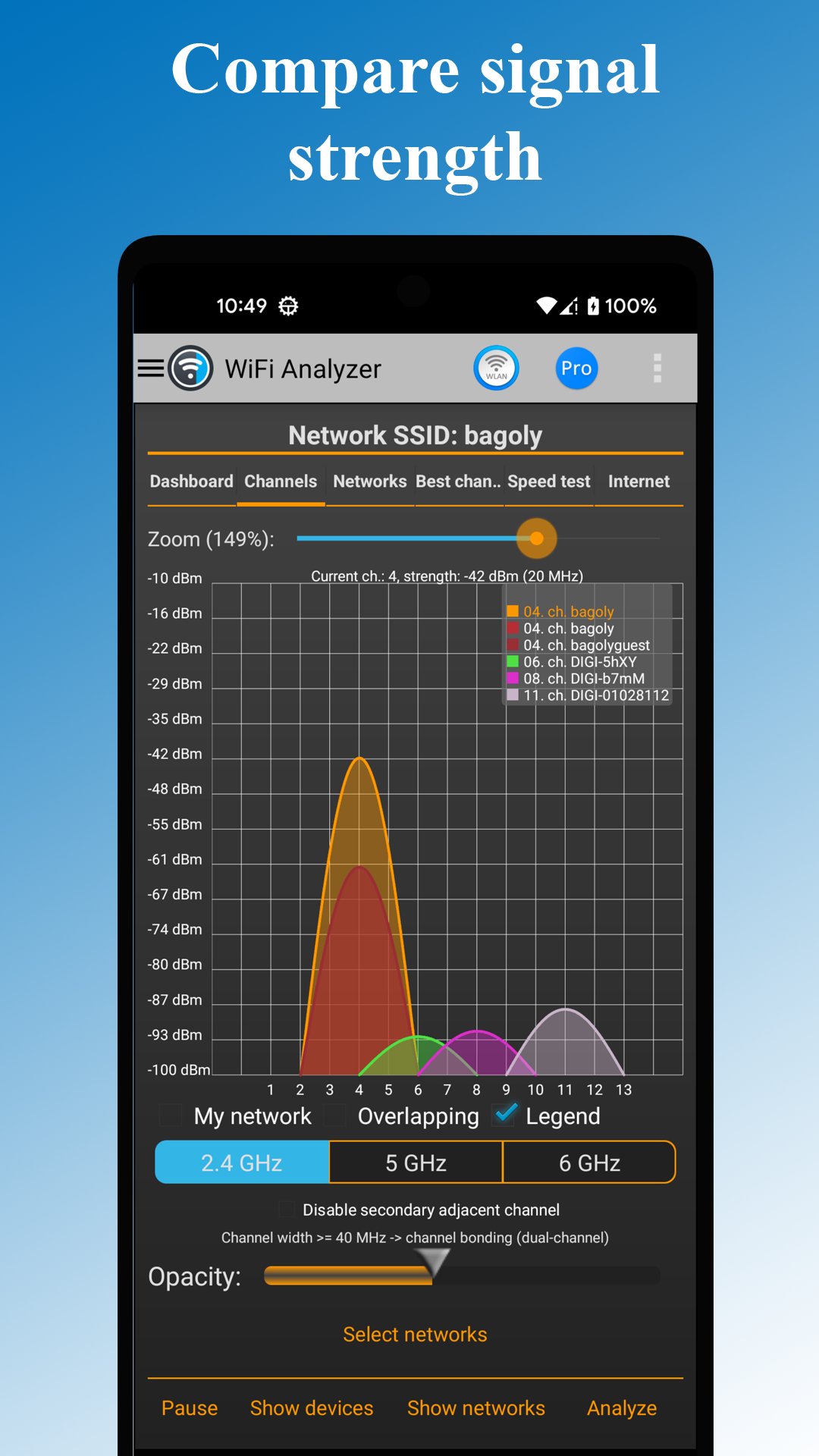
Channel Analyzer & Recommendations
See which WiFi channels are crowded in your area. Get a clear recommendation for the best channel. One router setting change can double your speed.
Real Router Speed Test
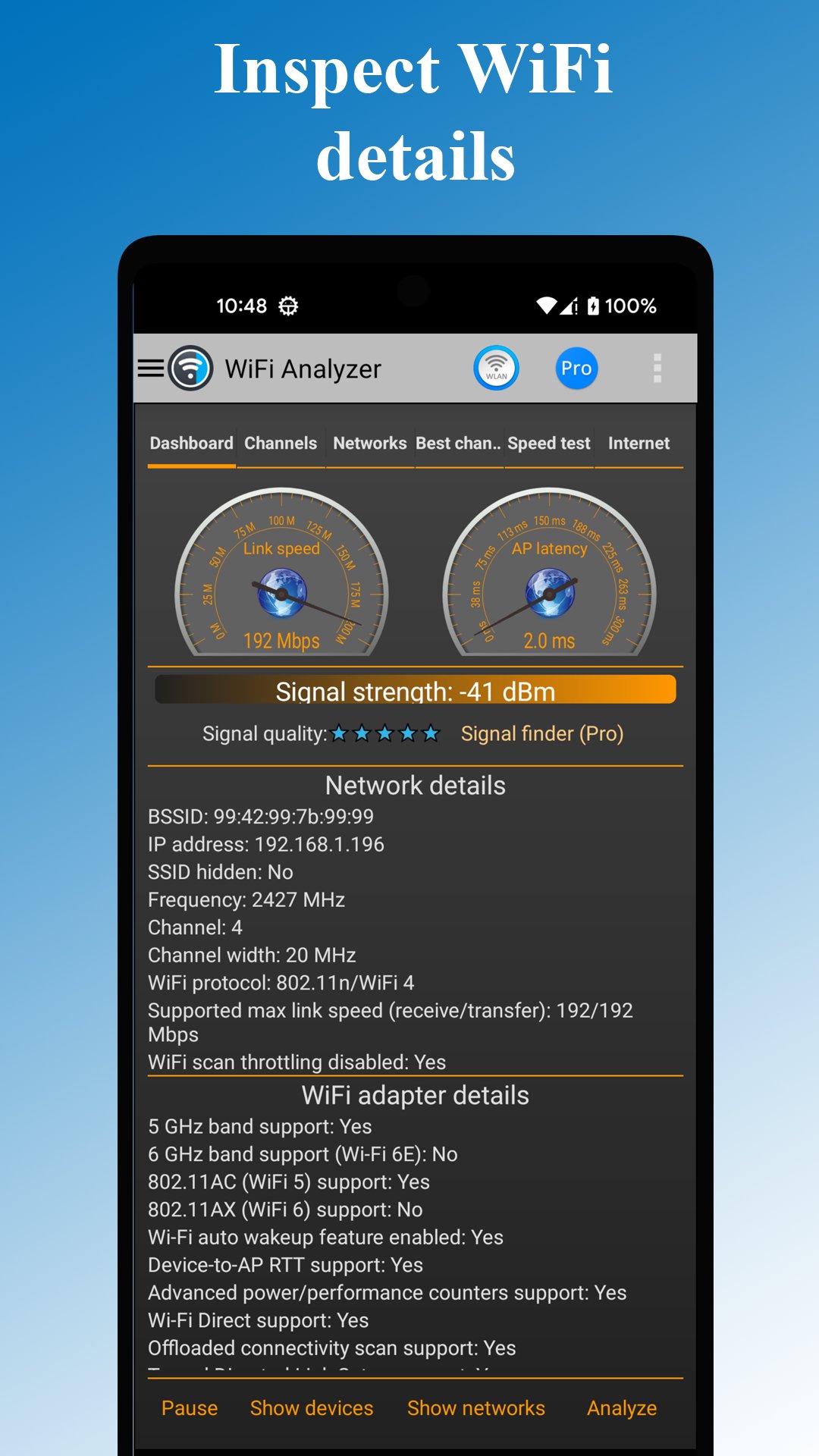
Unlike regular speed tests that measure internet speed, this tests the actual connection between your device and your router. Find out if your WiFi — not your internet — is the bottleneck.
Signal Strength Meter
Walk around your home and see exactly where your WiFi signal is strong or weak. Find dead zones. Discover the perfect spot for your router.
Connected Device Scanner
See every phone, laptop, TV, and smart device on your network. Spot unauthorized devices. Know exactly what's using your bandwidth.
Network Security Check
Find out if your WiFi is secure. Detect outdated WEP or WPA security. Make sure you're protected with WPA2 or WPA3.
WORKS WITH ALL WIFI TYPES
✓ WiFi 7 (newest standard, 320MHz channels)
✓ WiFi 6E (6GHz band)
✓ WiFi 6
✓ WiFi 5 and older
✓ 2.4GHz, 5GHz, and 6GHz bands
✓ All router brands
HOW TO FIX SLOW WIFI IN 2 MINUTES
1. Open the app and let it scan your WiFi
2. Check the Channel view — is your channel crowded?
3. If yes, note the recommended channel
4. Open your router settings (the app can help)
5. Change to the recommended channel
6. Enjoy faster WiFi!
PERFECT FOR
- Home users frustrated with slow WiFi
- Apartment dwellers with lots of neighbor interference
- Gamers who need low latency
- Remote workers on video calls all day
- Anyone setting up a new router
- Parents managing kids' devices on the network
Preview
Tags
ToolsInformation
Developer
Zoltán Pallagi
Latest Version
5.6
Last Updated
2026-01-28
Category
Tools
Available on
Google Play
Show More
How to play WiFi Analyzer - Signal Meter with GameLoop on PC
1. Download GameLoop from the official website, then run the exe file to install GameLoop
2. Open GameLoop and search for “WiFi Analyzer - Signal Meter” , find WiFi Analyzer - Signal Meter in the search results and click “Install”
3. Enjoy playing WiFi Analyzer - Signal Meter on GameLoop
Minimum requirements
OS
Windows 8.1 64-bit or Windows 10 64-bit
GPU
GTX 1050
CPU
i3-8300
Memory
8GB RAM
Storage
1GB available space
Recommended requirements
OS
Windows 8.1 64-bit or Windows 10 64-bit
GPU
GTX 1050
CPU
i3-9320
Memory
16GB RAM
Storage
1GB available space