
Fix for Google Play Services & Play Store PC
AppSpecialist
Download Fix for Google Play Services & Play Store on PC With GameLoop Emulator
Fix for Google Play Services & Play Store on PC
Fix for Google Play Services & Play Store, coming from the developer AppSpecialist, is running on Android systerm in the past.
Now, You can play Fix for Google Play Services & Play Store on PC with GameLoop smoothly.
Download it in the GameLoop library or search results. No more eyeing the battery or frustrating calls at the wrong time any more.
Just enjoy Fix for Google Play Services & Play Store PC on the large screen for free!
Fix for Google Play Services & Play Store Introduction
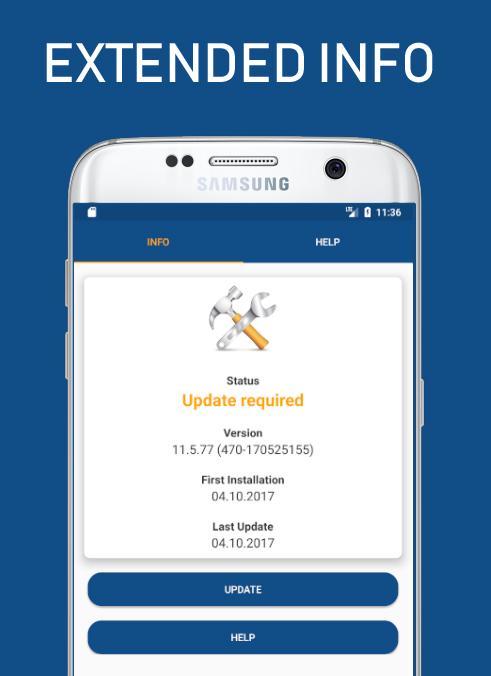
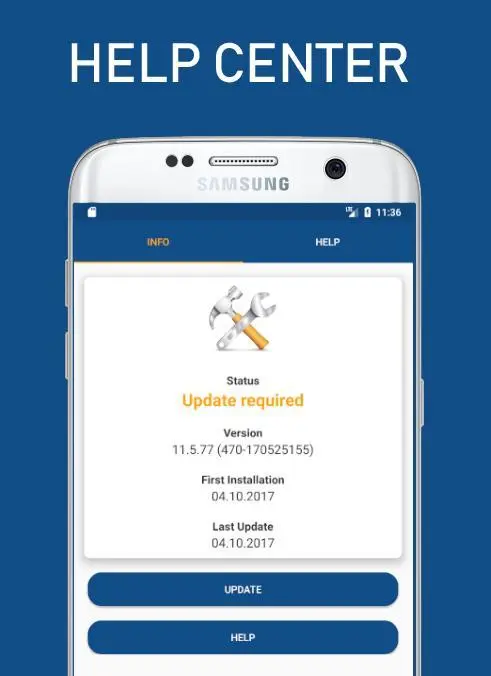
★ Small utility App is used to check the status, info, install & update the Play Services & Play Store
★ If you are facing any difficulties in opening Play store and play services with the messages like "Unfortunately, Google Play Store has stopped." or "Unfortunately, Google Play services has stopped.", then I am sure that you are in correct place now. Because i have come across the same issue and that's the reason i created this application.I hope it will definitely guide you in fixing your problems.
★ The App is used to give the below information about Play Services & Play Store.
⇒ APK Size
⇒ Version Name
⇒ Version Code
⇒ Installed date
⇒ Last Updated Date
★ It also provides direct link to the
⇒ Google Play Store
⇒ Apk Mirror
⇒ App Info
⇒ Overview of the Google Play Services
⇒ Release Notes
⇒ Play User Experience Research Signup
⇒ Play Forum
⇒ Help Center,
⇒ Google Play Twitter Page
⇒ Terms of Service
⇒ Google Privacy Policy
⇒ Contact Support Team
★ You can share the Version name and Version number using Facebook messaging, Whatsapp, Hangout, Gmail etc.
★ In the new update, we reduced the app size and showing variant along with version information.
★ It provides solutions for the following problems Google Play Error
⇒ Google Play isn't responding. Try again in a few minutes, and if the problem continues, get help troubleshooting (Error-927)
⇒ Can't install app "Twitter" can't be installed.
⇒ Unknown error code during application installation : "919"
⇒ "WhatsApp Messenger" could not be downladed due to an error (491)
⇒ can't update app Facebook can't be updated Try again,
★ It also provide the solutions for Common Google Play Error Codes frequently happen for all devices
⇒ Error 8 Error 18 Error 20 Error 24
⇒ Error 101 Error 103 Error 110 Error 194
⇒ Error 403 Error 406 Error 413 Error 481
⇒ Error 491 Error 492 Error 495 Error 497
⇒ Error 498 Error 501 Error 504 Error 505
⇒ Error 905 Error 906 Error 907 Error 911
⇒ Error 919 Error 920 Error 921 Error 923
⇒ Error 924 Error 927 Error 940 Error 941
⇒ Error 944 Error 961 Error 963 Error 975
⇒ Error DF-BPA-09
⇒ DF-BPA-30 error
⇒ DF-DLA-15 error
⇒ Rpc error: AEC: 0
⇒ Error rh01 / rpc: s-5: AEC-0
⇒ Recovery error
⇒ Error-06 BM-GVHD
⇒ Error rpc: s-3
⇒ Error: "Authentication required"
⇒ Error "Package file invalid"
⇒ Error Retrieving Information from Google Server[RH-01]
Share and feedback
★ Thank you for downloading ☺
★ Sharing is caring ♥ If you found this App is Helpful .share to your all friends ☺
★ We would appreciate your valuable feedback
★ If you find any problems please Feel free to contact us
Disclaimer:
• This application is not Google play services or Google play store but it has information about both.
• All trademarks, logos and images used in this application are the intellectual property of their respective owners.
• The information should be used as a guide for individual needs.
• This App is not affiliated with AGoogle Inc.
Preview
Information
Developer
AppSpecialist
Latest Version
1.1
Last Updated
2018-07-15
Category
Tools
Available on
Google Play
Show More
How to play Fix for Google Play Services & Play Store with GameLoop on PC
1. Download GameLoop from the official website, then run the exe file to install GameLoop
2. Open GameLoop and search for “Fix for Google Play Services & Play Store” , find Fix for Google Play Services & Play Store in the search results and click “Install”
3. Enjoy playing Fix for Google Play Services & Play Store on GameLoop
Minimum requirements
OS
Windows 8.1 64-bit or Windows 10 64-bit
GPU
GTX 1050
CPU
i3-8300
Memory
8GB RAM
Storage
1GB available space
Recommended requirements
OS
Windows 8.1 64-bit or Windows 10 64-bit
GPU
GTX 1050
CPU
i3-9320
Memory
16GB RAM
Storage
1GB available space