
Call Recorder 2024 PC
MMDevs
Download Call Recorder 2024 on PC With GameLoop Emulator
Call Recorder 2024 on PC
Call Recorder 2024, coming from the developer MMDevs, is running on Android systerm in the past.
Now, You can play Call Recorder 2024 on PC with GameLoop smoothly.
Download it in the GameLoop library or search results. No more eyeing the battery or frustrating calls at the wrong time any more.
Just enjoy Call Recorder 2024 PC on the large screen for free!
Call Recorder 2024 Introduction
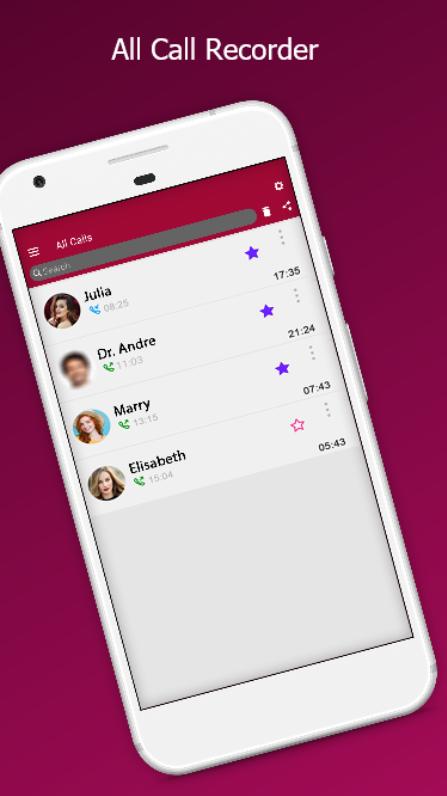
All Call Recorder 2024 and Auto Call Recorder is a free, All Call Recorder is a little tool that you can record your phone calls and play it back very easily. Recording calls gives people a wisdom of safety that they can refer back to any conversation they need to.
Whether it’s an important discussion with your colleagues or a brainstorming session with your business partner, there are times when you might want to keep a record of your conversations so that you can refer to them later.
If you need such functionality, we present you the best All Call Recorder 2024 app which can help you record voice calls on the Phone. All Call Recorder 2024 & Auto Call Recorder is probably the best call recording app which you can use today!
All Call Recorder 2024 and Auto Call Recorder app works great when recording your incoming and outgoing calls. The app gives you high-quality recordings, with clear voices from both sides of conversations.
All Call Recorder 2024 and Auto Call Recorder app also lets you share the recording via social media or email. You can even choose to upload the recordings to a cloud storage Google Drive and Dropbox if you want to save storage on your Mobile Phone.
All Call Recorder 2024 and Auto Call Recorder app has many helpful features like, as soon as you hang up, your recordings are ready to be saved to cloud storage or to be shared. Transcribe your calls locally on device without sending the recording to a 3rd party server, making sure your privacy stays undamaged.
Many Call Recording apps frequently have a lower audio quality or you might hear noise during the call and the voice of the speaking person might be hardly clear so if you want to get rid of these problems, you can try Free All Call Recorder 2024 and Auto Call Recorder app which works wonderfully by defining your voice and unravelling it from the background noise.
All Call Recorder 2024 & Auto Call Recorder app provides high-quality recordings. You don’t have any limitation on the length and amount of recording. You can comfortably record both incoming and outgoing calls. As soon as you hang up the call, recordings are available. It supports both national and international calls.
Features of All Call Recorder 2024 and Auto Call Recorder App:
📲 All Call Recorder 2024 app can record both incoming calls and calls you make.
📲 No duration limit, Talk and record as long as you'd like.
📲 Record any phone call you want and choose which calls you want to save.
📲 Simple Auto Call Recorder app that has an ability to Records all your phone calls.
📲 Use All Call Recorder 2024 app to make and record both national & international phone calls.
📲 Start a recording or resume a paused recording in one tap.
📲 Good quality of call recordings.
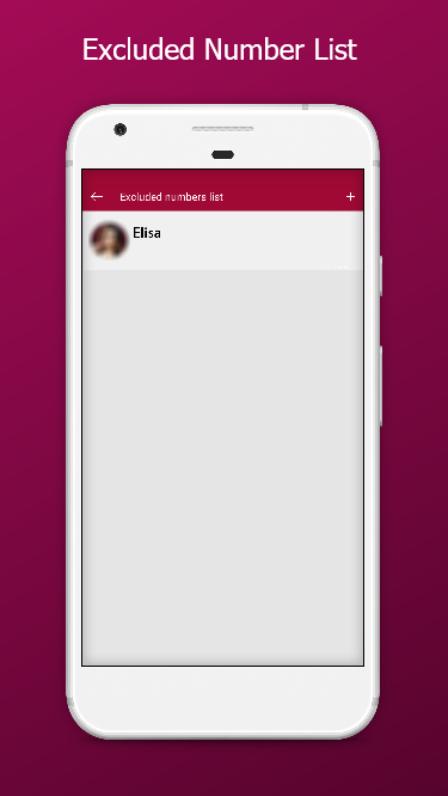
📲 Ignore recording for specific contact or phone number.
📲 Play audio recorded conversations.
📲 You can play back, or save your call to mp3 files on your SD card.
Download All Call Recorder 2024 on the Play Store and start recording calls for free!
Preview
Tags
ToolsInformation
Developer
MMDevs
Latest Version
122.1
Last Updated
2024-09-22
Category
Tools
Available on
Google Play
Show More
How to play Call Recorder 2024 with GameLoop on PC
1. Download GameLoop from the official website, then run the exe file to install GameLoop
2. Open GameLoop and search for “Call Recorder 2024” , find Call Recorder 2024 in the search results and click “Install”
3. Enjoy playing Call Recorder 2024 on GameLoop
Minimum requirements
OS
Windows 8.1 64-bit or Windows 10 64-bit
GPU
GTX 1050
CPU
i3-8300
Memory
8GB RAM
Storage
1GB available space
Recommended requirements
OS
Windows 8.1 64-bit or Windows 10 64-bit
GPU
GTX 1050
CPU
i3-9320
Memory
16GB RAM
Storage
1GB available space