control center ios 16 PC
Zaam_Soft
Download control center ios 16 on PC With GameLoop Emulator
control center ios 16 on PC
control center ios 16, coming from the developer Zaam_Soft, is running on Android systerm in the past.
Now, You can play control center ios 16 on PC with GameLoop smoothly.
Download it in the GameLoop library or search results. No more eyeing the battery or frustrating calls at the wrong time any more.
Just enjoy control center ios 16 PC on the large screen for free!
control center ios 16 Introduction
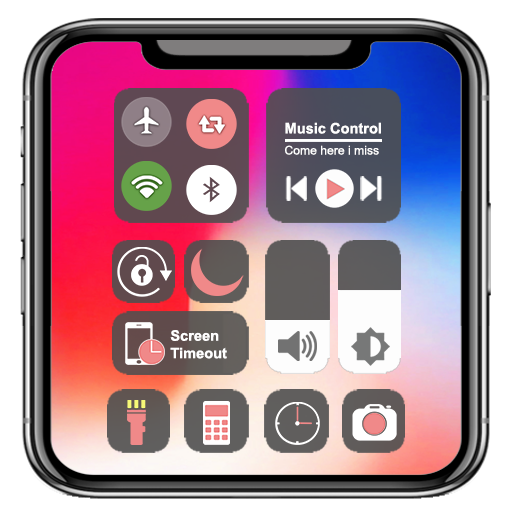
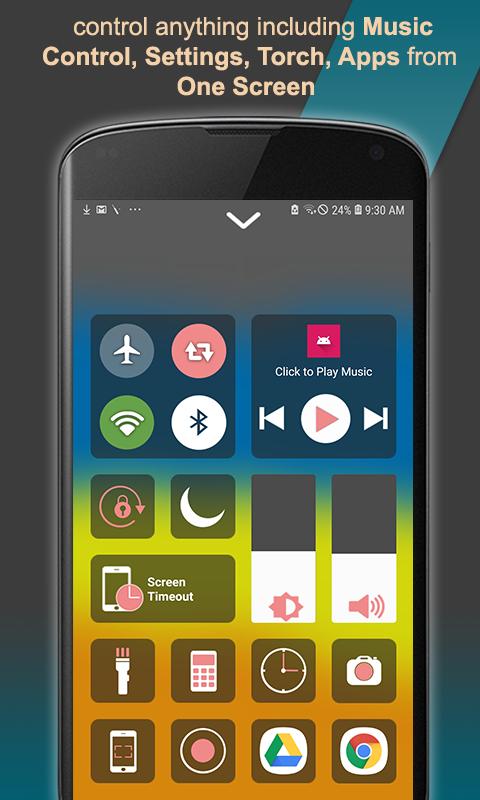
Control Center iOS 16 gives quick access to the Camera, Flashlight, Alarm, Wifi, Airplane mode, Bluetooth, Adjust volume, brightness, Screen Recorder, Music player, Screen shot, Calculator, Screen Timeout, enable/disable screen rotation, toggle Night mode and launching other apps from one screen.
if you want a single screen to control most of your phone features, then control center is a perfect match for you. control center gives you the feel of iphone on android. it gives the convenience of assistive touch like iphone.
Features included are:-
- camera : quickly open camera to capture the moment.
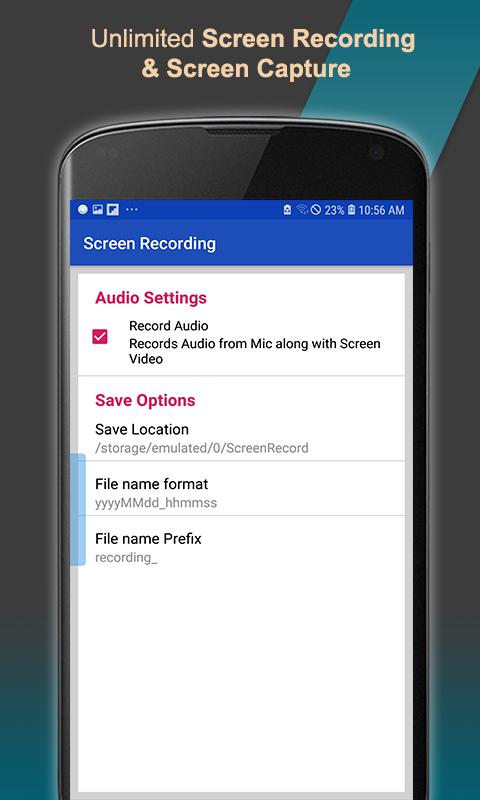
- screen recorder : Record your phone screen for unlimited time by screencast
- screenshot : take screenshot any time you want.
- flashlight : Turn on/off LED flashlight with a single button.
- Music Player: Music Player gives quick access to play / pause mp3 music. also Next and previous buttons are added for songs navigation
- wifi : Enable / disable wifi with a single button to browse the web.
- Bluetooth : Turn on / off bluetooth connectivity for headphones and other Bluetooth-enabled devices.
- Airplane Mode : Quick access to airplane mode panel to toggle airplane mode.
- Portrait Orientation Lock : Lock / unlock your screen rotation from a single button
- Adjust brightness : Move the slider to quickly adjust screen brightness.
- volume : increase / decrease volume of ringer with slider.
- Screen Timeout: Customize screen timeout duration, you can set screen timeout from 15s to 30m to save battery
- Alarms and Timer : Quickly open clock app from control center to check time, set alarm
- Calculator : access to calculator from one screen.
- Add apps to screen: You can assign apps to screen for quick access
How to use?
- Swipe left ,right or up from the edge of screen for opening control center ios 16.
- Swipe down, Click close or press the Back button for closing control center ios 16.
This app is completely free. if you face any problems or find bugs in control center ios 16, kindly email us on
alishazia840@gmail.com
Thank you for using our app!
Preview
Tags
ToolsInformation
Developer
Zaam_Soft
Latest Version
2.8
Last Updated
2023-05-19
Category
Tools
Available on
Google Play
Show More
How to play control center ios 16 with GameLoop on PC
1. Download GameLoop from the official website, then run the exe file to install GameLoop
2. Open GameLoop and search for “control center ios 16” , find control center ios 16 in the search results and click “Install”
3. Enjoy playing control center ios 16 on GameLoop
Minimum requirements
OS
Windows 8.1 64-bit or Windows 10 64-bit
GPU
GTX 1050
CPU
i3-8300
Memory
8GB RAM
Storage
1GB available space
Recommended requirements
OS
Windows 8.1 64-bit or Windows 10 64-bit
GPU
GTX 1050
CPU
i3-9320
Memory
16GB RAM
Storage
1GB available space