
GPS Location, World Time PC
AHByte
Download GPS Location, World Time on PC With GameLoop Emulator
GPS Location, World Time on PC
GPS Location, World Time, coming from the developer AHByte, is running on Android systerm in the past.
Now, You can play GPS Location, World Time on PC with GameLoop smoothly.
Download it in the GameLoop library or search results. No more eyeing the battery or frustrating calls at the wrong time any more.
Just enjoy GPS Location, World Time PC on the large screen for free!
GPS Location, World Time Introduction
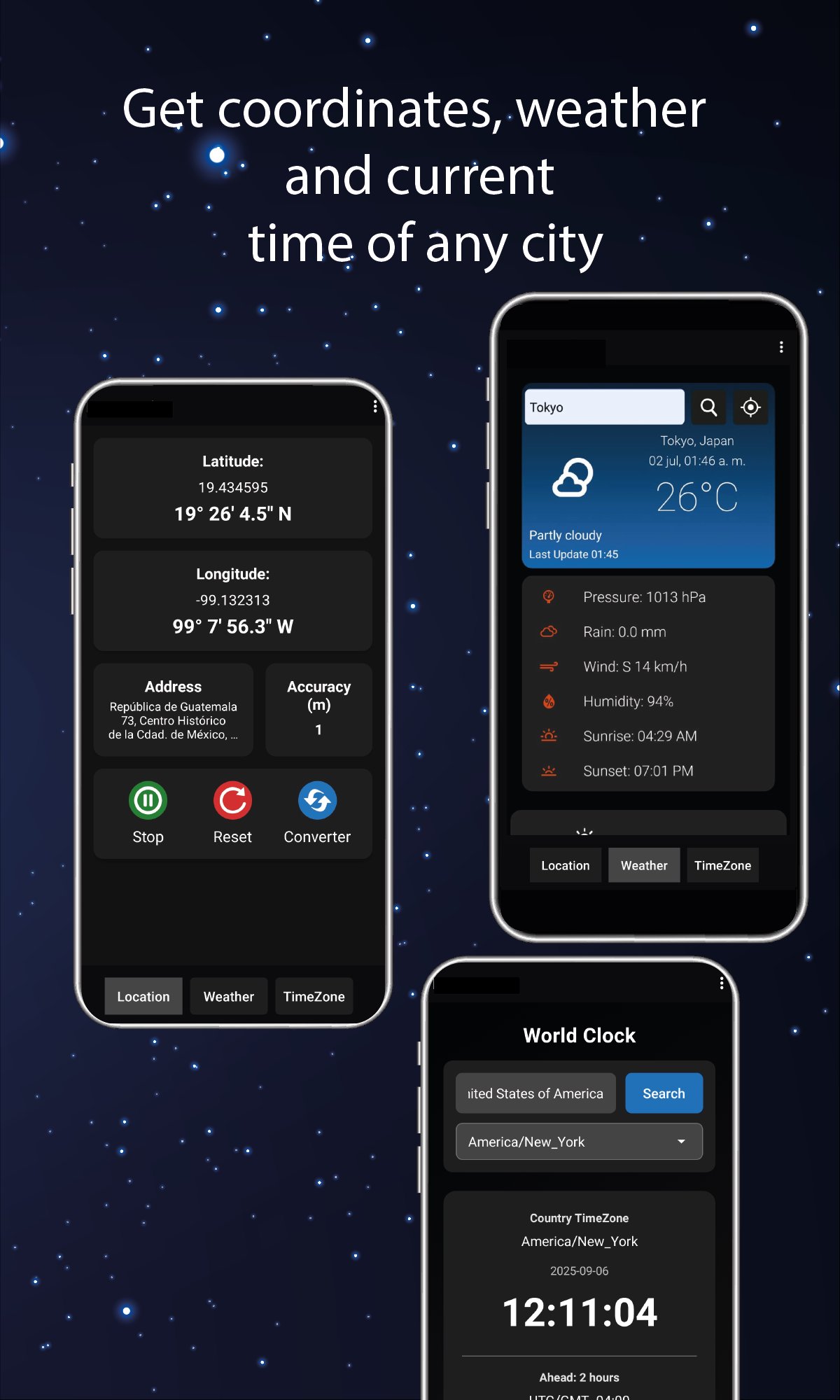
Instantly get exact coordinates and precise addresses for any place. View the local time, UTC/GMT offset, daylight saving (DST) status, and live time difference. Access real-time weather with current conditions and extended forecasts—all in one search.
Main Features:
Exact Coordinates – Get latitude and longitude of any location by simply searching its name.
Precise Addresses – Get street names for any location based on its coordinates.
Local Time & Details – Check the current time, UTC/GMT offset, Daylight Saving Time (DST) status, and live time difference for any city.
Real-Time Weather – Temperature, humidity, wind, and current conditions.
Extended Forecast – Day-by-day weather forecast (2).
Practical Applications:
Travel – Plan routes and avoid unforeseen events with accurate weather data.
Events – Coordinate international meetings considering time zones.
Agriculture – Monitor weather conditions for planting or harvesting.
Adventures – Hiking, sailing, or geocaching with reliable coordinates.
Preview
Tags
ToolsInformation
Developer
AHByte
Latest Version
3.1
Last Updated
2025-12-15
Category
Tools
Available on
Google Play
Show More
How to play GPS Location, World Time with GameLoop on PC
1. Download GameLoop from the official website, then run the exe file to install GameLoop
2. Open GameLoop and search for “GPS Location, World Time” , find GPS Location, World Time in the search results and click “Install”
3. Enjoy playing GPS Location, World Time on GameLoop
Minimum requirements
OS
Windows 8.1 64-bit or Windows 10 64-bit
GPU
GTX 1050
CPU
i3-8300
Memory
8GB RAM
Storage
1GB available space
Recommended requirements
OS
Windows 8.1 64-bit or Windows 10 64-bit
GPU
GTX 1050
CPU
i3-9320
Memory
16GB RAM
Storage
1GB available space