
Clickr: Habit Tracker Counter PC
rdq - smart productivity tools
Download Clickr: Habit Tracker Counter on PC With GameLoop Emulator
Clickr: Habit Tracker Counter on PC
Clickr: Habit Tracker Counter, coming from the developer rdq - smart productivity tools, is running on Android systerm in the past.
Now, You can play Clickr: Habit Tracker Counter on PC with GameLoop smoothly.
Download it in the GameLoop library or search results. No more eyeing the battery or frustrating calls at the wrong time any more.
Just enjoy Clickr: Habit Tracker Counter PC on the large screen for free!
Clickr: Habit Tracker Counter Introduction
Stop counting sheep and start counting anything! Clickr is the ultimate tally counter app. Whether you need a habit tracker, event counter, digital clicker, inventory tracker, or simply a reliable tally counter, Clickr has you covered.
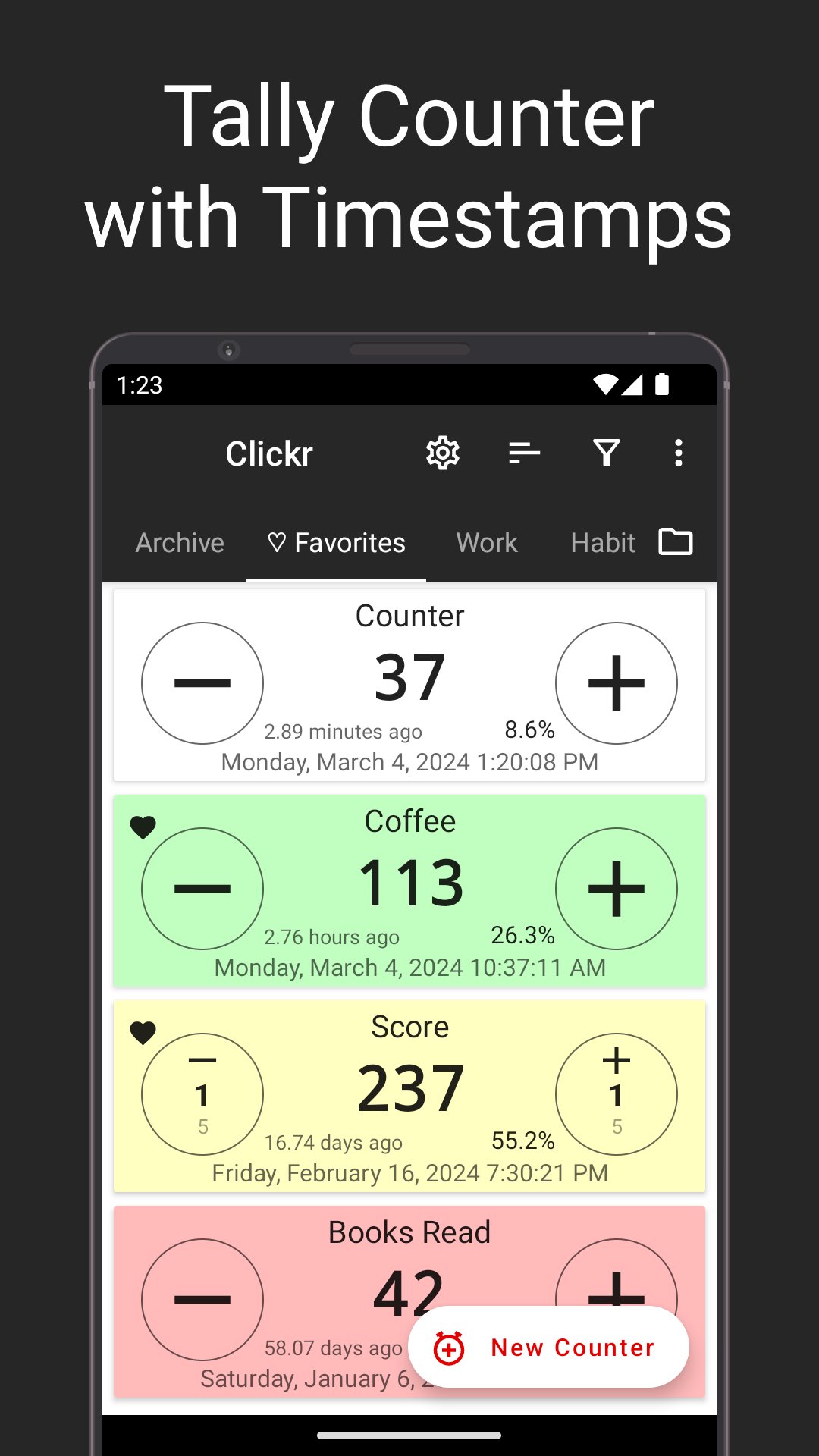
Easily create custom counters for anything you can imagine. Name them, assign colors, set starting values, and adjust increment/decrement values to fit your specific needs. Need to add a quick note to a count? Clickr lets you attach notes to each click, providing valuable context and details.
Go beyond basic counting with Clickr's powerful features:
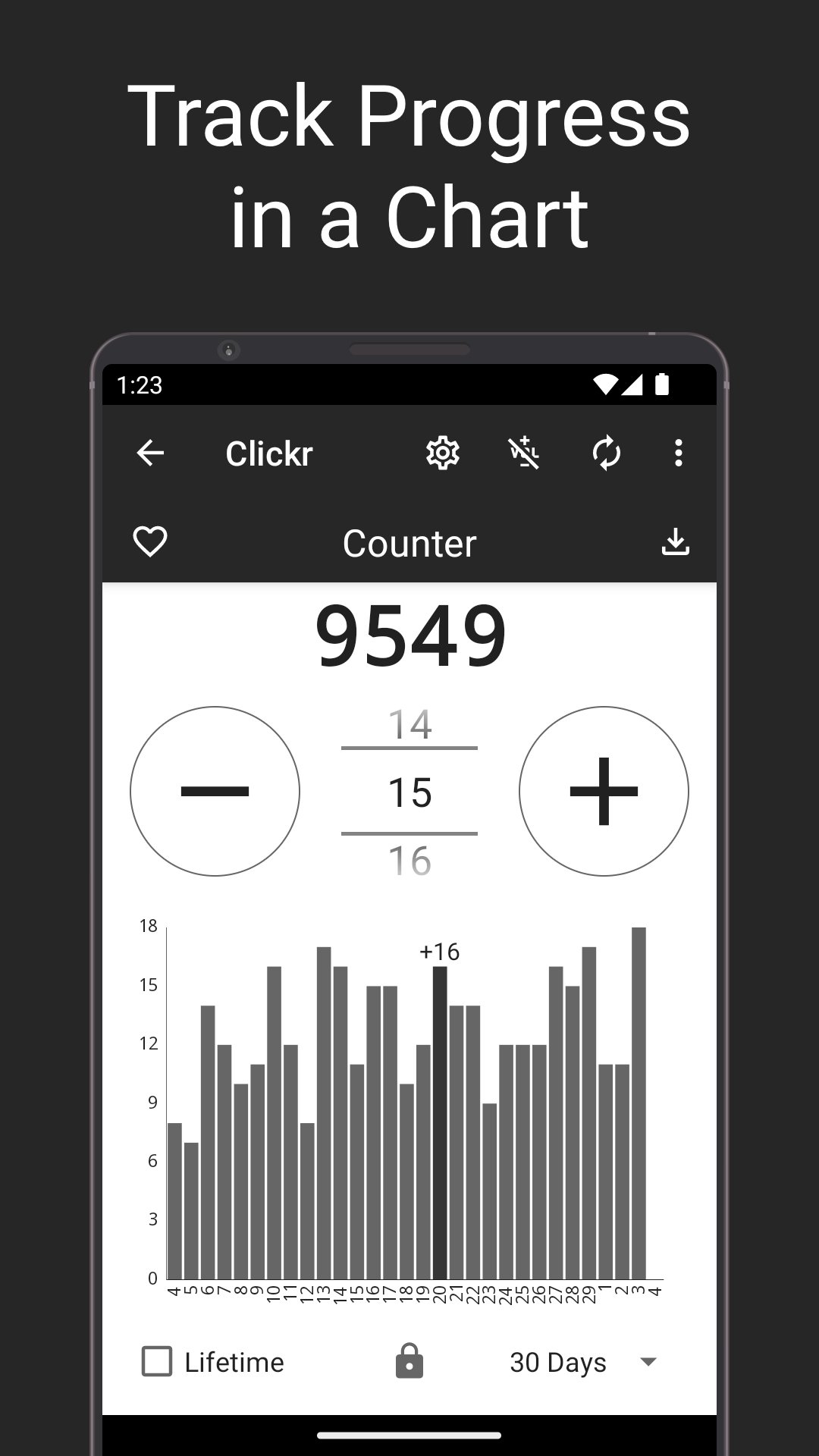
• Precise Timestamps: Every click is automatically timestamped, allowing you to analyze trends and track progress over time. View your history as a list or visualize it with insightful charts.
• Detailed Statistics: Uncover valuable insights with automatic calculations of average increments, click intervals, minimum and maximum values, and more.
• Effortless Export & Import: Seamlessly export your data to CSV format for use in spreadsheets or other applications. Import your data back into Clickr for easy backup and restore functionality.
• Organize Your Counts: Group related counters together and mark favorites for quick access.
• Personalized Experience: Customize counter titles, colors, and step values. Enable dark mode and keep the screen on for extended counting sessions. Even use your hardware volume buttons for counting.
• Privacy Focused: Your data stays on your device. We don't collect or share any of your counting information.
Download Clickr today and experience the power of a truly versatile counter app! Take control of your counting needs and unlock a world of possibilities.
Key Features: Counter, Tally Counter, Click Counter, Digital Counter, Timestamp, Notes, CSV Export/Import, Charts, Statistics, Groups, Favorites, Customizable, Privacy, Offline Counter, Click Tracker, Habit Tracker, Inventory Counter, Project Counter, Event Counter.
Help improve Clickr! Please fill in this quick anonymous survey:
https://www.akiosurvey.com/svy/clickr-en
Preview
Tags
ToolsInformation
Developer
rdq - smart productivity tools
Latest Version
3.31
Last Updated
2025-10-31
Category
Tools
Available on
Google Play
Show More
How to play Clickr: Habit Tracker Counter with GameLoop on PC
1. Download GameLoop from the official website, then run the exe file to install GameLoop
2. Open GameLoop and search for “Clickr: Habit Tracker Counter” , find Clickr: Habit Tracker Counter in the search results and click “Install”
3. Enjoy playing Clickr: Habit Tracker Counter on GameLoop
Minimum requirements
OS
Windows 8.1 64-bit or Windows 10 64-bit
GPU
GTX 1050
CPU
i3-8300
Memory
8GB RAM
Storage
1GB available space
Recommended requirements
OS
Windows 8.1 64-bit or Windows 10 64-bit
GPU
GTX 1050
CPU
i3-9320
Memory
16GB RAM
Storage
1GB available space