
صوت تنبيه شحن البطارية الناطق PC
Mcoder
Download صوت تنبيه شحن البطارية الناطق on PC With GameLoop Emulator
صوت تنبيه شحن البطارية الناطق on PC
صوت تنبيه شحن البطارية الناطق, coming from the developer Mcoder, is running on Android systerm in the past.
Now, You can play صوت تنبيه شحن البطارية الناطق on PC with GameLoop smoothly.
Download it in the GameLoop library or search results. No more eyeing the battery or frustrating calls at the wrong time any more.
Just enjoy صوت تنبيه شحن البطارية الناطق PC on the large screen for free!
صوت تنبيه شحن البطارية الناطق Introduction
Simply put, the Talking Battery Charging Alarm app is the best tool for protecting your battery from damage. It's also a comprehensive solution that combines protection and customization, acting as a smart audible alarm system that alerts you as soon as your battery is fully charged, protecting it from damage caused by overcharging.
The app also features the ability to announce the battery percentage and provide alerts when the charger is connected and disconnected, giving you complete control over your device's power status, even when you're away from it.
Key features of the app:
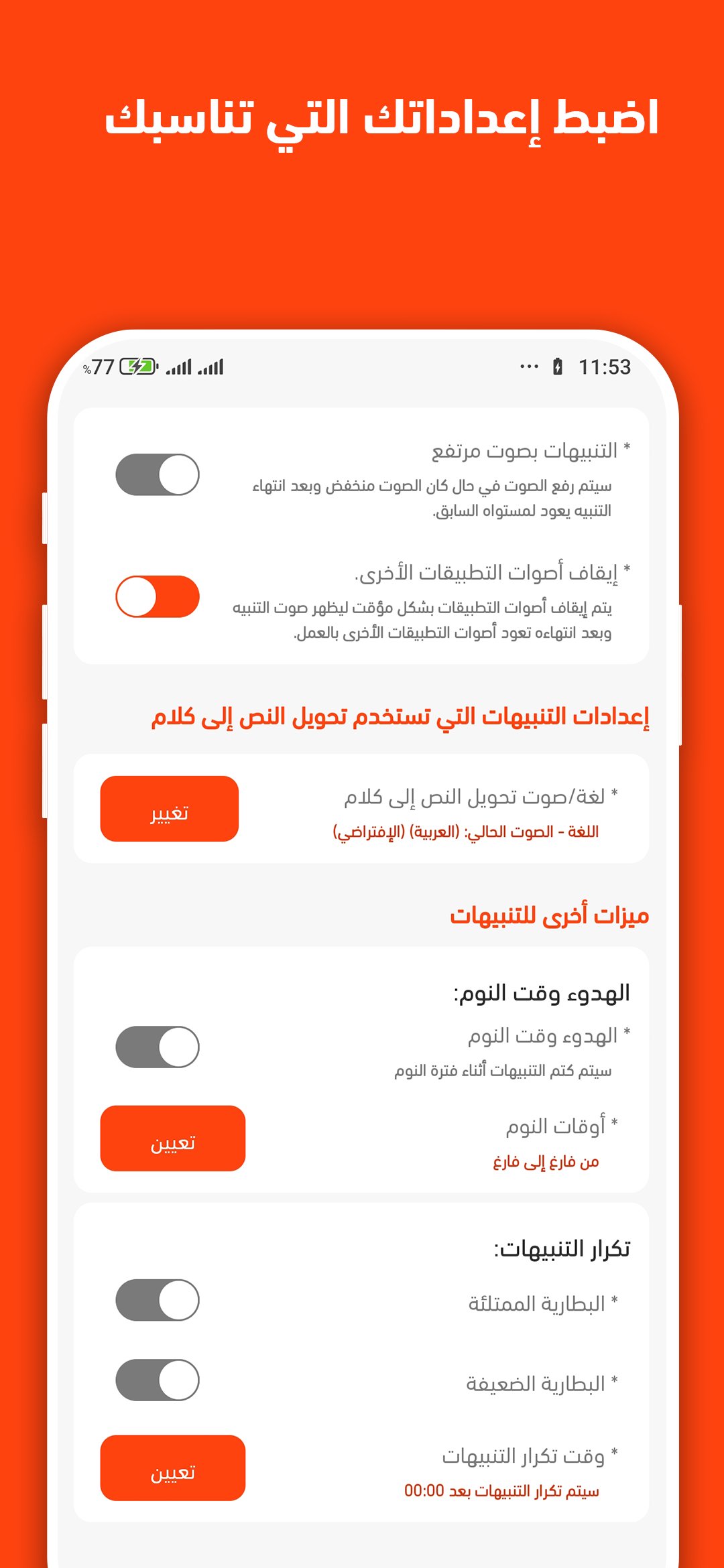
Battery Percentage Announcement (Text-to-Speech - TTS): Professional support for text-to-speech within the app allows you to customize alerts. This text is then converted into speech in multiple languages or voices and played as an alert.
Full Battery Alarm: The app sounds an alert when the battery is fully charged (100%) to ensure you disconnect the charger at the optimal time and extend battery life.
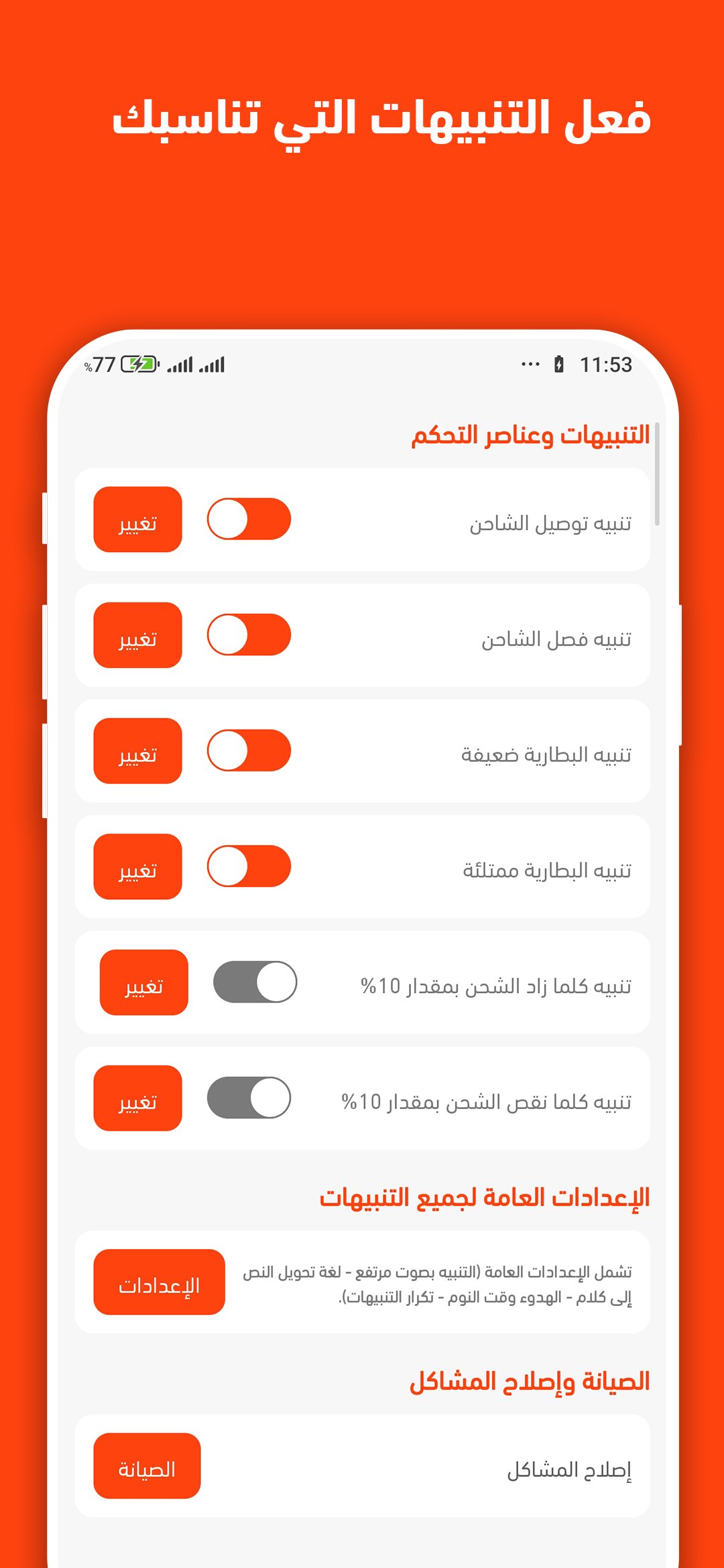
Low Battery Alert: Don't forget your phone when the battery is low, or it might suddenly shut down unexpectedly. The app will issue a customizable alert when the battery is low.
A sound when the charger is plugged in or unplugged: Stay informed if someone disconnects your charger.
Smart Charging Tracking: A feature alerts you when your battery level drops by 10% or more, making it easy to monitor your power without looking at the screen.
Fully Customizable Sounds: We offer a variety of sounds to use as alerts. These include pre-made sounds, often funny ones, music clips from your phone, or text-to-speech functionality.
Other Features for User Convenience: The app provides general alert settings that you can control, such as increasing the volume of alerts and sounds if your phone's volume is low. There's also a quiet bedtime feature that allows you to set a bedtime when the app will not play sounds. Additionally, we've included a repeat alert feature if you miss an alert the first time, and a mute feature to prevent background music from drowning out alerts.
What sets this app apart from others is its:
Stability: The app is designed to run continuously in the background without sudden interruptions, ensuring you receive your alerts every time.
Ease of use: A simple and intuitive interface suitable for all users.
Custom sounds: Add a touch of fun by choosing unique and customizable sounds for charging, credit, and other processes.
Funny sound alerts for entertainment and pranks with friends.
Preview
Tags
ToolsInformation
Developer
Mcoder
Latest Version
1.3.1
Last Updated
2026-01-06
Category
Tools
Available on
Google Play
Show More
How to play صوت تنبيه شحن البطارية الناطق with GameLoop on PC
1. Download GameLoop from the official website, then run the exe file to install GameLoop
2. Open GameLoop and search for “صوت تنبيه شحن البطارية الناطق” , find صوت تنبيه شحن البطارية الناطق in the search results and click “Install”
3. Enjoy playing صوت تنبيه شحن البطارية الناطق on GameLoop
Minimum requirements
OS
Windows 8.1 64-bit or Windows 10 64-bit
GPU
GTX 1050
CPU
i3-8300
Memory
8GB RAM
Storage
1GB available space
Recommended requirements
OS
Windows 8.1 64-bit or Windows 10 64-bit
GPU
GTX 1050
CPU
i3-9320
Memory
16GB RAM
Storage
1GB available space