Sticker Tracker PC
toe.ch
Download Sticker Tracker on PC With GameLoop Emulator
Sticker Tracker on PC
Sticker Tracker, coming from the developer toe.ch, is running on Android systerm in the past.
Now, You can play Sticker Tracker on PC with GameLoop smoothly.
Download it in the GameLoop library or search results. No more eyeing the battery or frustrating calls at the wrong time any more.
Just enjoy Sticker Tracker PC on the large screen for free!
Sticker Tracker Introduction
*** includes support for the World Cup 2022 ***
*** in Spanish, German and English ***
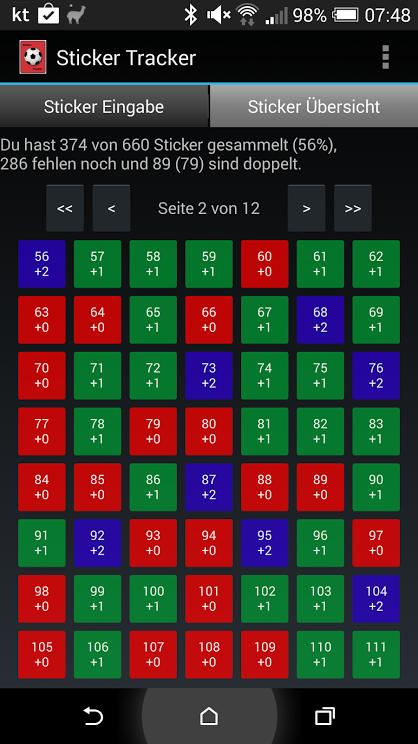
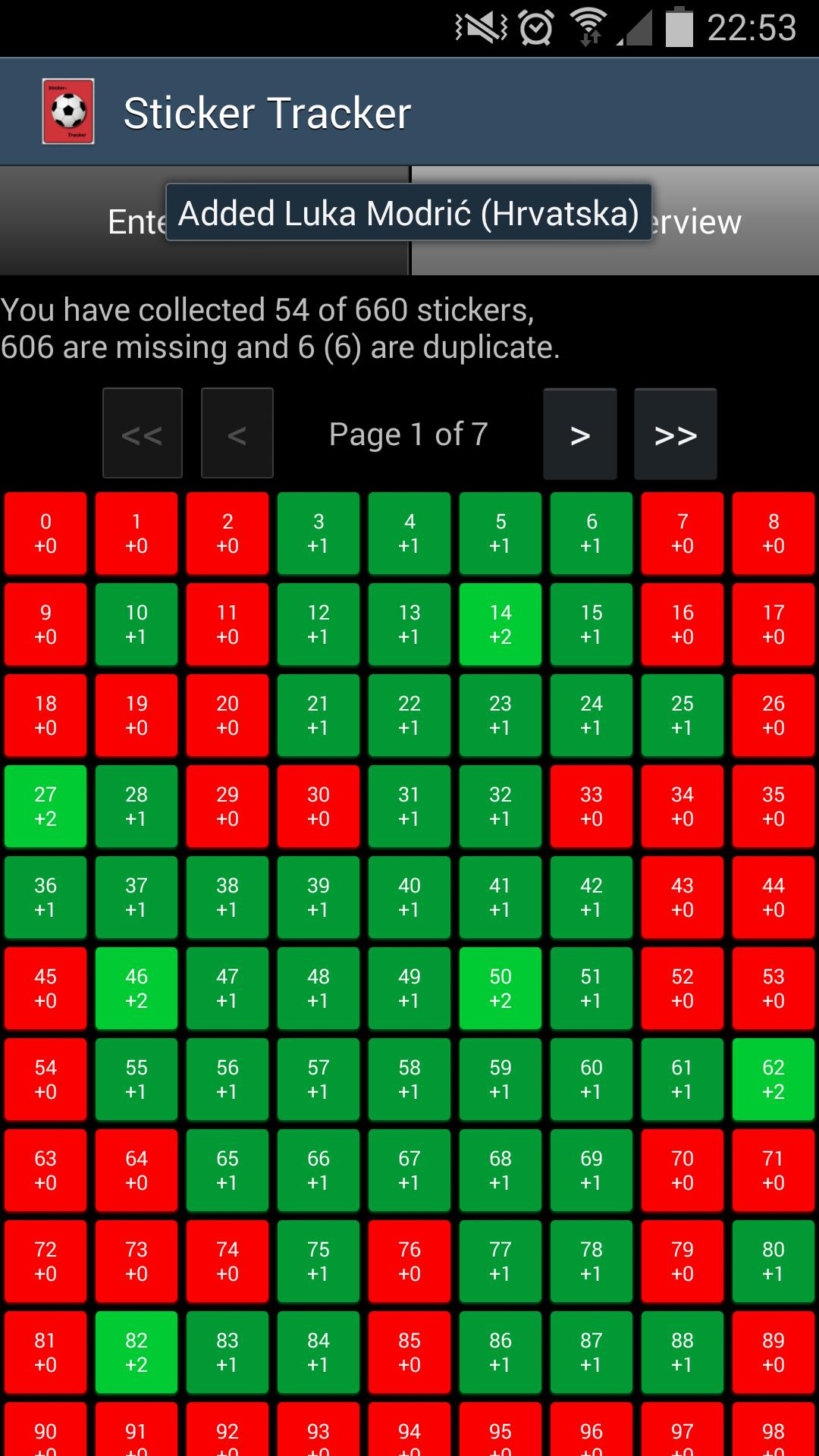
Sticker Tracker helps you track your sticker collection and allows you to keep an overview of collected and missing stickers. Stickers can be entered via sticker number or by using the overview page to click-add stickers.
The application will automatically calculate the number of missing stickers as well as the duplicate stickers you have. This information is also exportable and can be sent via e-mail to other collectors.
The application currently supports football/soccer stickers by Panini(tm) of the:
- World Cup 2022 (670 and 638 versions)
- European Championship 2020
- World Cup 2018
- European Championship 2016
- European Championship 2016 Extras (Germany M1-M32, Austria A1-A20, Belgium A-H)
- Copa América 2016
- World Cup 2014 (including poster P1-P20)
- European Championship 2012 (including poster P1-P20)
Known issues & FAQ:
Q: I see missing sticker numbers / sticker count only goes up to X?
A: Try re-installing / a fresh install and wait a few moments after first start up to let it initialize the database.
Q: How can I reduce the sticker count for a number?
A: Long click on the sticker's button to reduce the count by one.
Q: What are the sticker numbers P1-P20 for?
A: For the stickers of the poster (only available in selected countries).
Q: Will I loose existing data when updating?
A: No, all your current album stats will be retained, you can switch between albums easily.
Any other feedback and input appreciated: android@toe.ch
Preview
Tags
SportsInformation
Developer
toe.ch
Latest Version
1.0.18
Last Updated
2022-11-10
Category
Sports
Available on
Google Play
Show More
How to play Sticker Tracker with GameLoop on PC
1. Download GameLoop from the official website, then run the exe file to install GameLoop
2. Open GameLoop and search for “Sticker Tracker” , find Sticker Tracker in the search results and click “Install”
3. Enjoy playing Sticker Tracker on GameLoop
Minimum requirements
OS
Windows 8.1 64-bit or Windows 10 64-bit
GPU
GTX 1050
CPU
i3-8300
Memory
8GB RAM
Storage
1GB available space
Recommended requirements
OS
Windows 8.1 64-bit or Windows 10 64-bit
GPU
GTX 1050
CPU
i3-9320
Memory
16GB RAM
Storage
1GB available space