
GUNR - Reloading & Shooting PC
Spaza! Tech
Download GUNR - Reloading & Shooting on PC With GameLoop Emulator
GUNR - Reloading & Shooting on PC
GUNR - Reloading & Shooting, coming from the developer Spaza! Tech, is running on Android systerm in the past.
Now, You can play GUNR - Reloading & Shooting on PC with GameLoop smoothly.
Download it in the GameLoop library or search results. No more eyeing the battery or frustrating calls at the wrong time any more.
Just enjoy GUNR - Reloading & Shooting PC on the large screen for free!
GUNR - Reloading & Shooting Introduction
GUNR is the reloading and firearms tracking app built for handloaders, competitive shooters, and gun owners who take their shooting data seriously.
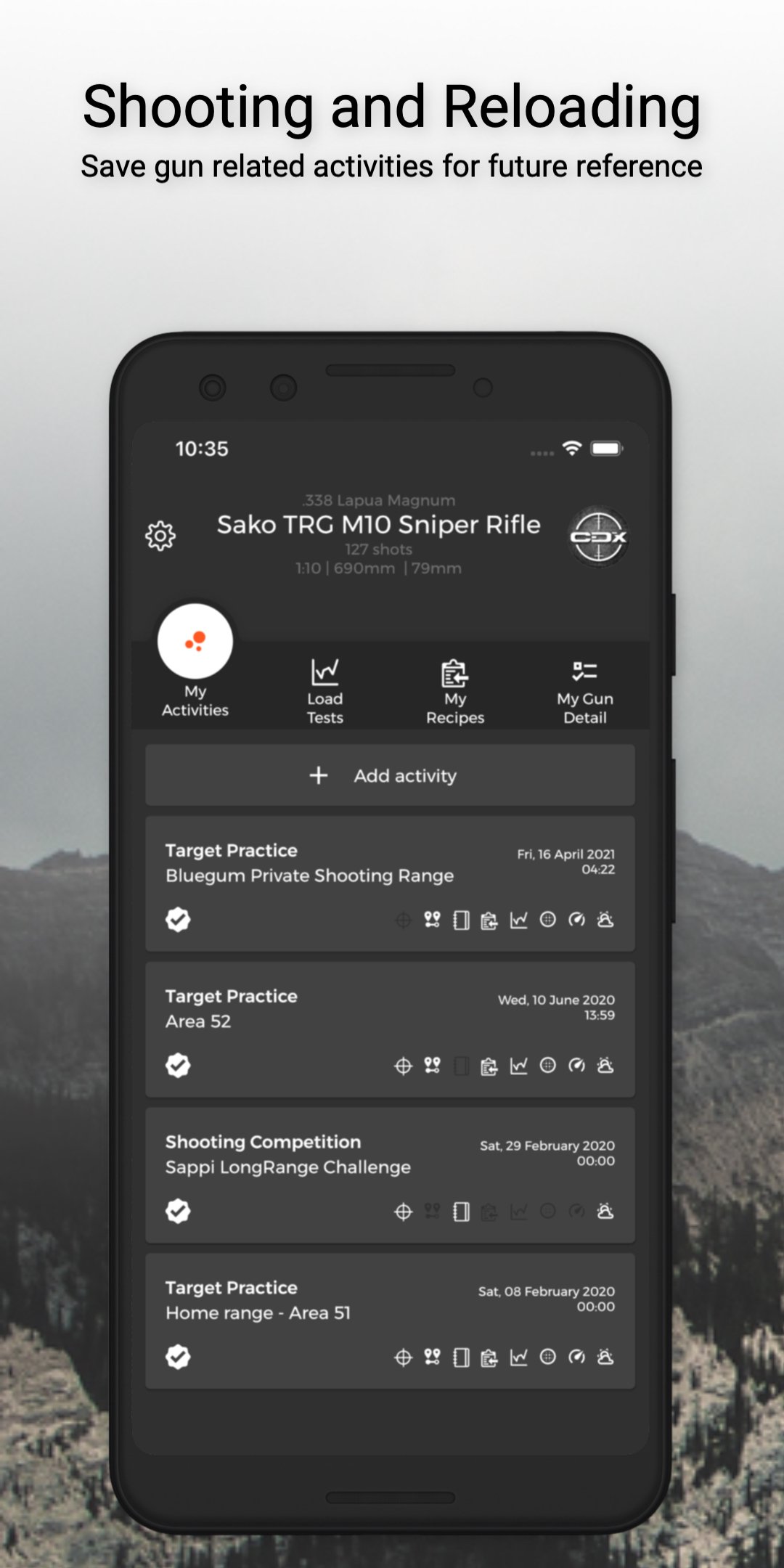
Whether you reload ammunition at the bench or track factory ammo at the range, GUNR gives you a complete shooting log and reloading journal in one app. Track every firearm in your gun safe with full component details: optics, chassis, bipod, trigger, suppressor, serial numbers, and license information.
RELOADING DATA MANAGEMENT Build handload recipes with charge weight, COAL, CBTO, powder type, primer, and bullet specifications. Run charge tests and COAL tests with automatic speed graphs that visualize your load development data. Compare ammunition loads side by side and refine your reloading recipes until you find the perfect combination.
CHRONOGRAPH DATA IMPORT Import chronograph CSV data directly from LabRadar, FX Radar, Garmin Xero C1 Pro, Athlon RangeCraft, or XFR app exports. Stop retyping muzzle velocity data by hand. Import your shooting chronograph speeds in seconds and keep your reloading log accurate.
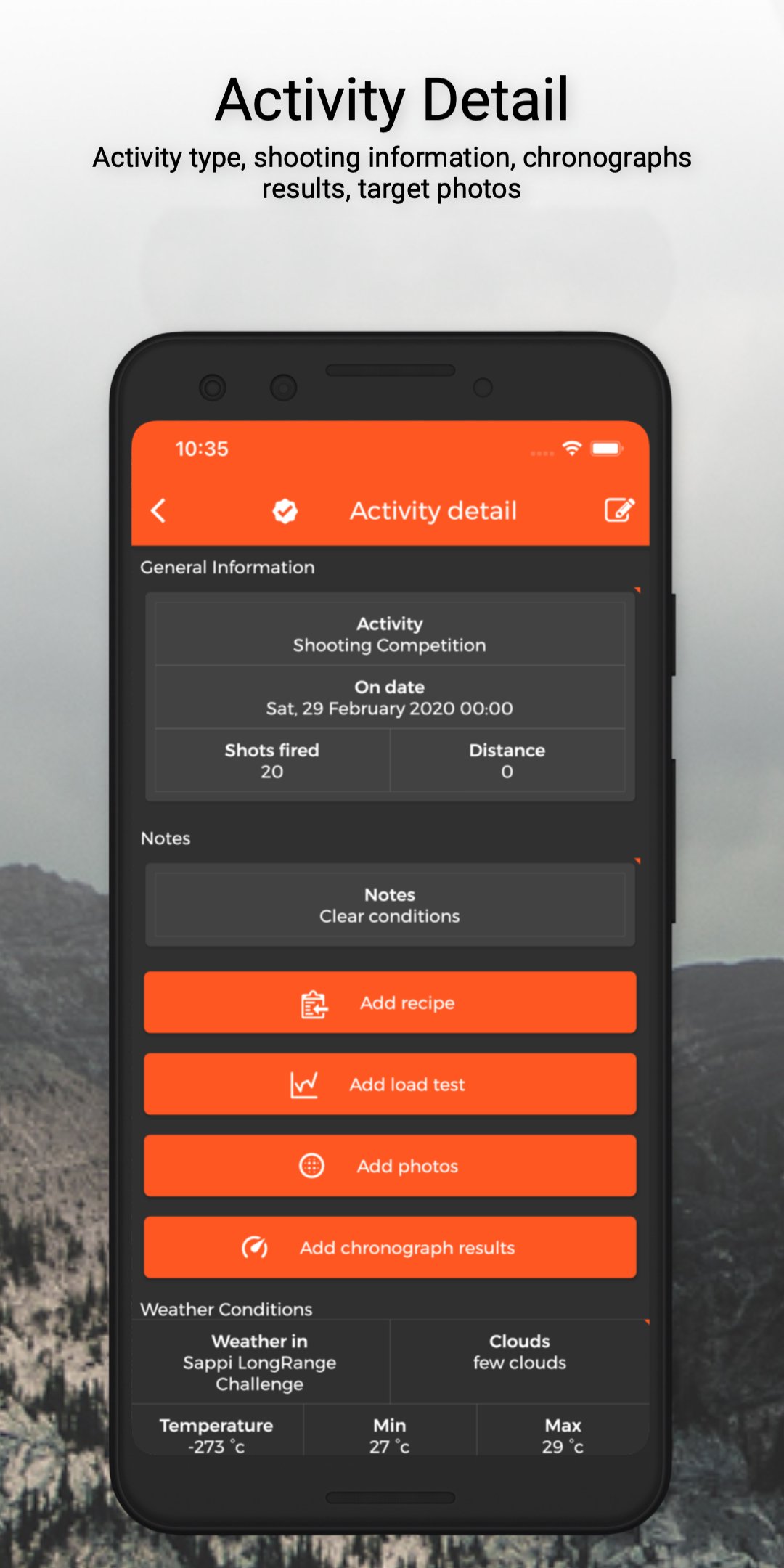
SHOOTING ACTIVITY LOG Record every range day, hunt, and shooting session with weather conditions, photos, and chronograph data. Track shot counts per firearm so you always know your barrel life. Log ammunition performance across guns to find what shoots best.
FACTORY AMMO TRACKING Not a reloader yet? GUNR tracks factory ammunition performance across your firearms collection. Log speeds, group sizes, and compare factory ammo results to find the most accurate loads.
LOAD TEST SPECIALISTS Request expert review of your load test data from verified GUNR specialists. Get feedback on charge weight ladders, seating depth tests, and load development results.
PRINTABLE SHOOTING TARGETS Choose from 11 original target designs. Download printable targets as PDFs and take them to the range for your next shooting session.
RANKINGS AND LEADERBOARDS Earn shooting rank through logging activities, completing load tests, and sharing reloading recipes. Climb the global leaderboard and see how your reloading and shooting activity compares to the community.
PDF REPORTS AND BACKUP Export detailed PDF reports for load tests, reloading recipes, individual firearms, and your complete gun inventory with cover pages and shooter details. Automatic cloud backup keeps your reloading data and firearm records safe.
GUNR PRO INCLUDES
- Chronograph CSV import from LabRadar, FX Radar, Garmin, Athlon, XFR
- PDF export for load tests, recipes, guns, and full inventory
- Automatic cloud data backup
- Specialist load test verification
- Range officer activity verification
Free to use for firearm tracking, reloading recipes, and shooting logs. Upgrade to GUNR Pro when you are ready for chronograph import, PDF reports, and cloud backup.
Your reloading journal. Your gun safe. Your range log. All in one app.
Preview
Tags
SportsBoardInformation
Developer
Spaza! Tech
Latest Version
2.3.9
Last Updated
2026-06-17
Category
Sports
Available on
Google Play
Show More
How to play GUNR - Reloading & Shooting with GameLoop on PC
1. Download GameLoop from the official website, then run the exe file to install GameLoop
2. Open GameLoop and search for “GUNR - Reloading & Shooting” , find GUNR - Reloading & Shooting in the search results and click “Install”
3. Enjoy playing GUNR - Reloading & Shooting on GameLoop
Minimum requirements
OS
Windows 8.1 64-bit or Windows 10 64-bit
GPU
GTX 1050
CPU
i3-8300
Memory
8GB RAM
Storage
1GB available space
Recommended requirements
OS
Windows 8.1 64-bit or Windows 10 64-bit
GPU
GTX 1050
CPU
i3-9320
Memory
16GB RAM
Storage
1GB available space