Fans Flashlight PC
Loomatix
Download Fans Flashlight on PC With GameLoop Emulator
Fans Flashlight on PC
Fans Flashlight, coming from the developer Loomatix, is running on Android systerm in the past.
Now, You can play Fans Flashlight on PC with GameLoop smoothly.
Download it in the GameLoop library or search results. No more eyeing the battery or frustrating calls at the wrong time any more.
Just enjoy Fans Flashlight PC on the large screen for free!
Fans Flashlight Introduction
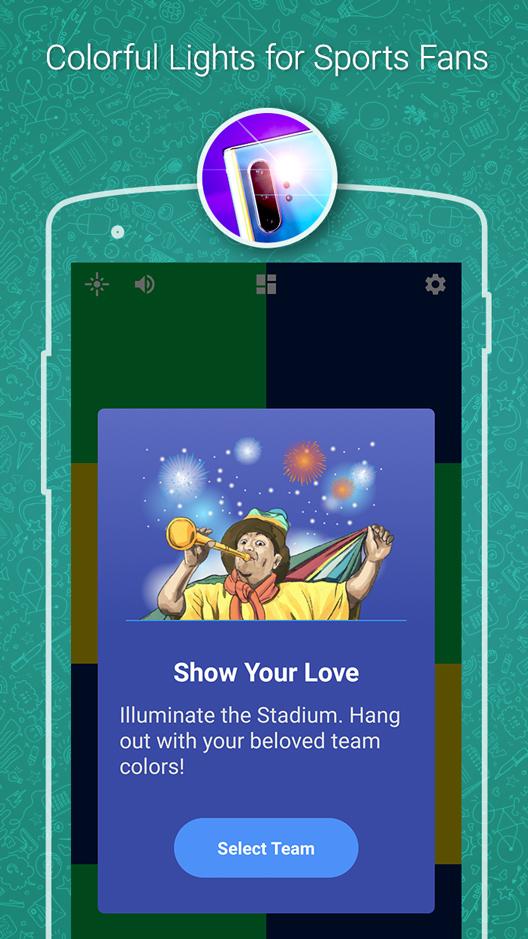
A beautiful, simple and safe flashlight torch app dedicated for sports fans. Show your love to your favorite sport team - hang out with your beloved team colors and illuminate any event.
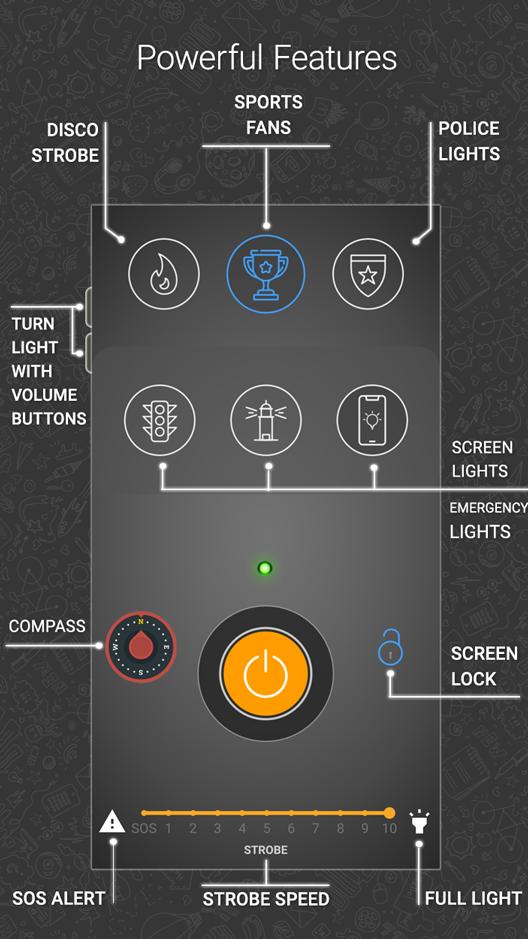
Built-in compass, strobe and many other powerful features. This is a serious swiss-army flashlight app - a real life saving tool!
Perfect for any event: sports shows, running, hiking, evening walks, cycling, night camping, in the roads, dark places, garden, emergency cases, party, night event, sport, car repairing, dog walking, read book at night, check your children while they sleep, signaling to drivers and pedestrians, and much more...
Without unnecessary permissions, does not collect personal information.
● LED flashlight
● Colorful screen lights for sports fans
● Screen light
● Stroboscope
● Emergency and Warning lights
● Continues to light when minimized, even when the screen is turned off or locked
● SOS
● Police lights emulation
● Ambulance, Fire & Construction lights
● Compass
● Light and dark themes support
● Include an option to remove ads for small fee
Other smart features:
● Use volume buttons to control the flashlight (inside the app)
● Screen lock feature to prevent accidental touch
● Background operation - keep the light on when the phone is locked
● Disco stroboscope
● Auto screen dimming to avoid dazzling
● On-screen battery status
Why does the app ask for camera permission?
Technically the flashlight is part of the camera and for switching it on and off a camera permission is required.
- Loomatix Team :)
Preview
Tags
SportsInformation
Developer
Loomatix
Latest Version
1.03
Last Updated
2025-11-10
Category
Sports
Available on
Google Play
Show More
How to play Fans Flashlight with GameLoop on PC
1. Download GameLoop from the official website, then run the exe file to install GameLoop
2. Open GameLoop and search for “Fans Flashlight” , find Fans Flashlight in the search results and click “Install”
3. Enjoy playing Fans Flashlight on GameLoop
Minimum requirements
OS
Windows 8.1 64-bit or Windows 10 64-bit
GPU
GTX 1050
CPU
i3-8300
Memory
8GB RAM
Storage
1GB available space
Recommended requirements
OS
Windows 8.1 64-bit or Windows 10 64-bit
GPU
GTX 1050
CPU
i3-9320
Memory
16GB RAM
Storage
1GB available space