
Birthday calendar (Upcoming) PC
delight.im
Download Birthday calendar (Upcoming) on PC With GameLoop Emulator
Birthday calendar (Upcoming) on PC
Birthday calendar (Upcoming), coming from the developer delight.im, is running on Android systerm in the past.
Now, You can play Birthday calendar (Upcoming) on PC with GameLoop smoothly.
Download it in the GameLoop library or search results. No more eyeing the battery or frustrating calls at the wrong time any more.
Just enjoy Birthday calendar (Upcoming) PC on the large screen for free!
Birthday calendar (Upcoming) Introduction
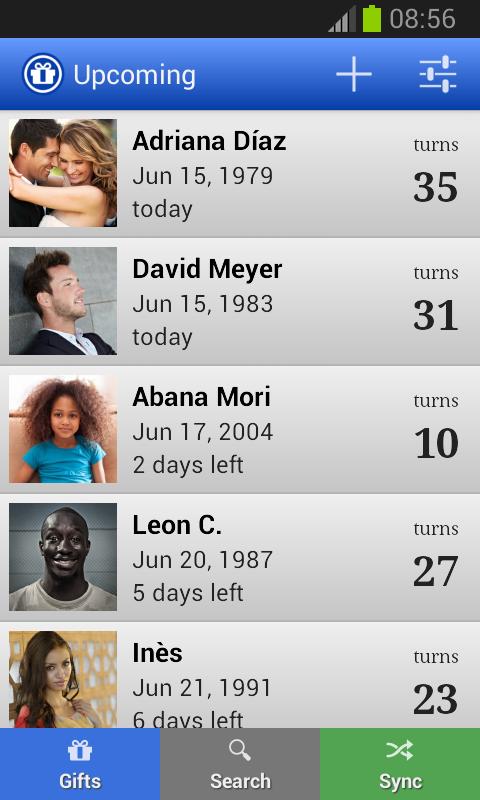
With Upcoming, you will never forget any of your friends' or family's birthdays again.
-------------------------
Having problems with notifications? Read how to fix this:
http://go.delight.im/2ViN8qa
-------------------------
Easy to use and reliable:
Upcoming does what you want — and nothing else. Birthdays will be synchronized with your contacts list. And, of course, you can also enter them manually.
Advanced features:
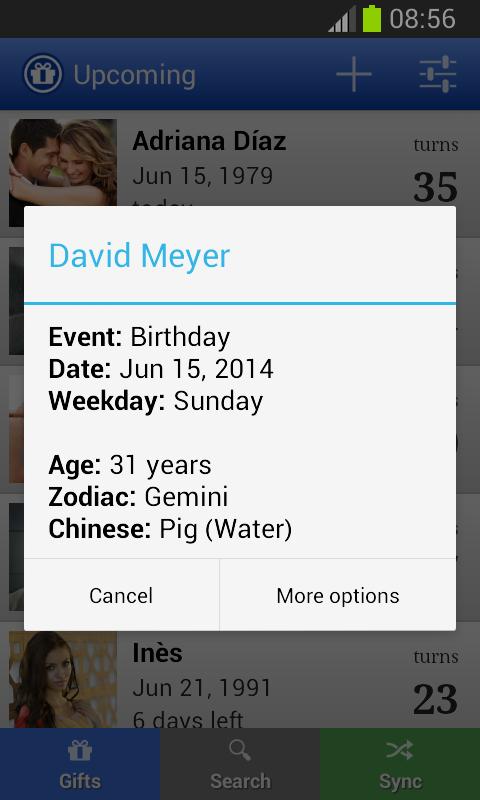
Choose to be reminded any number of days in advance, or on the birthday itself. You'll always know which day of the week your friends' anniversary, wedding day, birthday or countdown is — and how many days are left until that date.
Import all your friends' birthdays from Facebook within seconds. Having all these events in Upcoming puts your reminders on a whole new level of usefulness. So don't forget to synchronize your list with Facebook. This can be done when setting up the app for the first time. And you can also add Facebook at any later point, of course.
Better than your normal calendar:
In your normal calendar app, it's easy to lose track of events like birthdays due to all the other appointments and entries. Upcoming simplifies everything — and lets you manage recurring events comfortably.
Manage all your important events with Upcoming. No matter if it's birthdays, anniversaries, wedding days, countdowns or other reminders. You'll see how simple it is.
Permissions:
• Read and write contacts: for displaying and editing birthdays and anniversaries from your address book
• Internet access: for synchronization of events across devices and importing backups (both optional)
• USB storage: for importing and exporting all events on the external storage
• Run at startup: for setting up the reminders for birthdays and other events again after your device has been restarted
Privacy Policy:
Your personal data is 100% safe. Promise! Any personally identifiable information will only be transferred from your device if you explicitly ask for it, i.e. when you import birthdays, wedding days, countdowns and anniversaries from an online service or sync your list between devices.
Preview
Tags
SocialInformation
Developer
delight.im
Latest Version
1.7.0
Last Updated
2018-05-22
Category
Social
Available on
Google Play
Show More
How to play Birthday calendar (Upcoming) with GameLoop on PC
1. Download GameLoop from the official website, then run the exe file to install GameLoop
2. Open GameLoop and search for “Birthday calendar (Upcoming)” , find Birthday calendar (Upcoming) in the search results and click “Install”
3. Enjoy playing Birthday calendar (Upcoming) on GameLoop
Minimum requirements
OS
Windows 8.1 64-bit or Windows 10 64-bit
GPU
GTX 1050
CPU
i3-8300
Memory
8GB RAM
Storage
1GB available space
Recommended requirements
OS
Windows 8.1 64-bit or Windows 10 64-bit
GPU
GTX 1050
CPU
i3-9320
Memory
16GB RAM
Storage
1GB available space