Viola Real PC
sonOS
Download Viola Real on PC With GameLoop Emulator
Viola Real on PC
Viola Real, coming from the developer sonOS, is running on Android systerm in the past.
Now, You can play Viola Real on PC with GameLoop smoothly.
Download it in the GameLoop library or search results. No more eyeing the battery or frustrating calls at the wrong time any more.
Just enjoy Viola Real PC on the large screen for free!
Viola Real Introduction
The Viola is a string instrument that is bowed or played with varying techniques. It is slightly larger than a violin and has a lower and deeper sound. Since the 18th century, it has been the middle or alto voice of the violin family, between the violin (which is tuned a perfect fifth above) and the cello (which is tuned an octave below).[5] The strings from low to high are typically tuned to C3, G3, D4, and A4.
In the past, the viola varied in size and style, as did its names. The word viola originates from the Italian language. The Italians often used the term: "viola da braccio" meaning literally: 'of the arm'. "Brazzo" was another Italian word for the viola, which the Germans adopted as Bratsche. The French had their own names: cinquiesme was a small viola, haute contre was a large viola, and taile was a tenor. Today, the French use the term alto, a reference to its range.
The viola was popular in the heyday of five-part harmony, up until the eighteenth century, taking three lines of the harmony and occasionally playing the melody line. Music for the viola differs from most other instruments in that it primarily uses the alto clef. When viola music has substantial sections in a higher register, it switches to the treble clef to make it easier to read.
(https://en.wikipedia.org/wiki/Viola)
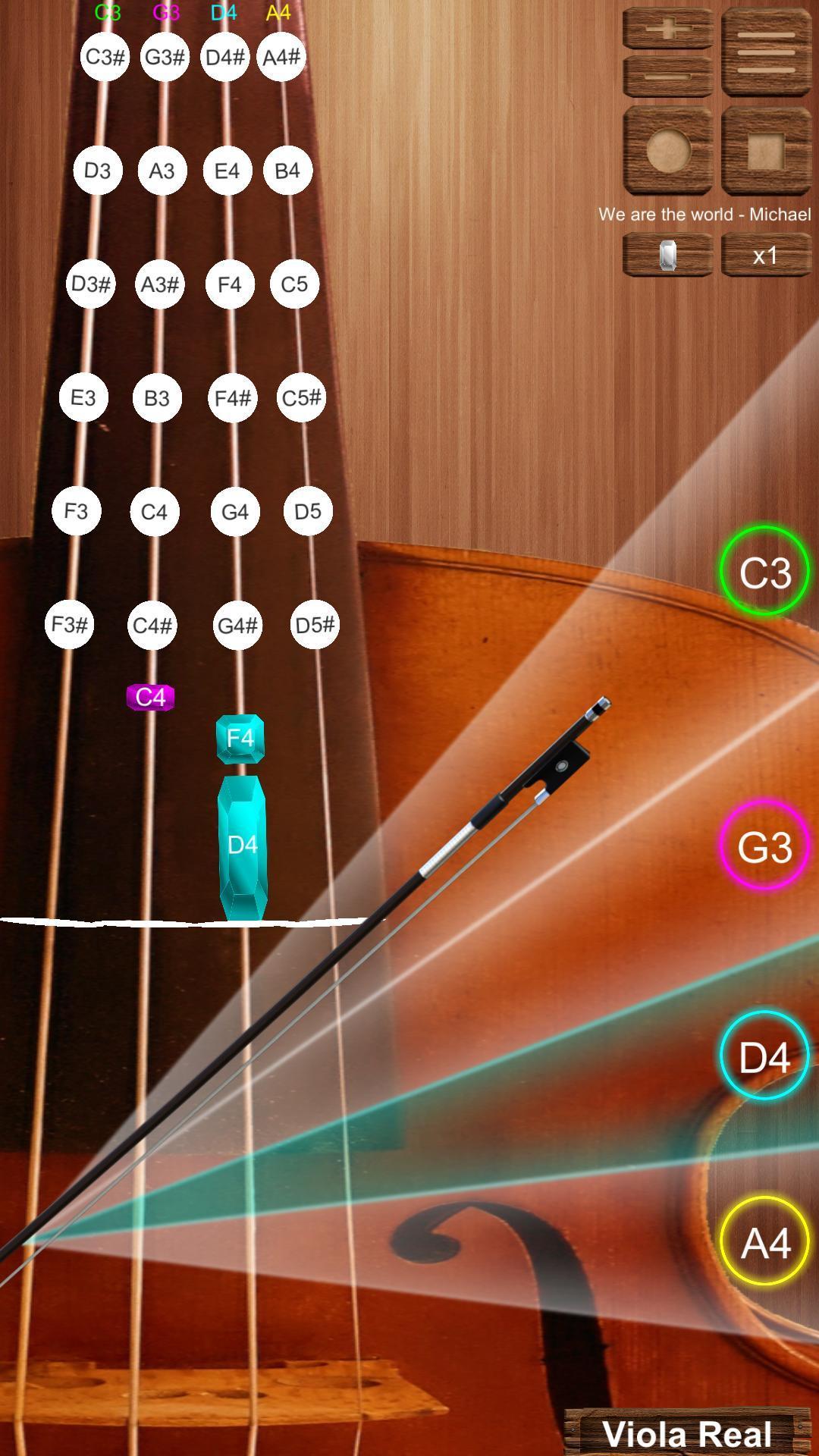
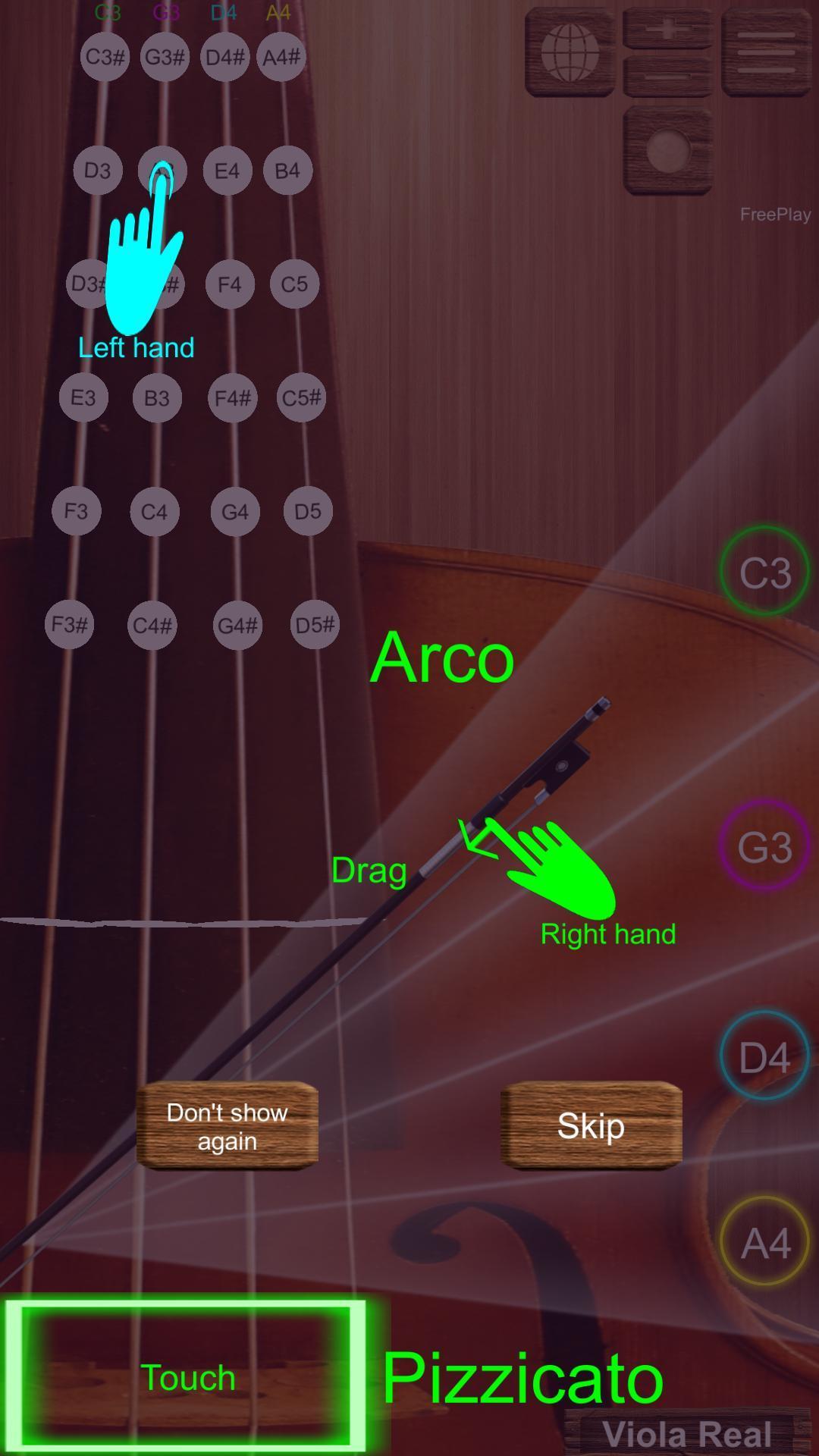
The Viola Real is simulation app with Arco (using hand drag Viola bow) and Pizzicato (using hand touch) feature. Frequency range: C3 -> D5#.
More offline and online songs for practice (With the ability to change speed)
Play with 2 modes:
- Simple (Recommend for Beginner): Only use right hand for dragging Viola bow (Arco) or touching Viola string (Pizzicato)
- Professional: Use 2 hands. Use right hand for dragging Viola bow (Arco) or touching Viola string (Pizzicato). Use left hand for choosing note (frequency) in Viola string.
You can choose autoplay for listening songs.
Record feature: record, play back and share to your friends.
** Songs is updated regularly
Preview
Tags
SimulationInformation
Developer
sonOS
Latest Version
1.1
Last Updated
2023-06-09
Category
Simulation
Available on
Google Play
Show More
How to play Viola Real with GameLoop on PC
1. Download GameLoop from the official website, then run the exe file to install GameLoop
2. Open GameLoop and search for “Viola Real” , find Viola Real in the search results and click “Install”
3. Enjoy playing Viola Real on GameLoop
Minimum requirements
OS
Windows 8.1 64-bit or Windows 10 64-bit
GPU
GTX 1050
CPU
i3-8300
Memory
8GB RAM
Storage
1GB available space
Recommended requirements
OS
Windows 8.1 64-bit or Windows 10 64-bit
GPU
GTX 1050
CPU
i3-9320
Memory
16GB RAM
Storage
1GB available space