
BoBo World Castle Game for Kid PC
Color Network
Download BoBo World Castle Game for Kid on PC With GameLoop Emulator
BoBo World Castle Game for Kid on PC
BoBo World Castle Game for Kid, coming from the developer Color Network, is running on Android systerm in the past.
Now, You can play BoBo World Castle Game for Kid on PC with GameLoop smoothly.
Download it in the GameLoop library or search results. No more eyeing the battery or frustrating calls at the wrong time any more.
Just enjoy BoBo World Castle Game for Kid PC on the large screen for free!
BoBo World Castle Game for Kid Introduction
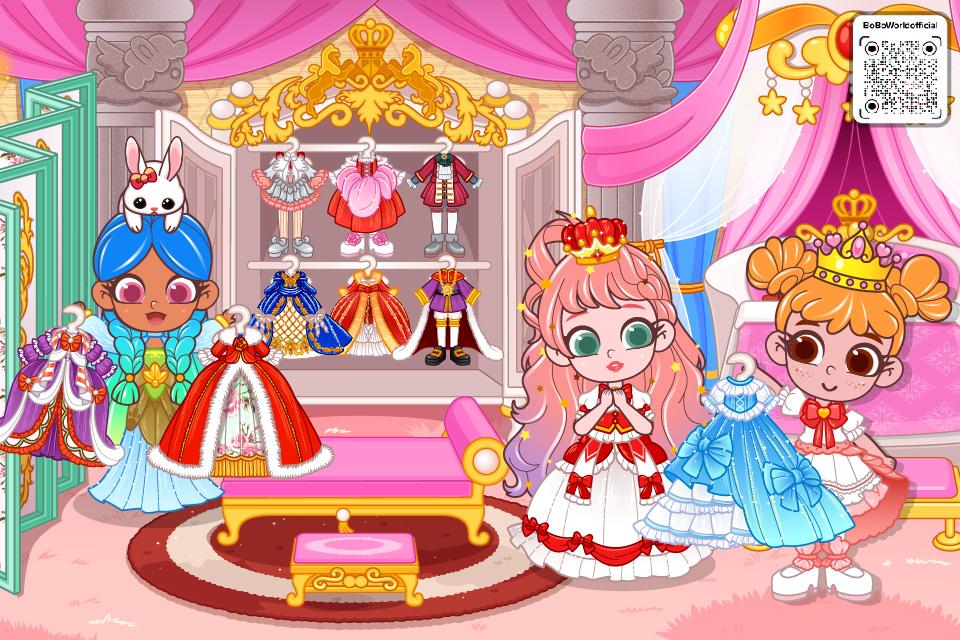
Have you ever dreamt of living in your own castle? Come to play in BoBo World: Castle! You will find your dream come true! Explore inside the castle, the queen and the king, the prince and the princess await your visit! This is an open world and there are no rules. Use your imagination to create your own story and adventure with so many cute characters and scenes!
In this play house and role play game, you could go to anywhere in this castle, including the hall, bedroom, dining room, garden, and dungeon. Touch and move everything to learn and play. Enjoy the delicious dinner, dress up the beautiful princess, find the hidden treasures, ride horses in the garden, or throw a fantastic party! With tons of items to play with, fun places to visit and things to do, you are going to love this castle in BoBo World!
[Features]
•More than 20 characters to play with!
•Tons of beautiful outfits to try on!
•Lots of places to explore!
•Discover hidden surprises and secret places!
•No rules! Have fun!
•Multi-touch supported! Play with your family and friends!
•No Wifi needed. You could play it anywhere!
Preview

Tags
Role PlayingInformation
Developer
Color Network
Latest Version
1.3.0
Last Updated
2024-12-09
Category
Role-playing
Available on
Google Play
Show More
How to play BoBo World Castle Game for Kid with GameLoop on PC
1. Download GameLoop from the official website, then run the exe file to install GameLoop
2. Open GameLoop and search for “BoBo World Castle Game for Kid” , find BoBo World Castle Game for Kid in the search results and click “Install”
3. Enjoy playing BoBo World Castle Game for Kid on GameLoop
Minimum requirements
OS
Windows 8.1 64-bit or Windows 10 64-bit
GPU
GTX 1050
CPU
i3-8300
Memory
8GB RAM
Storage
1GB available space
Recommended requirements
OS
Windows 8.1 64-bit or Windows 10 64-bit
GPU
GTX 1050
CPU
i3-9320
Memory
16GB RAM
Storage
1GB available space