
Finty Flush Spin! PC
elPatrixF
Download Finty Flush Spin! on PC With GameLoop Emulator
Finty Flush Spin! on PC
Finty Flush Spin!, coming from the developer elPatrixF, is running on Android systerm in the past.
Now, You can play Finty Flush Spin! on PC with GameLoop smoothly.
Download it in the GameLoop library or search results. No more eyeing the battery or frustrating calls at the wrong time any more.
Just enjoy Finty Flush Spin! PC on the large screen for free!
Finty Flush Spin! Introduction
A remake of the old PC classic Finty Flush™.
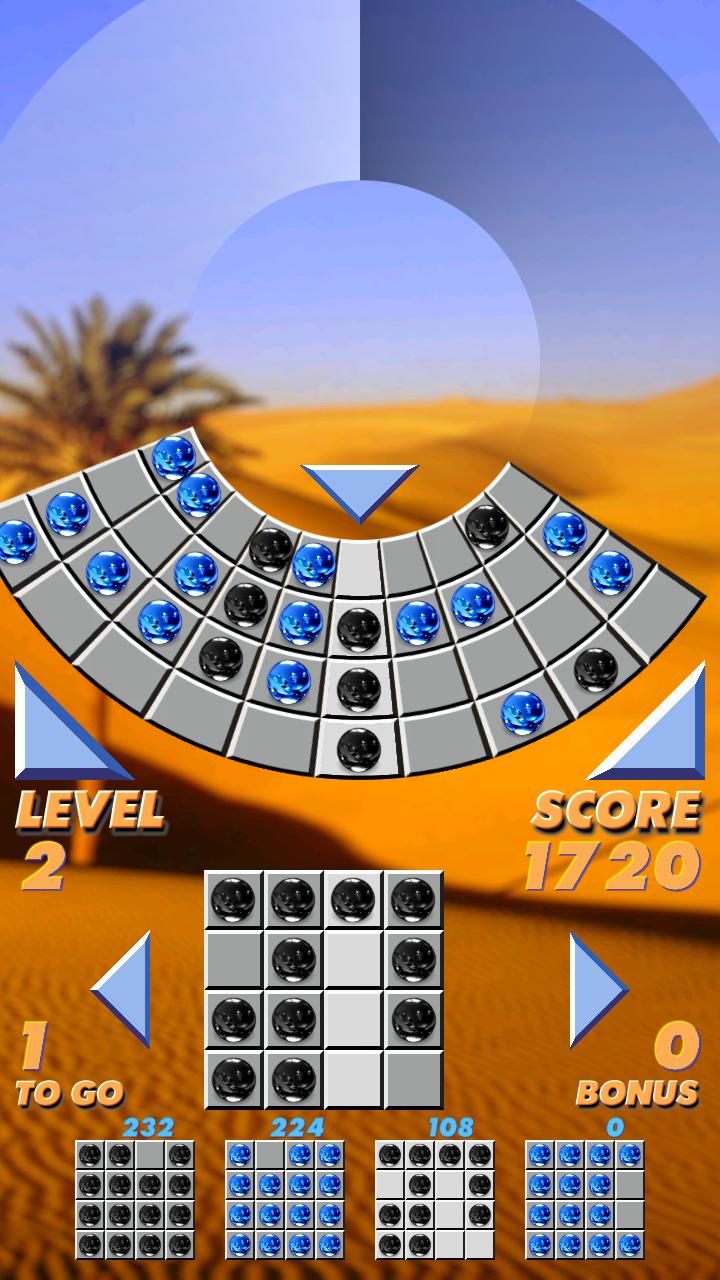
Features gameplay Identical to the original, plus additional options to customize gameplay including extra colors, disabling blots and palettes, and the special "infinite" mode where the circular grid can be spinned endlessly and the grid is constantly filled up.
The objective is to fill each empty grid with balls of one color.
Fill 3 grids to get a bonus point and move to the next level.
Touch and drag the top circular grid or the bottom grid to move them left or right. Then swipe down (or tap on the [down] button) to drop the highlighted column onto the grid.
You can switch between the 4 grids by tapping on them. Rotate the active grid by tapping on it.
Dropping balls into occupied spots will cost you one bonus point. Your game is over when the upper wheel is full.
Two special items may appear after level 5, the palette, and the blot. Drop the palette to change a ball to the color dominating the rest of the grid. Drop the blot onto a ball to remove it from the grid.
From level 7 onwards, balls of different color may appear on the same column, increasing difficulty.
Made using Clickteam Fusion 2.5
Enjoy!
Preview

Tags
PuzzleInformation
Developer
elPatrixF
Latest Version
1.2
Last Updated
2025-09-12
Category
Puzzle
Available on
Google Play
Show More
How to play Finty Flush Spin! with GameLoop on PC
1. Download GameLoop from the official website, then run the exe file to install GameLoop
2. Open GameLoop and search for “Finty Flush Spin!” , find Finty Flush Spin! in the search results and click “Install”
3. Enjoy playing Finty Flush Spin! on GameLoop
Minimum requirements
OS
Windows 8.1 64-bit or Windows 10 64-bit
GPU
GTX 1050
CPU
i3-8300
Memory
8GB RAM
Storage
1GB available space
Recommended requirements
OS
Windows 8.1 64-bit or Windows 10 64-bit
GPU
GTX 1050
CPU
i3-9320
Memory
16GB RAM
Storage
1GB available space