Sudoku - Classic Sudoku Puzzle PC
Smart Browser, Photo Gallery, QR Scanner, Coloring
Download Sudoku - Classic Sudoku Puzzle on PC With GameLoop Emulator
Sudoku - Classic Sudoku Puzzle on PC
Sudoku - Classic Sudoku Puzzle, coming from the developer Smart Browser, Photo Gallery, QR Scanner, Coloring, is running on Android systerm in the past.
Now, You can play Sudoku - Classic Sudoku Puzzle on PC with GameLoop smoothly.
Download it in the GameLoop library or search results. No more eyeing the battery or frustrating calls at the wrong time any more.
Just enjoy Sudoku - Classic Sudoku Puzzle PC on the large screen for free!
Sudoku - Classic Sudoku Puzzle Introduction
Sudoku - Free Sudoku Puzzles, Number Puzzle Game
"Sudoku - Free Sudoku Puzzles, Number Puzzle Game" is a FREE number puzzle game and single player game. "Sudoku - Free Sudoku Puzzles, Number Puzzle Game" is also a brain game and offline game. You can download Sudoku free app for your android phone and tablet.
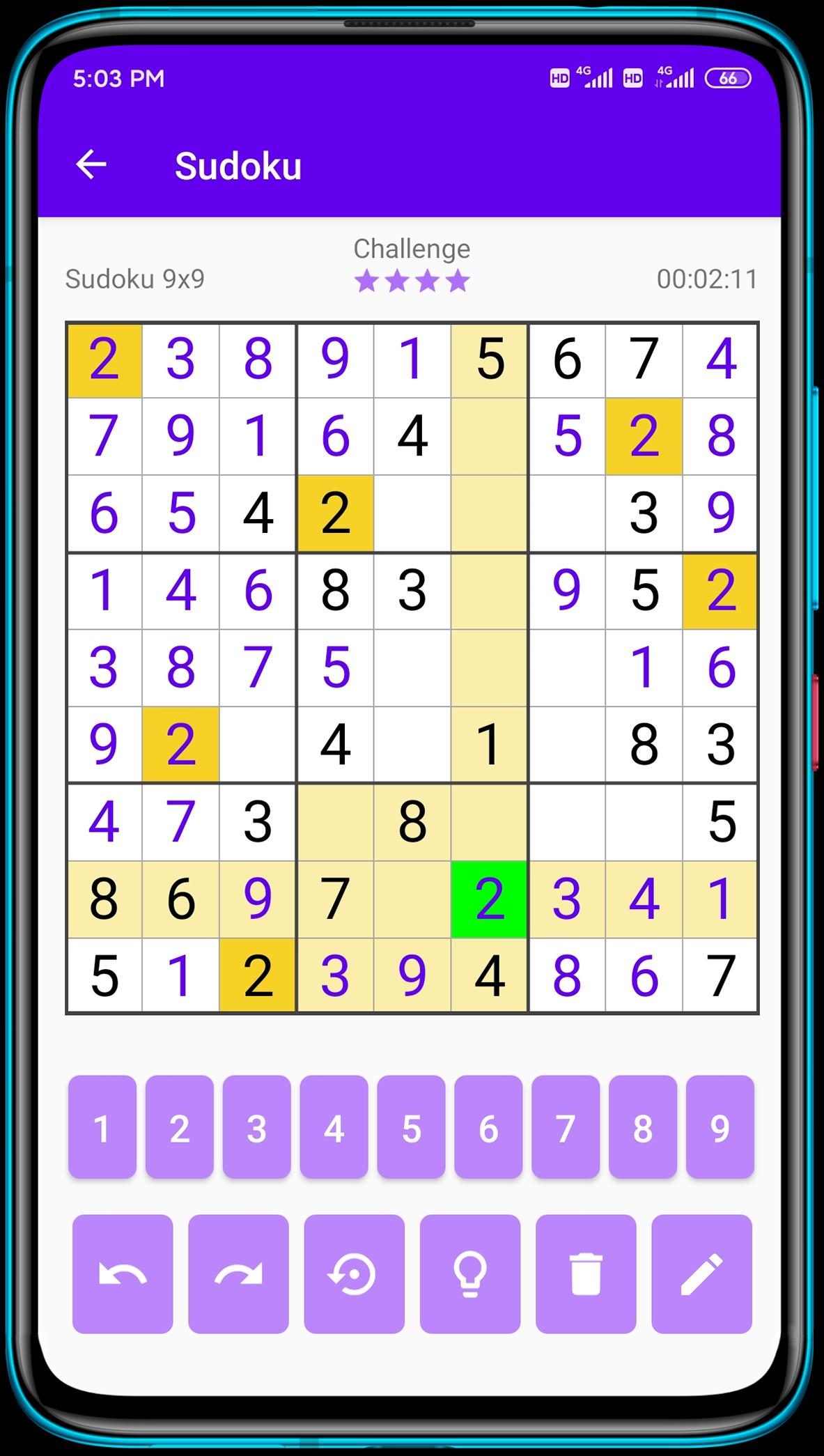
Classic Sudoku is a logic-based number puzzle game and the goal is to place 1 to 9 digit numbers into each grid cell so that each number can only appear once in each row, each column and each mini-grid. With our Sudoku puzzle app, you can not only enjoy sudoku games anytime anywhere, but also learn Sudoku techniques from it.
Key Features:
💥 Sudoku puzzles come in 4 difficulty levels - easy Sudoku, medium Sudoku, hard Sudoku and expert Sudoku! Perfect for Sudoku beginners and advanced players!
💥 Daily Challenges - Complete Daily Challenges and train you brain.
💥 Pencil Mode - Turn on/ off pencil mode as you like.
💥 Highlight Duplicates - to avoid repeating numbers in a row, column and block.
💥 Intelligent Hints - guide you through the numbers when you get stuck.
Daily sudoku is the best way to start your day! 1 or 2 classic sudoku puzzles will help you to wake up, make your brain work, and help you to be ready for a productive working day. Download this classic number game and play sudoku free puzzles offline.
Challenge your brain anywhere, anytime! Have a good time!
Preview
Tags
CasualInformation
Developer
Smart Browser, Photo Gallery, QR Scanner, Coloring
Latest Version
1.2.9
Last Updated
2022-04-01
Category
Puzzle
Available on
Google Play
Show More
How to play Sudoku - Classic Sudoku Puzzle with GameLoop on PC
1. Download GameLoop from the official website, then run the exe file to install GameLoop
2. Open GameLoop and search for “Sudoku - Classic Sudoku Puzzle” , find Sudoku - Classic Sudoku Puzzle in the search results and click “Install”
3. Enjoy playing Sudoku - Classic Sudoku Puzzle on GameLoop
Minimum requirements
OS
Windows 8.1 64-bit or Windows 10 64-bit
GPU
GTX 1050
CPU
i3-8300
Memory
8GB RAM
Storage
1GB available space
Recommended requirements
OS
Windows 8.1 64-bit or Windows 10 64-bit
GPU
GTX 1050
CPU
i3-9320
Memory
16GB RAM
Storage
1GB available space
