
TumiPOS - Punto de Venta PC
TumiSoft
Download TumiPOS - Punto de Venta on PC With GameLoop Emulator
TumiPOS - Punto de Venta on PC
TumiPOS - Punto de Venta, coming from the developer TumiSoft, is running on Android systerm in the past.
Now, You can play TumiPOS - Punto de Venta on PC with GameLoop smoothly.
Download it in the GameLoop library or search results. No more eyeing the battery or frustrating calls at the wrong time any more.
Just enjoy TumiPOS - Punto de Venta PC on the large screen for free!
TumiPOS - Punto de Venta Introduction
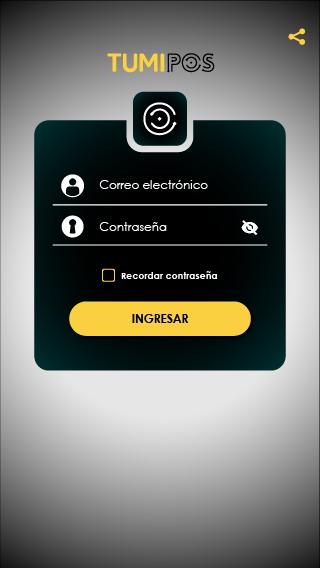
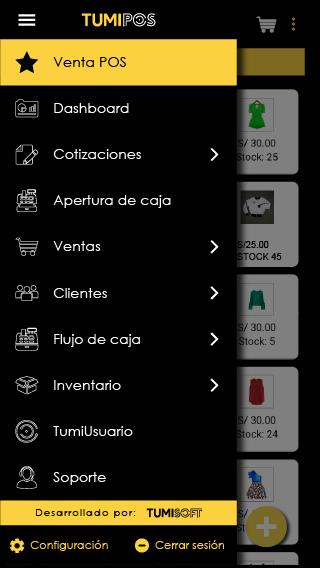
TumiPOS is the most complete and economical online system for automating your business:
✅ Unlimited electronic billing and no commissions
✅ Online inventories, POS sales, cash flow, customers, reports and more
✅ Multiplatform 📱💻☁: App and web
✅ 24 hour online support
✅ User roles: Seller, quoter, warehouseman, accountant, administrator and super administrator
System compatible with barcode readers, network printers and bluetooth*
Request a demo and take control of your business!
📞 016804448
🌐 www.tumipos.com
⚠ To use the TumiPOS system, an authorized username and password are required
For more solutions, visit us at
www.tumi-soft.com
TumiSoft Family Solutions:
TumiPOS > Application for Points of Sale and inventories
TumiFood > Application for managing restaurants and food trucks
TumiFactura > Application for Electronic Billing
TumiStylish > Application for management of aesthetic centers
tumi-soft.com
01 680 4448
Preview
Tags
ProductivityInformation
Developer
TumiSoft
Latest Version
1.6.9
Last Updated
2023-08-17
Category
Productivity
Available on
Google Play
Show More
How to play TumiPOS - Punto de Venta with GameLoop on PC
1. Download GameLoop from the official website, then run the exe file to install GameLoop
2. Open GameLoop and search for “TumiPOS - Punto de Venta” , find TumiPOS - Punto de Venta in the search results and click “Install”
3. Enjoy playing TumiPOS - Punto de Venta on GameLoop
Minimum requirements
OS
Windows 8.1 64-bit or Windows 10 64-bit
GPU
GTX 1050
CPU
i3-8300
Memory
8GB RAM
Storage
1GB available space
Recommended requirements
OS
Windows 8.1 64-bit or Windows 10 64-bit
GPU
GTX 1050
CPU
i3-9320
Memory
16GB RAM
Storage
1GB available space