
Sesame Lock Screen PC
Sesame crew
Download Sesame Lock Screen on PC With GameLoop Emulator
Sesame Lock Screen on PC
Sesame Lock Screen, coming from the developer Sesame crew, is running on Android systerm in the past.
Now, You can play Sesame Lock Screen on PC with GameLoop smoothly.
Download it in the GameLoop library or search results. No more eyeing the battery or frustrating calls at the wrong time any more.
Just enjoy Sesame Lock Screen PC on the large screen for free!
Sesame Lock Screen Introduction
"Best free Android app of 2016, 100 you must download" - TechRadar
NOTE ON LOCK SCREENS: Sesame works with Android's security, which makes it 100% safe. But some phone manufacturers customize the lock screen and Sesame can't perfectly control the display on these devices. We work on 90% of phones but if you see display problems, please don't give us a 1 star review. Email me with your phone's info and we'll try to make a custom fix :)
Sesame makes your Android faster and prettier.
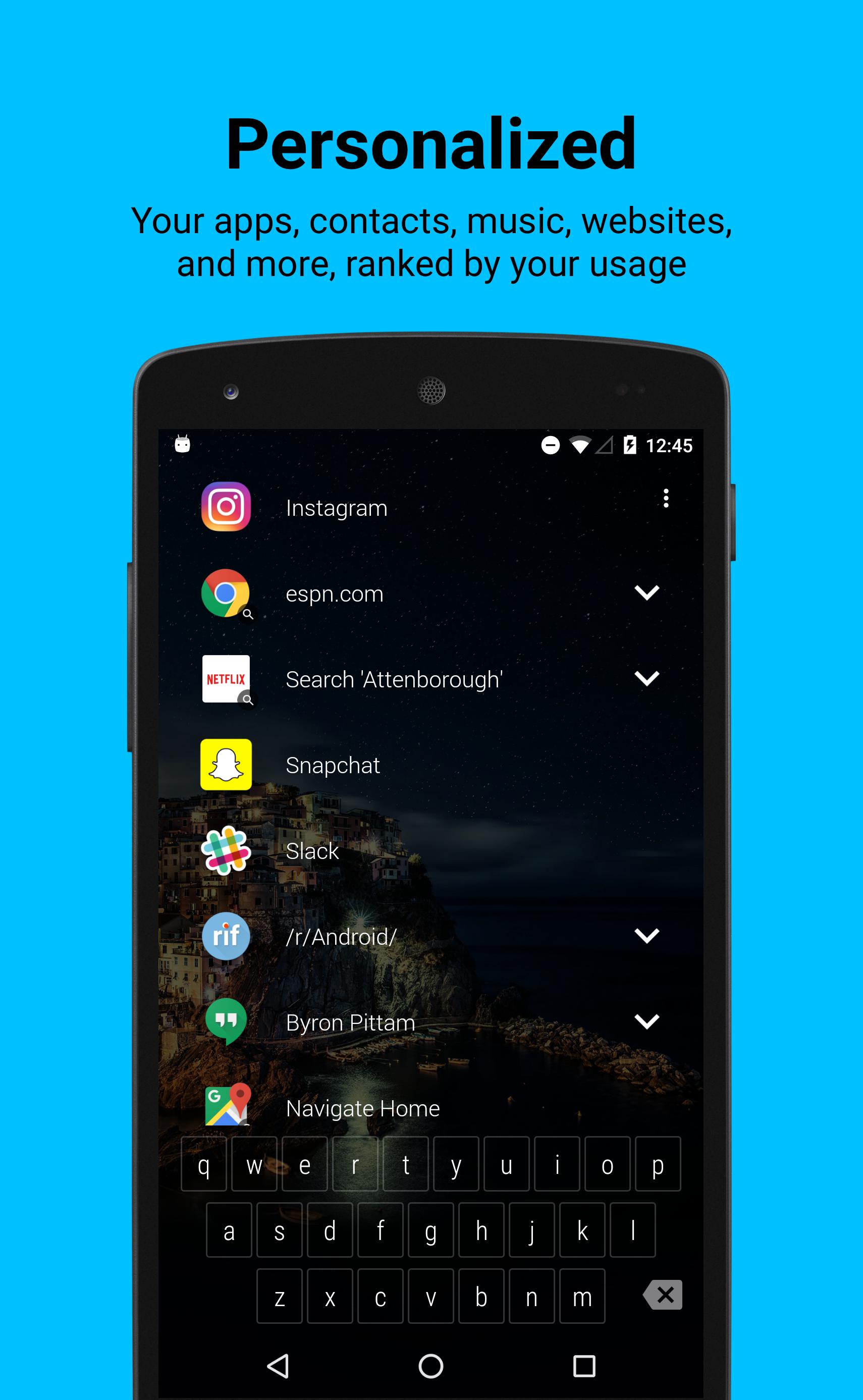
It puts your favorite apps in a ranked list on the lock screen along with a keyboard that can filter to pretty much anything in 1 or 2 touches. It learns from your behavior and makes you personalized shortcuts like...
* Your apps, ranked by how often you use them
* Your contacts with 1 touch to text, call, or email (WhatsApp too!)
* Websites you visit (but not when browsing incognito)
* Music library and new stuff you listen to (Spotify only atm but expanding soon)
* Google Now (movie times, tip calculator, flight and package tracking)
* You can Quick Search: Maps, Waze, Netflix, Spotify, Google Music, Chrome, Play Store, and YouTube. And it makes shortcuts back to your searches
* Hangouts conversations, including groups
* Alarms you set
* Uber/Lyft see live ride options w/ ETA & Surge Pricing
* Reddit - all your subreddits
Choose how and where it displays
In Settings you can pick to show your shortcut list right away, or hide it just behind a beautiful wallpaper. 1 tap will reveal your shortcuts, or you can start typing on the keyboard right away.
Smart Keyboard that learns you
The keyboard is designed to pull things up fast. You don’t need to type full words. It understands shorthand, so if I want to play music by Ratatat I can type ’S’ for Spotify then ‘R’ and 'Spotify: Ratatat' will come right up. It also learns from your choices so next time only 'S' might get the job done.
There’s no registration and none of the data leaves your device.
Lock Screen Features
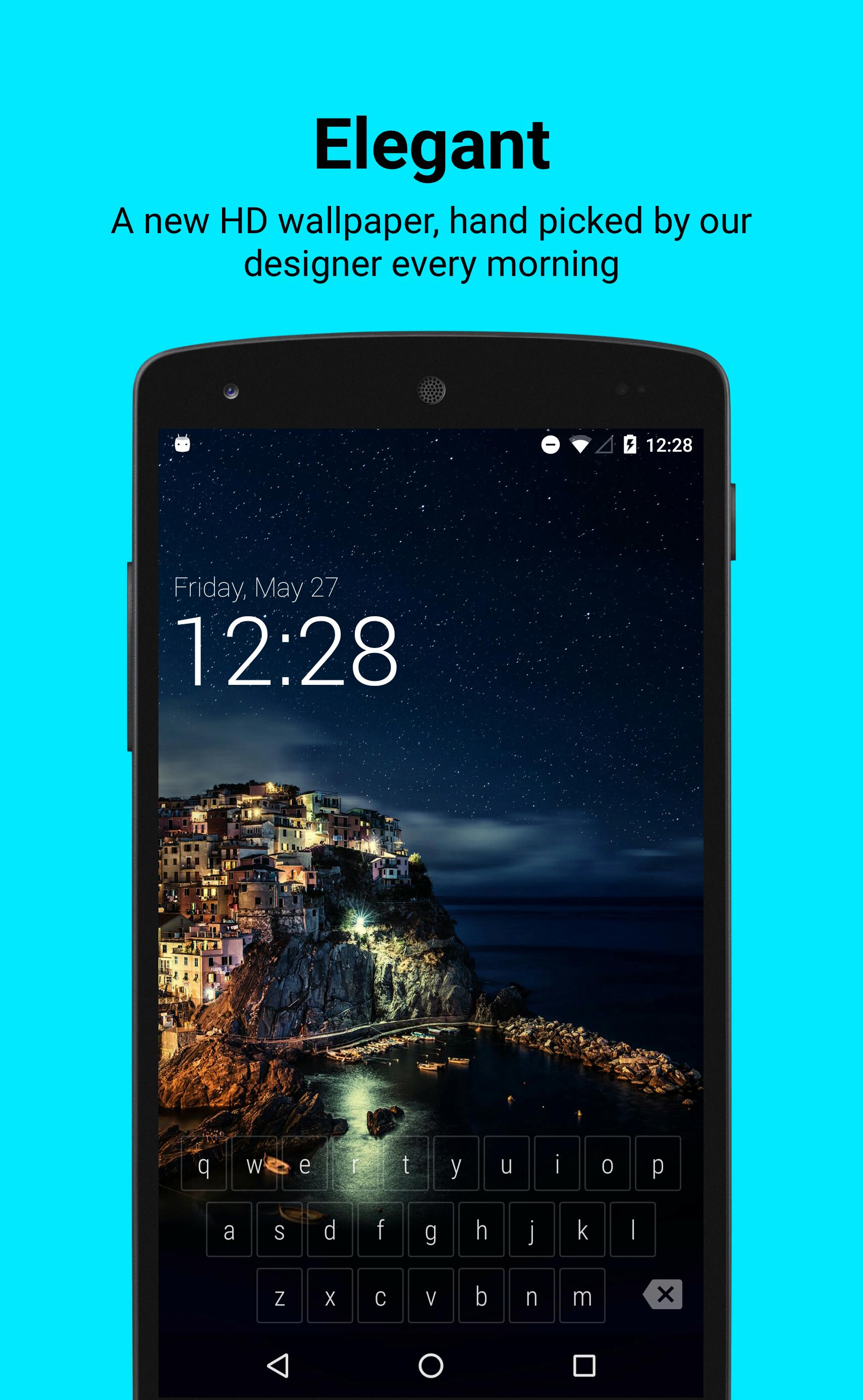
* New HD wallpaper updates every day
* Keeps your system security in place. Is 100% safe
* Displays your notifications, filters spam
How we use data
Sesame Lock Screen needs to access your data in order to make cool shortcuts for you. I wouldn’t want someone reading my personal data and I’m sure you don’t either, so we designed Sesame to work without needing to send your data to our servers.
We do send ourselves errors reports and basic analytics data to make sure the app is working well. None of this contains personal data. Your data stays on your phone. Send me an email if you’d like to learn more about how we use data.
Sesame Lock Screen is built by Steve Blackwell and Phil Wall (me). I can be reached anytime at phil@sesame.ninja. I’m happy to help with problems and would love to hear feedback so we can make it better.
We hope you like it :)
Preview
Information
Developer
Sesame crew
Latest Version
0.6.6
Last Updated
2016-07-20
Category
Productivity
Available on
Google Play
Show More
How to play Sesame Lock Screen with GameLoop on PC
1. Download GameLoop from the official website, then run the exe file to install GameLoop
2. Open GameLoop and search for “Sesame Lock Screen” , find Sesame Lock Screen in the search results and click “Install”
3. Enjoy playing Sesame Lock Screen on GameLoop
Minimum requirements
OS
Windows 8.1 64-bit or Windows 10 64-bit
GPU
GTX 1050
CPU
i3-8300
Memory
8GB RAM
Storage
1GB available space
Recommended requirements
OS
Windows 8.1 64-bit or Windows 10 64-bit
GPU
GTX 1050
CPU
i3-9320
Memory
16GB RAM
Storage
1GB available space