Glass RGB Mechanical Keyboard PC
Y2KDesignworks
Download Glass RGB Mechanical Keyboard on PC With GameLoop Emulator
Glass RGB Mechanical Keyboard on PC
Glass RGB Mechanical Keyboard, coming from the developer Y2KDesignworks, is running on Android systerm in the past.
Now, You can play Glass RGB Mechanical Keyboard on PC with GameLoop smoothly.
Download it in the GameLoop library or search results. No more eyeing the battery or frustrating calls at the wrong time any more.
Just enjoy Glass RGB Mechanical Keyboard PC on the large screen for free!
Glass RGB Mechanical Keyboard Introduction
RGB Lit Mechanical Keyboard for the first time , presenting the most Satisfying ASMR Candy Glass THEME!! Alongside Most Realistic Retro RGB Mechanical Keyboard. Hear the Thock ! and the Click Clacks
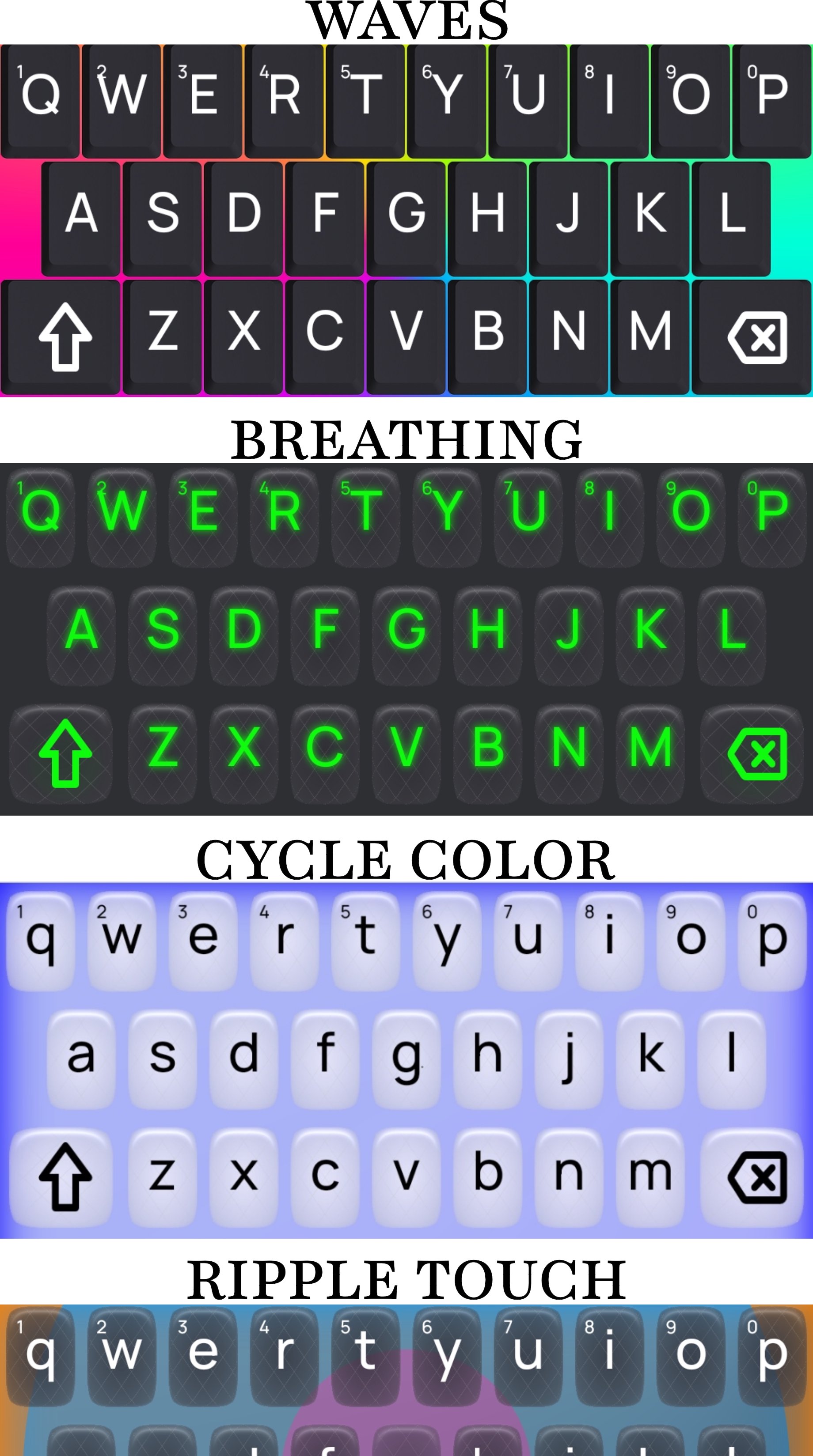
Zen of Mechanical Feeling Clicks, Back-lit LED RGB Effects such as Breathing, Wave, Touch Ripples on this Standalone Keyboard app.
A Minimalist typing keyboard as far as keyboards go when it comes to typing experience .
3D rendered Key Caps . Real look
[New] Modern Glass / Aqua Theme . like Old Calculator Plastic Buttons. Keys that responds to device motion . Tries to Bends the light like Liquid Glass. Shiny light that bends with motion enabled . A Motion activated Shimmer around the key .
Smooth Pressing Premium Feel! Key Press that gently guide .
Features:
Language Selections :
[NEW] Adds 36 New Languages . See Below.
Customization from Settings. Design your own look .
Dark Mode : Turn Everything Calm and Dark .
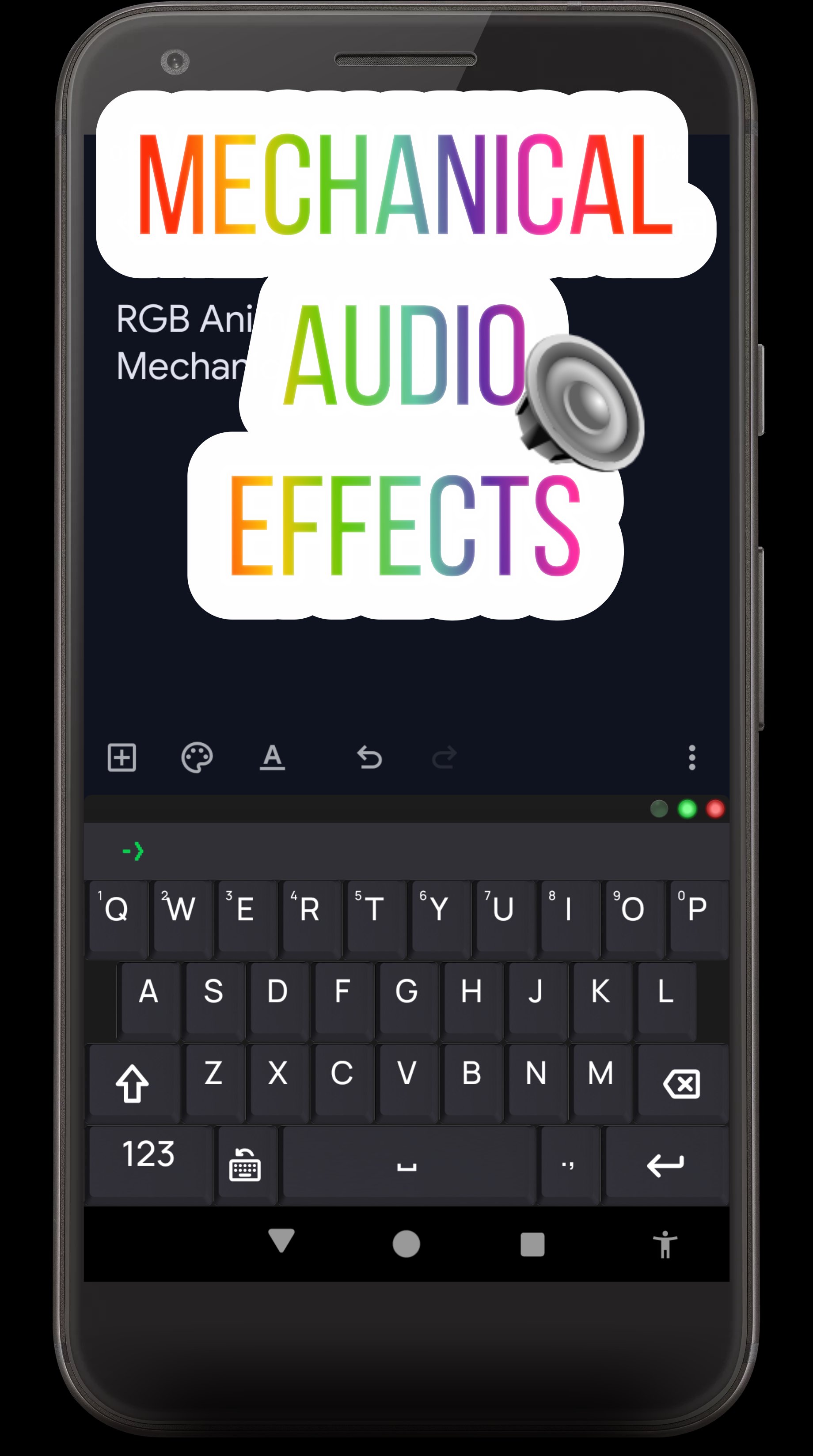
Mechanical Clicks Sound Effect just like Real Mechanical Keyboard. Dynamic Feedback with vibration of Old Retro Keyboard .
[New]Sci-fi Sound Effect on Glass Theme in contrast to the mechanical one.
LED Status Indicators for CAPS,NUM,POWER like old keyboards .
RGB Backlit Effects Such as :
Billion Colors RGB Rainbow Wave Effect
Ripple Animation on Touch .
Breathing Animations ,
LED backlight Color change,
plus more
Emojis Support , A wide selection of UpToDate Android emojis .
Smart Bar on Top : Always Visible A Retro Inspired CRT like Virtual Terminal
-Terminal Extracts Field name from Forms and Shows
- Keyboard Mode Display shown what is mode currently toggled :Shifted , Emoji , Caps Locked etc .
- Generates "Hollywood Style" terminal commands for that pro-coder vibe.
- Multi Function Terminal like Bar shows other Status.
- Word Completion Suggestions are shown and selected easily.
- Room for more ...
Retro Status lights Indicator for CAPS LOCK,NUM,POWER on the frame of keyboard.
Modifier Keys : Shift , Num lock for Symbols instantly accessible.
Accentuation / Alternate Characters on Long Press .
Show or hide Numbers in top row .
Swipe on Space Bar to easily slide the cursor on text and Modify Text Selection Highlights with a swipe.
Long Press Delete and Space Keys
Extra Large Keyboard in Landscape Mode and Tablets.
Looks and Theme of a Traditional Old Mechanical Keyboard. 3D Rendered Keys!! modeled from real Keycaps.
Traditional Keyboard Layout slightly modified for Mobile use.
Built for Professionals:
Perfect for Writers, Authors , Bloggers, Novelist, Cover Writers, Litterateur, Journalists, Reviewers, Analysts, Poets, Essayists. No Disturbance , simple Spell Check word suggestions. Hands Off Creativity.
A Coding, Programming Keyboard suitable for remote terminal works . Pair the keyboard with your terminal emulators and CRT simulators.
Supported Languages :
العربية (Arabic): لوحة المفاتيح
Български (Bulgarian): Клавиатура
Hrvatski (Croatian): Tipkovnica
Čeština (Czech): Klávesnice
Dansk (Danish): Tastatur
Nederlands (Dutch): Toetsenbord
Eesti (Estonian): Klaviatuur
Suomi (Finnish): Näppäimistö
Français (French): Clavier
Deutsch (German): Tastatur
Ελληνικά (Greek): Πληκτρολόγιο
עברית (Hebrew): מקלדת
हिन्दी (Hindi): कीबोर्ड / कुंजीपटल
Magyar (Hungarian): Billentyűzet
Bahasa Indonesia (Indonesian): Papan ketik
Italiano (Italian): Tastiera
Latviešu (Latvian): Tastatūra
Lietuvių (Lithuanian): Klaviatūra
Bahasa Melayu (Malay): Papan kekunci
नेपाली (Nepali): कीबोर्ड / कुञ्जीपाटी
Norsk (Norwegian): Tastatur
فارسی (Persian/Farsi): صفحهکلید
Polski (Polish): Klawiatura
Português (Portuguese): Teclado
Română (Romanian): Tastatură
Русский (Russian): Клавиатура
Српски (Serbian): Тастатура
Slovenčina (Slovak): Klávesnica
Slovenščina (Slovenian): Tipkovnica
Español (Spanish): Teclado
Svenska (Swedish): Tangentbord
தமிழ் (Tamil): விசைப்பலகை
ไทย (Thai): แป้นพิมพ์
Türkçe (Turkish): Klavye
Українська (Ukrainian): Клавіатура
Tiếng Việt (Vietnamese): Bàn phím
Preview
Tags
ProductivityPersonalizationInformation
Developer
Y2KDesignworks
Latest Version
14.8.17-release-20260309
Last Updated
2026-03-09
Category
Productivity
Available on
Google Play
Show More
How to play Glass RGB Mechanical Keyboard with GameLoop on PC
1. Download GameLoop from the official website, then run the exe file to install GameLoop
2. Open GameLoop and search for “Glass RGB Mechanical Keyboard” , find Glass RGB Mechanical Keyboard in the search results and click “Install”
3. Enjoy playing Glass RGB Mechanical Keyboard on GameLoop
Minimum requirements
OS
Windows 8.1 64-bit or Windows 10 64-bit
GPU
GTX 1050
CPU
i3-8300
Memory
8GB RAM
Storage
1GB available space
Recommended requirements
OS
Windows 8.1 64-bit or Windows 10 64-bit
GPU
GTX 1050
CPU
i3-9320
Memory
16GB RAM
Storage
1GB available space