Retimer: Reminders & Alarms PC
rdq - smart productivity tools
Download Retimer: Reminders & Alarms on PC With GameLoop Emulator
Retimer: Reminders & Alarms on PC
Retimer: Reminders & Alarms, coming from the developer rdq - smart productivity tools, is running on Android systerm in the past.
Now, You can play Retimer: Reminders & Alarms on PC with GameLoop smoothly.
Download it in the GameLoop library or search results. No more eyeing the battery or frustrating calls at the wrong time any more.
Just enjoy Retimer: Reminders & Alarms PC on the large screen for free!
Retimer: Reminders & Alarms Introduction
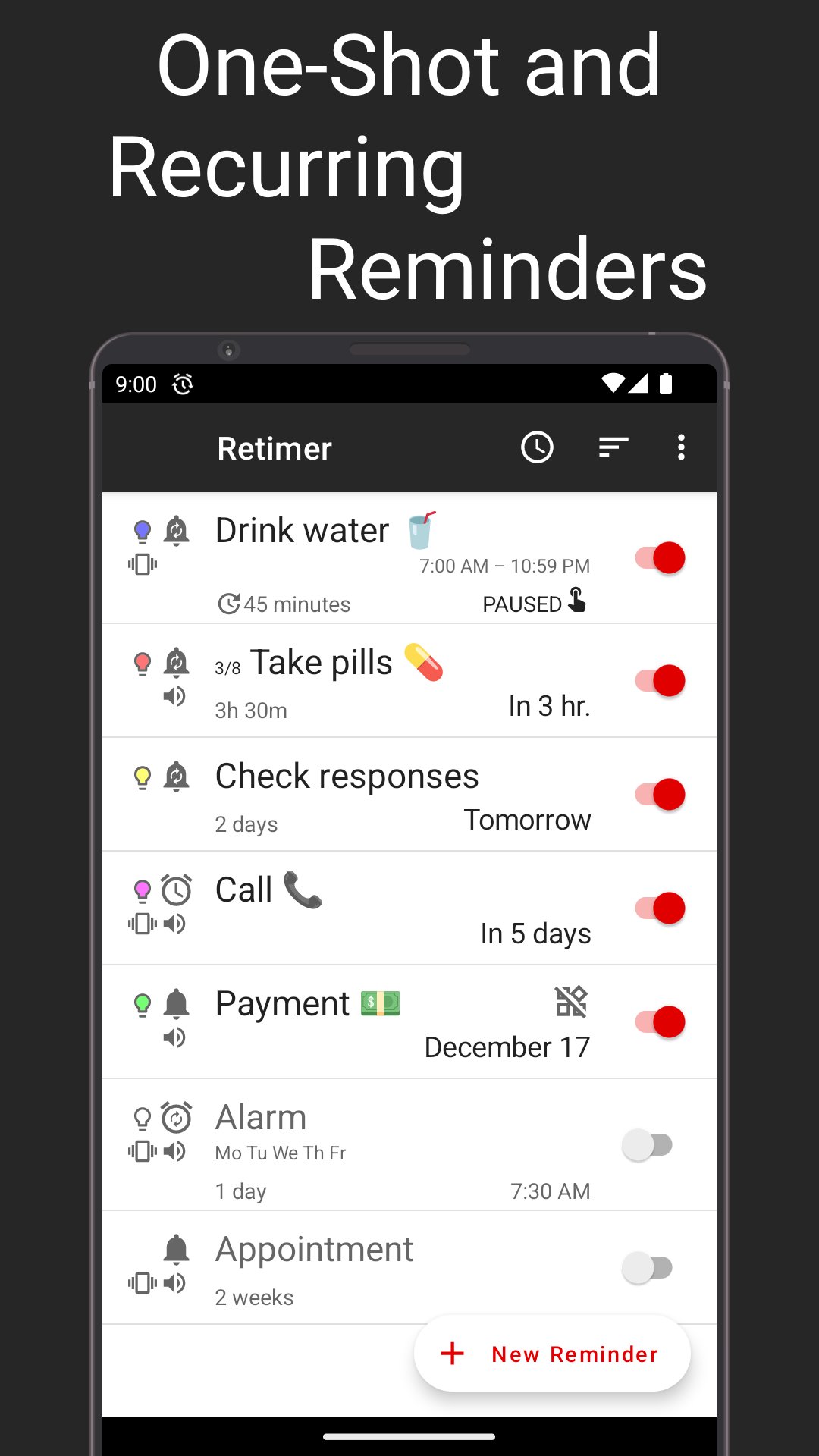
Are you performing a wide range of repetitive tasks and want to have a better way of managing them? Then the Retimer tool is for you! This is a one of a kind timer and alarm clock application that will keep track of all your tasks. When the time comes and you need to complete a task, it will just send a reminder right away.
Why should you use Retimer? This tool makes your life a whole lot easier since you will always be notified when you need to complete any task. Do you need to water your flowers or maybe you have to perform a payment? All you need to do is to add this task into Retimer and then you will receive a notification when necessary.
This app does even more than that. It also helps you create a recurring reminder or one-off timer if you want. You can even skip selected tasks or modify the LED colors for notifications. If you want to focus on a specific task, you can pin it on the notification drawer.
One thing is certain, Retimer is a lightweight, yet extremely universal reminder and alarm clock app that you want to try out right away. If you always wanted to stay organized and track your day to day tasks, just download Retimer now and you will not be disappointed!
Features:
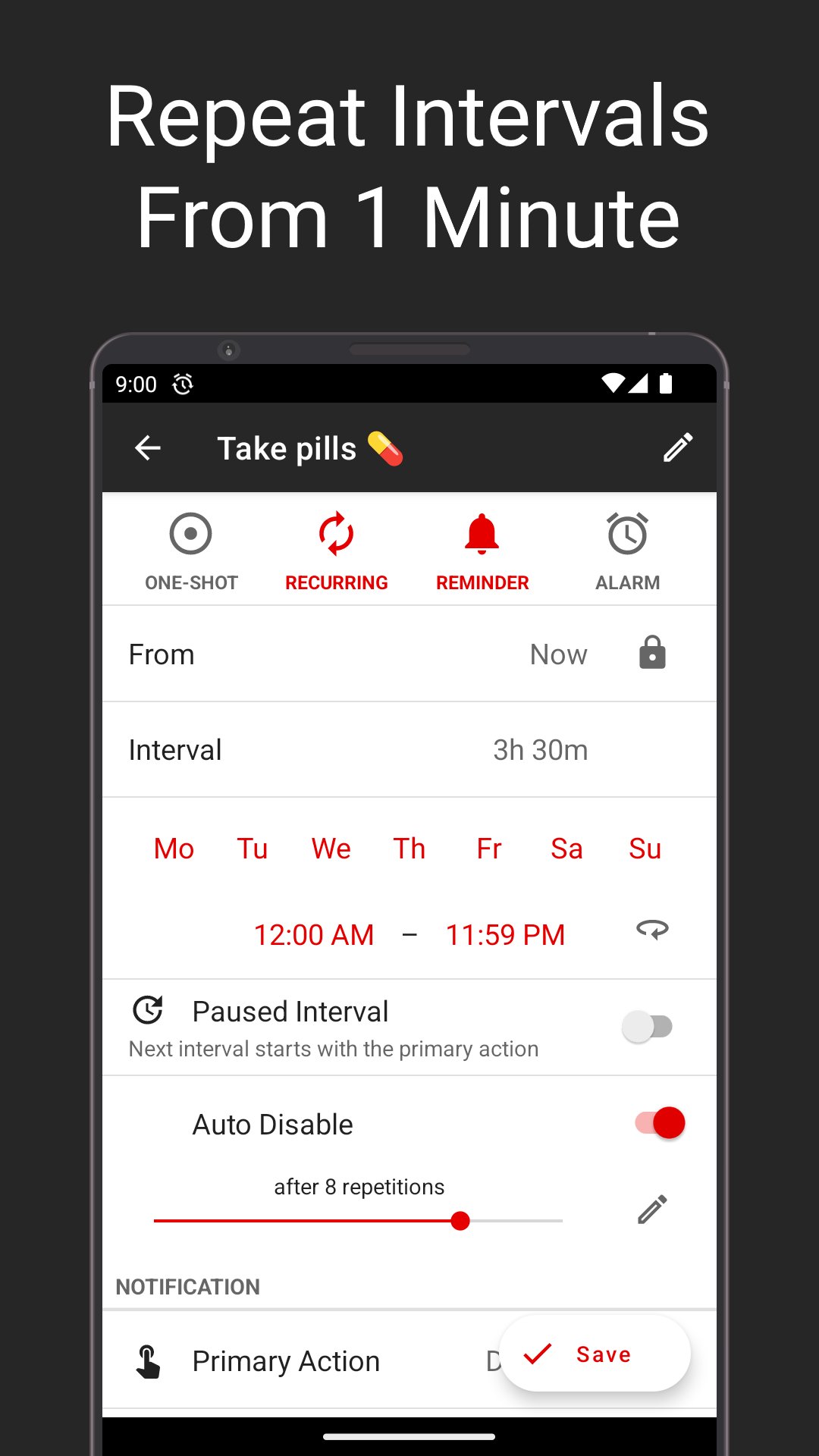
• Create one-off or recurring reminders
• Option to set active days and time period for each reminder
• Choose the number of repeats for your reminders
• Skip tasks if needed
• Dedicated alarm clock mode
• Dark and light themes
• Home screen widget
• Add as many reminders as you want
• Set default values for new timers
• Modify the LED color for notifications
• Add vibration or sounds to your timers
• Open up a web page or app via any reminder
Help improve Retimer! Please fill in this quick survey:
https://www.akiosurvey.com/svy/retimer-en
Preview
Tags
ProductivityInformation
Developer
rdq - smart productivity tools
Latest Version
3.50
Last Updated
2025-09-12
Category
Productivity
Available on
Google Play
Show More
How to play Retimer: Reminders & Alarms with GameLoop on PC
1. Download GameLoop from the official website, then run the exe file to install GameLoop
2. Open GameLoop and search for “Retimer: Reminders & Alarms” , find Retimer: Reminders & Alarms in the search results and click “Install”
3. Enjoy playing Retimer: Reminders & Alarms on GameLoop
Minimum requirements
OS
Windows 8.1 64-bit or Windows 10 64-bit
GPU
GTX 1050
CPU
i3-8300
Memory
8GB RAM
Storage
1GB available space
Recommended requirements
OS
Windows 8.1 64-bit or Windows 10 64-bit
GPU
GTX 1050
CPU
i3-9320
Memory
16GB RAM
Storage
1GB available space