Regain: Study Timer for Focus PC
EpowerX Labs Pvt Ltd
Download Regain: Study Timer for Focus on PC With GameLoop Emulator
Regain: Study Timer for Focus on PC
Regain: Study Timer for Focus, coming from the developer EpowerX Labs Pvt Ltd, is running on Android systerm in the past.
Now, You can play Regain: Study Timer for Focus on PC with GameLoop smoothly.
Download it in the GameLoop library or search results. No more eyeing the battery or frustrating calls at the wrong time any more.
Just enjoy Regain: Study Timer for Focus PC on the large screen for free!
Regain: Study Timer for Focus Introduction
Did you know most people lose 7 hours a day to mindless scrolling? Most of this screen time is spent on distractions, mindlessly scrolling YouTube Shorts and Instagram Reels. It feels like our phones control us.
But with Regain, you can finally take back control and reduce your screen time, improve focus and productivity with powerful features designed for students, professionals, and anyone seeking balance.
Regain will help you:
🔥 Reduce your screen time by 25% in less than a week
▶️ Study on YouTube without distractions by blocking unproductive channels
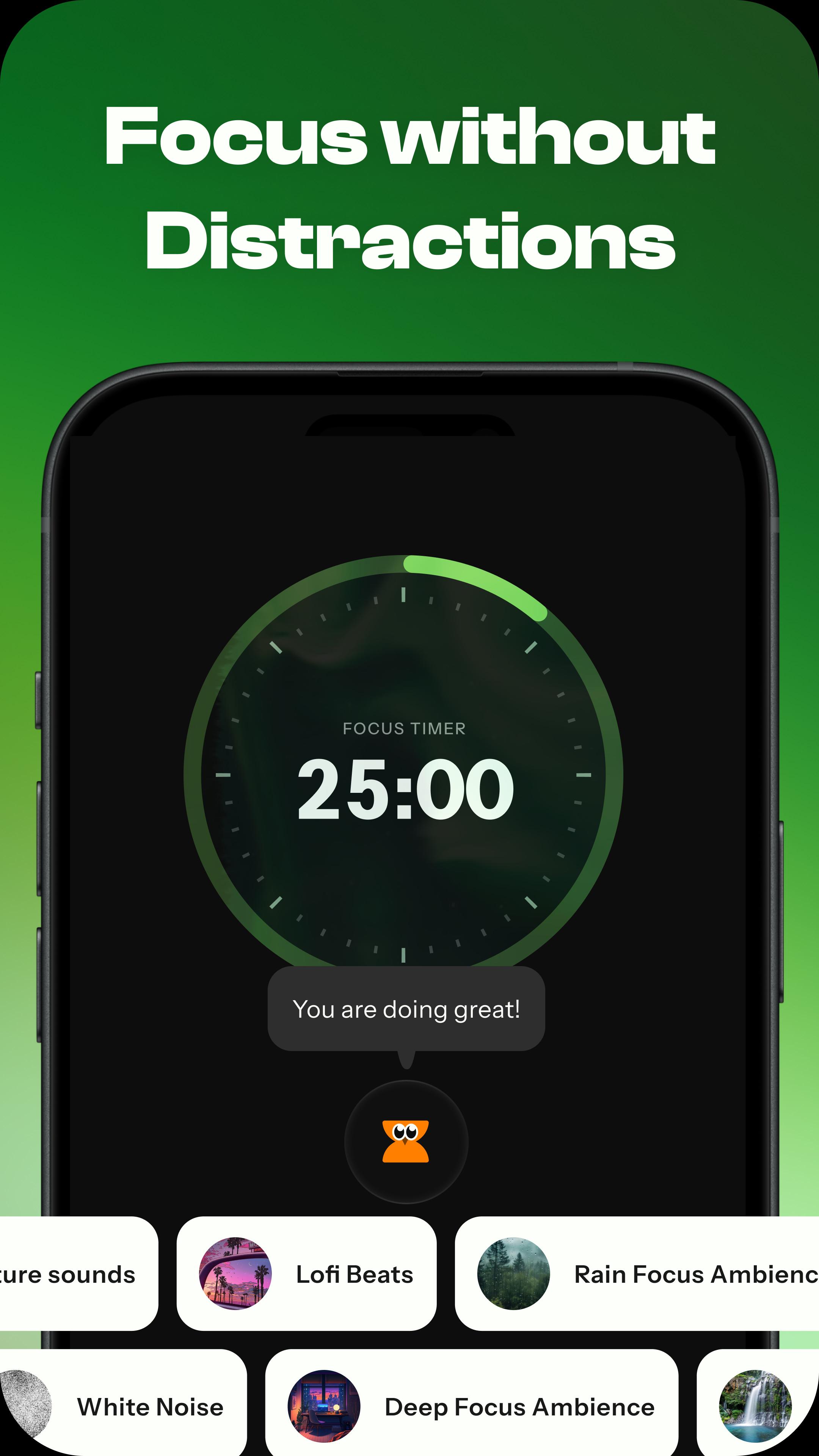
🎵 Focus on studies better with relaxing, study-friendly music
😌 Live a peaceful, interruption-free life with fewer distractions
✋ Limit screen time on social media platforms
💪 Only use your phone when it’s truly necessary
Why Choose Regain:
⏳ Focus Timer with Music: Regain’s Focus Timer is designed to help you study better without distractions from your phone. Choose focus-friendly music, create a distraction-free environment, and watch only allowed apps and productive channels on YouTube.
🕑 App Limits: Regain isn't just an app blocker; Regain reminds you to mindfully manage and spend your time on your apps. App limit helps you to set a daily usage limit. Get rewarded with streaks when you stay within your daily limits!
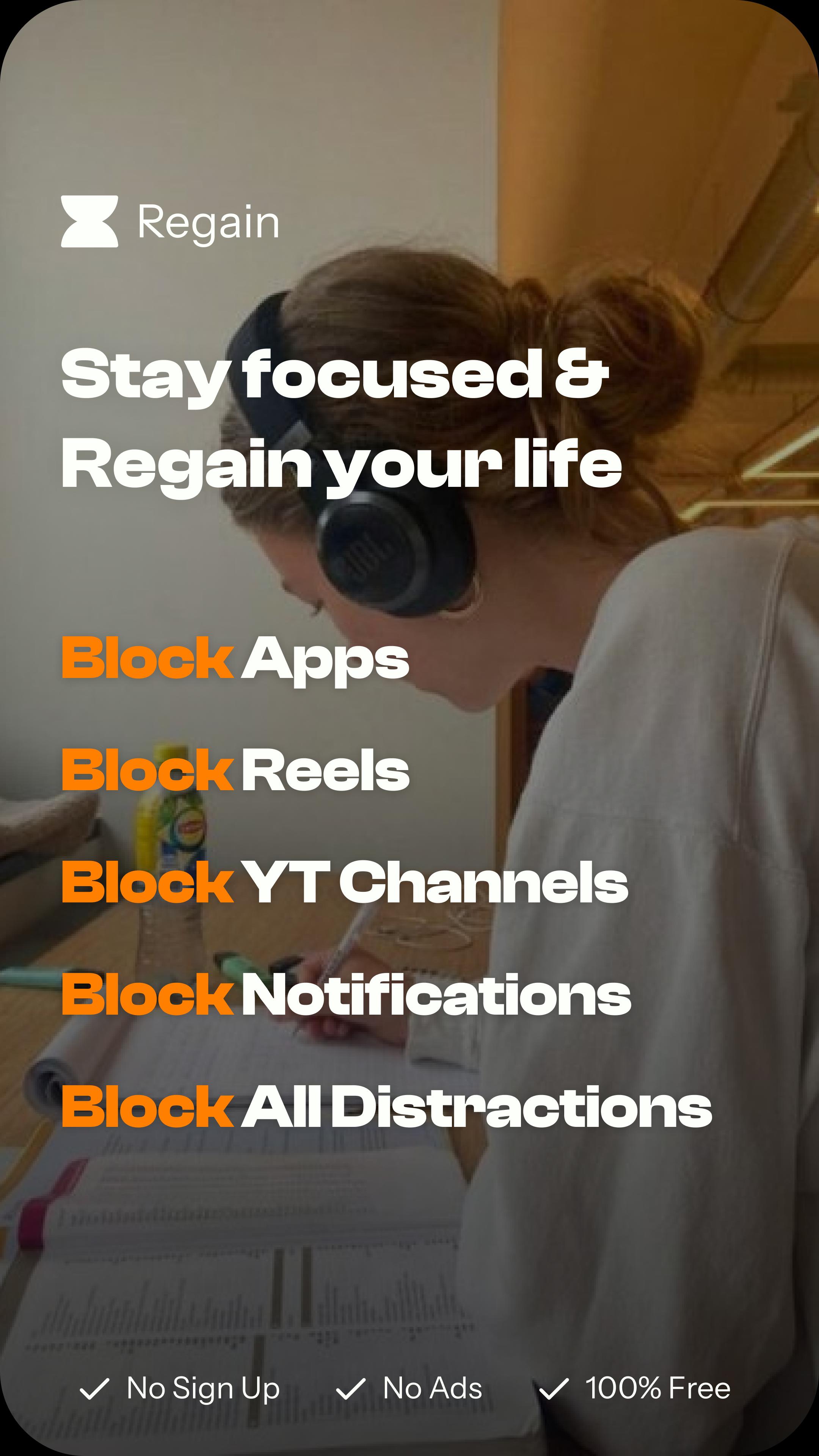
🛑 Block Reels and Shorts: Completely block distractions from Instagram Reels, YouTube Shorts, Facebook, and Snapchat to avoid distractions and limit social media usage.
🔔 Block Notifications: Manage and control your notifications with ease. View only important notifications immediately, and schedule the rest to avoid distractions. Schedule individual chats and separate channels within an app. Customise your notification drawer without missing out on any notifications.
📊 Screen Time Insights: Get a detailed screen time report and track your screen time control efforts. Dive into your screen time habits, understand and transform them with actionable insights. Get a breakdown of your productive and distracting time.
▶️ Productive Mode for YouTube: Regain's Productive Mode is designed to help you maintain your focus during studying on YouTube and avoid distractions. Block videos from distracting channels and study without any distractions.
🎯 Block Schedule: Schedule your blocks and don't get distracted by your apps. Enforce a strict block for your distracting apps during your study time, sleep time, work time, family time and much more.
🌟 Meet Rega, Your Screen-Time Buddy: Rega is your personal guide to help you reduce your screen time. A fun and wise friend to be a cheerleader in your journey!
Achieve all of these in a fun & gamified experience. Still waiting? Download Regain now & Take control of your focus, attention & time like never before.
Accessibility Service API permission:
This app uses the Accessibility Service API to detect and intervene user-selected target apps features like YouTube Shorts Blocking. Your accessibility data never leaves your device.
Preview
Tags
ProductivityInformation
Developer
EpowerX Labs Pvt Ltd
Latest Version
23.1.741
Last Updated
2025-02-19
Category
Productivity
Available on
Google Play
Show More
How to play Regain: Study Timer for Focus with GameLoop on PC
1. Download GameLoop from the official website, then run the exe file to install GameLoop
2. Open GameLoop and search for “Regain: Study Timer for Focus” , find Regain: Study Timer for Focus in the search results and click “Install”
3. Enjoy playing Regain: Study Timer for Focus on GameLoop
Minimum requirements
OS
Windows 8.1 64-bit or Windows 10 64-bit
GPU
GTX 1050
CPU
i3-8300
Memory
8GB RAM
Storage
1GB available space
Recommended requirements
OS
Windows 8.1 64-bit or Windows 10 64-bit
GPU
GTX 1050
CPU
i3-9320
Memory
16GB RAM
Storage
1GB available space