
Piola App PC
Piola App - Grupo Ushuaia Tecnología S.L.
Download Piola App on PC With GameLoop Emulator
Piola App on PC
Piola App, coming from the developer Piola App - Grupo Ushuaia Tecnología S.L., is running on Android systerm in the past.
Now, You can play Piola App on PC with GameLoop smoothly.
Download it in the GameLoop library or search results. No more eyeing the battery or frustrating calls at the wrong time any more.
Just enjoy Piola App PC on the large screen for free!
Piola App Introduction
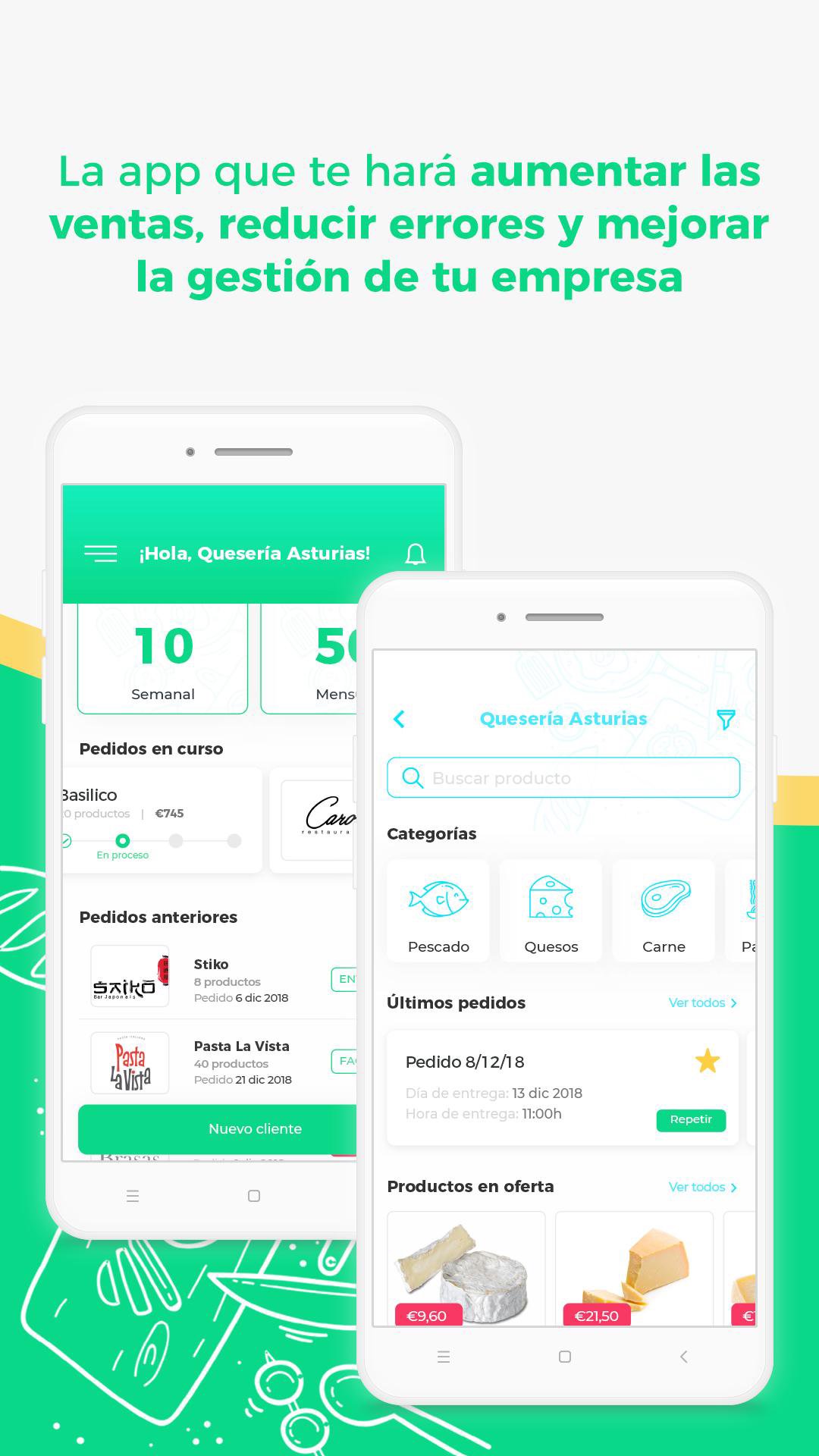
Manage orders and their states in seconds and control all your orders and clients in Piola. Increase your sales, reduce errors and improve the management of your company.
-------- IF you are a Supplier, manufacturer or distributor, management without complications --------
TEAMWORK
Invite your entire team to use Piola so that everyone can participate in the management of orders. Manage users and permissions.
YOUR ORDERS IN ONE PLACE, ORDERED AND UPDATED INSTANTLY
Forget having to receive orders by Whatsapp, email or phone and all the errors that are generated in this process. Centralize all your customers' orders in a single channel. Get more control and save a lot of management time. In addition, you can edit them and report the status of the order.
CHAT
Stay connected with our chat within the application
YOUR CATALOG ALWAYS AVAILABLE
Manage your products, their prices and formats ... Expand the information, detail the allergen tables or show the products on offer. Create special rates and discounts for each of your clients.
MANAGE ALL YOUR CUSTOMERS
Know what products have been purchased, when was the last time and everything you need to have smooth communication with your customers. Add information about business days to order, closing dates, holidays ... and much more!
If you are a provider, pay a monthly Fee. No commission!
-------- If you are a Restaurant, bar, hotel or merchant, get more control of your purchases. --------
You can order suppliers within Piola and external providers quickly. It's also FREE!
MANAGE ORDERS, MANAGE PURCHASES AND DECREASE ERRORS
Order the products quickly and easily. Manage orders, and check their status. The rest of the team can also access the information and stay up to date.
YOUR ORDERS IN ONE PLACE, ORDERED AND UPDATED INSTANTLY.
Forget having to make orders by Whatsapp, email or phone and all the errors that are generated that way. Centralize all orders to your suppliers in a single channel. Have better control and save a lot of management time. In addition, you can edit and save them as favorites
ALL TEAM INFORMED
With the option of multiple users, staff can edit the status of orders and be informed about what happens to them.
THE CATALOG OF YOUR SUPPLIERS ALWAYS AVAILABLE
Access the updated catalog of your suppliers with products, formats, prices and offers.
MANAGE ORDERS FOR ALL PREMISES
Know what products have been purchased, when was the last time and everything you need to have smooth communication with your suppliers. Choose the place where the order should be delivered. Add information about delivery days and times, closing dates, holidays ... and much more!
ALSO REQUEST YOUR EXTERNAL SUPPLIERS
If you want to order from a supplier that is not in our app, you can also do so. We offer you a tool that stores the information of the supplier and its products. Every time you order, they will receive an email confirmation.
Preview

Tags
ProductivityInformation
Developer
Piola App - Grupo Ushuaia Tecnología S.L.
Latest Version
1.1.19
Last Updated
2024-11-15
Category
Productivity
Available on
Google Play
Show More
How to play Piola App with GameLoop on PC
1. Download GameLoop from the official website, then run the exe file to install GameLoop
2. Open GameLoop and search for “Piola App” , find Piola App in the search results and click “Install”
3. Enjoy playing Piola App on GameLoop
Minimum requirements
OS
Windows 8.1 64-bit or Windows 10 64-bit
GPU
GTX 1050
CPU
i3-8300
Memory
8GB RAM
Storage
1GB available space
Recommended requirements
OS
Windows 8.1 64-bit or Windows 10 64-bit
GPU
GTX 1050
CPU
i3-9320
Memory
16GB RAM
Storage
1GB available space