
OGM Drive PC
NET DATA SOFT
Download OGM Drive on PC With GameLoop Emulator
OGM Drive on PC
OGM Drive, coming from the developer NET DATA SOFT, is running on Android systerm in the past.
Now, You can play OGM Drive on PC with GameLoop smoothly.
Download it in the GameLoop library or search results. No more eyeing the battery or frustrating calls at the wrong time any more.
Just enjoy OGM Drive PC on the large screen for free!
OGM Drive Introduction
"Save Everything, Share What You Want"
OGM Drive is a file management and archiving system that protects all information and documents in electronic environment, stores all kinds of documents and enables them to be shared easily.
All electronic information and documents are now fully protected ...
SAFE STORAGE
Encrypts, stores, authorizes, versions, backups, logs and organizes all your data.
OGM Drive gives you faster access to your files.
POWERFUL SEARCH
You can search for content by keyword, and filter by file type, owner, other criteria, and time interval.
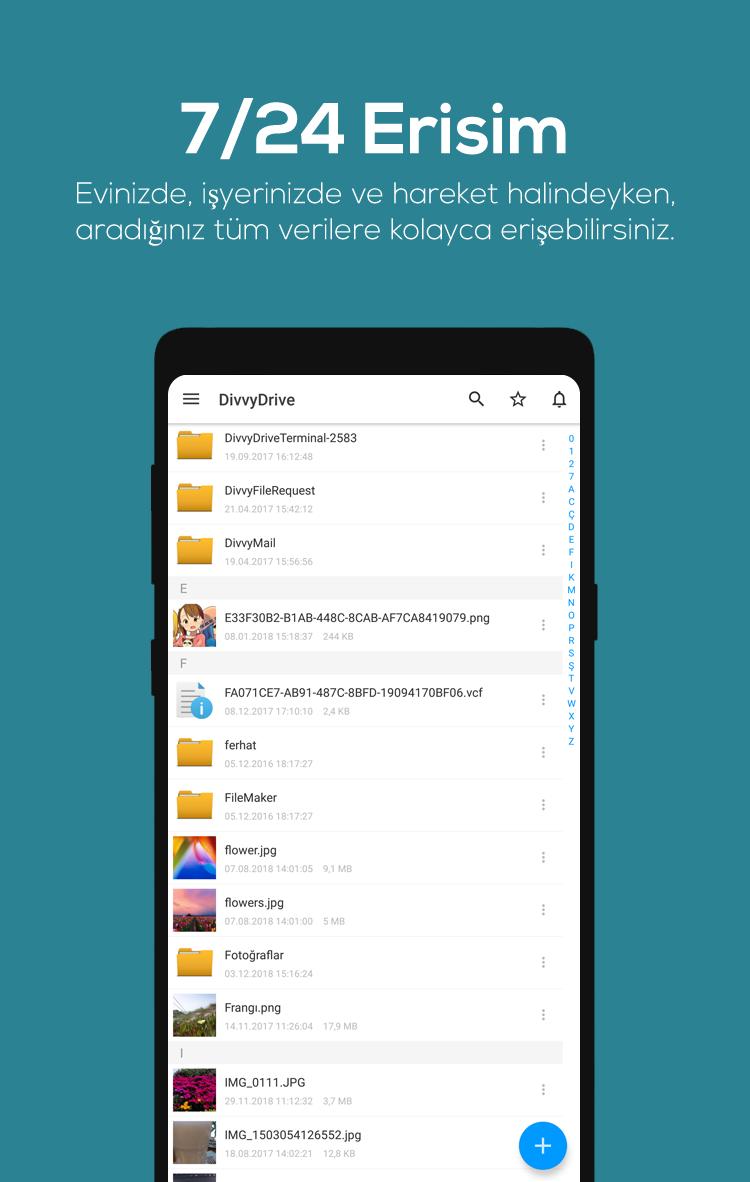
24/7 ACCESS
It gives you instant access to your data from anywhere. You can easily access all the data you're looking for at home, at work and on the go.
BACKUP
No matter how big the data on your device, it's easy to make backups and organize your data with OGM Drive.
DATA CRYPTING
The world's most advanced crypto and hash algorithms are used in all file and transfer storage. All data in OGM Drive is stored with encryption.
PROTECTION AGAINST VIRUSES
It passes all the information and files that it stores through a special algorithm to prevent parts and viruses from damaging other stored files. No virus can be activated in our system.
Your files are right there where you are! Get ready to move and share.
https://ogm.gov.t is
Preview
Tags
ProductivityInformation
Developer
NET DATA SOFT
Latest Version
5.0.4.2
Last Updated
2023-08-05
Category
Productivity
Available on
Google Play
Show More
How to play OGM Drive with GameLoop on PC
1. Download GameLoop from the official website, then run the exe file to install GameLoop
2. Open GameLoop and search for “OGM Drive” , find OGM Drive in the search results and click “Install”
3. Enjoy playing OGM Drive on GameLoop
Minimum requirements
OS
Windows 8.1 64-bit or Windows 10 64-bit
GPU
GTX 1050
CPU
i3-8300
Memory
8GB RAM
Storage
1GB available space
Recommended requirements
OS
Windows 8.1 64-bit or Windows 10 64-bit
GPU
GTX 1050
CPU
i3-9320
Memory
16GB RAM
Storage
1GB available space